TL;DR
- Helpable is the strongest pick for customer-facing documentation: automatic SEO and schema markup, an included AI answer bot, a custom domain on every plan, and EU hosting (Frankfurt and Amsterdam) by default.
- Confluence and GitBook are excellent for internal wikis and developer docs, but they were never designed for customers who arrive from Google or ask ChatGPT a question.
- For public product docs you want a tool that ranks, answers, and matches your brand on your own domain. Helpable does all three out of the box; most competitors charge extra or cannot.
Customer-facing documentation is a different job from an internal wiki or a developer reference. An internal wiki only needs to be searchable behind a login. But customer-facing docs have to be found by people who do not work at your company: they search Google, they ask ChatGPT or Perplexity, and they expect the help center to look like your product on a URL that feels like yours.
So these tools live or die on five things internal tools usually ignore: public SEO, an AI answer experience, branding on a custom domain, hreflang for multiple languages, and structured data so AI assistants can quote you. This guide compares the main options through that lens, and Helpable is built for exactly this use case, so it gets the most detail. For the broader market view, see our knowledge base software comparison.
At-a-glance: customer-facing documentation tools
| Tool | Best for | AI answers | Custom domain | EU hosting | Price (5 people) |
|---|---|---|---|---|---|
| Helpable | Public product docs and help centers | Included, all plans | All plans | Standard (Frankfurt + Amsterdam) | $49 flat |
| Document360 | Mid-market knowledge bases | Add-on, extra cost | Yes | Optional region | $149-299/mo |
| GitBook | Developer and product docs | Limited | Paid tiers | Mostly US | ~$8-15/user |
| ReadMe | API reference docs | Limited | Yes | Mostly US | from ~$99/mo |
| Notion | Internal docs, light public pages | No native bot | Add-on/limited | Mostly US | ~$10/user |
| Confluence | Internal team wikis | No (customer-facing) | Limited | Optional region | $5.16-11/user |
Pricing reflects publicly listed plans verified May 2026, shown at five seats for a like-for-like comparison.
1. Helpable - the customer-facing documentation pick
Helpable is an EU-built AI help center and knowledge base designed for documentation that customers read, not just internal teams. Where most tools bolt public features onto an internal wiki, Helpable starts from the customer's journey.
The core difference is that the features customer-facing docs depend on are standard, not upsells. Automatic SEO means every article ships with a sitemap, schema markup, and hreflang tags, so Google can index it and AI assistants can quote it. An AI answer bot is included on every plan, so a visitor who would rather ask than browse gets an instant answer from your articles. A custom domain is available on all plans, so docs live at docs.yourbrand.com instead of a vendor subfolder. And EU hosting is the default (Frankfurt and Amsterdam), which matters for European customers and GDPR.
Helpable also covers the breadth a public help center needs: 50+ languages, a REST API, and a setup that takes about 30 minutes rather than a multi-week migration. Because the structure is clean and standards-based, your articles get surfaced in ChatGPT, Perplexity, and Google AI overviews, increasingly where customers ask product questions first.
Best for: SaaS, e-commerce, and product teams that need public help docs that rank on Google, answer with AI, and stay on brand. For software specifically, best knowledge base software for SaaS covers the SaaS fit.
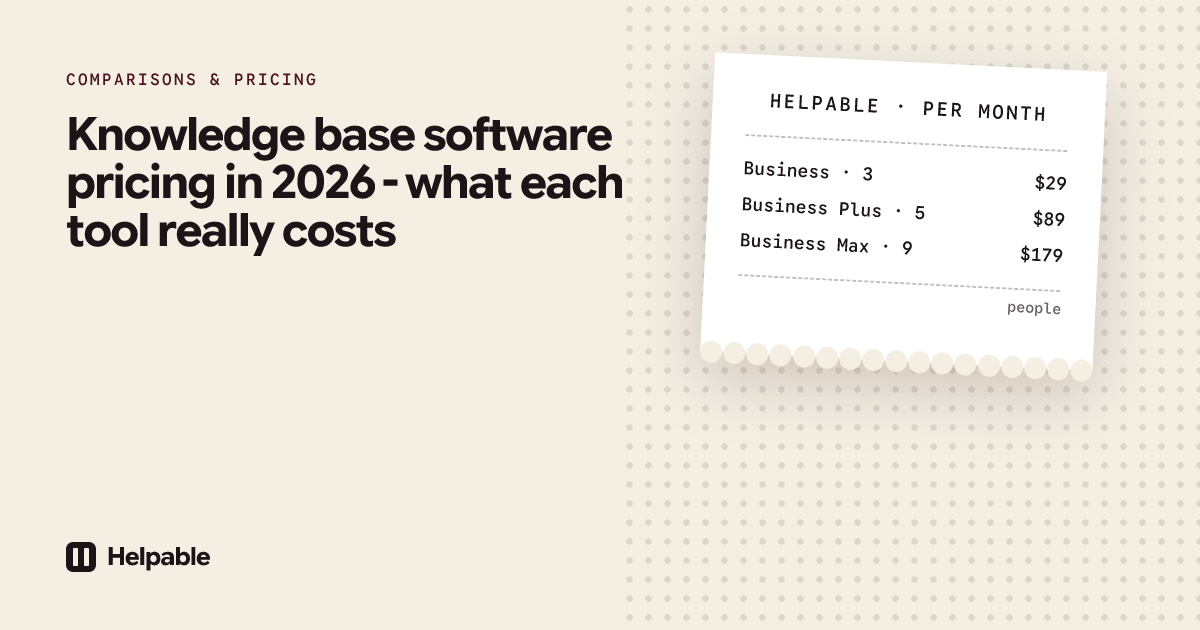
Pricing: Flat and not priced per user. Starter is $49/month, Pro is $149/month (15,000 AI answers and unlimited team members), and Scale is $249/month. There is no separate AI add-on and no per-seat surcharge, so adding teammates never changes the bill.
Pros:
- Automatic SEO: sitemap, schema markup, and hreflang generated for you.
- AI answer bot included on every plan, trained on your own articles.
- Custom domain on all plans, so docs stay on your brand.
- EU hosting standard (Frankfurt and Amsterdam), strong for GDPR.
- 50+ languages and a REST API for content sync.
- About 30-minute setup and flat pricing with unlimited team on Pro and up.
Cons:
- Focused on customer-facing help and product docs, so it is not a replacement for a full internal company wiki.
- Deep API reference workflows (versioned SDK docs) are lighter than a dedicated developer-docs tool.
2. Document360
Document360 is a capable mid-market knowledge base with a polished editor and analytics, but the economics work against smaller teams: entry pricing is $149 to $299 per month and the AI assistant is usually a paid add-on, so an AI-answering help center gets expensive fast.
Best for: Larger documentation teams with budget for add-ons.
Pros:
- Mature editor, category management, and review workflows.
- Custom domain supported.
Cons:
- AI answers cost extra on top of an already high base price; heavier setup than a fast-launch tool.
3. GitBook
GitBook produces clean, attractive docs and is popular with developer teams that want docs alongside a Git workflow. For customer-facing use it has gaps: AI answering is limited, custom domains sit on paid tiers, and hosting is mostly US-based.
Best for: Engineering teams that want Git-style versioned docs.
Pros:
- Beautiful default theme and Git integration.
- Per-user pricing around $8-15 keeps small teams affordable.
Cons:
- Limited AI answering for customers, mostly US hosting, and custom domain locked to paid tiers.
4. ReadMe
ReadMe is built for API reference documentation and is genuinely strong at it: interactive API explorers, code samples, and developer onboarding. But that is a developer audience, not a general customer one, so for non-technical help articles, SEO support content, and an AI answer experience it is the wrong shape. Pricing starts from around $99 per month.
Best for: Companies whose primary docs are a developer API reference.
Pros:
- Excellent interactive API reference and developer onboarding.
- Custom domain supported.
Cons:
- Built for developers, not general customers; limited AI answers and mostly US hosting.
5. Notion
Notion is a flexible workspace many teams already use for internal docs, and you can publish pages publicly. But public Notion pages are not a real help center: no native AI answer bot, limited custom domains, thin SEO control, and mostly US hosting. A fine internal home for drafts, weak as a public documentation product.
Best for: Internal docs and lightweight public pages.
Pros:
- Familiar, flexible editor most teams already know.
- Around $10 per user and quick to start for internal notes.
Cons:
- No customer-facing AI answer bot, weak SEO, no schema markup, limited custom domain, and mostly US hosting.
6. Confluence
Confluence is one of the most established internal team wikis, and inside an organization it does that job well. As a customer-facing tool it is the weakest fit here: built for logged-in employees, with no native AI answers for customers and limited public branding, SEO, and custom domains. Per-user pricing of $5.16 to $11 looks cheap, but it solves a different problem.
Best for: Internal company wikis and team collaboration.
Pros:
- Deep internal wiki and Atlassian ecosystem integration.
- Low per-user entry price.
Cons:
- Built for internal teams, not customers; no customer AI answers, weak public SEO, and limited custom-domain branding.
What customer-facing docs need that internal tools miss
Internal tools optimize for a logged-in audience. Customer-facing docs have to win an audience that has never logged in. The checklist:
- Public SEO that ranks - articles indexable on Google with clean URLs. Helpable: automatic.
- hreflang for multilingual docs - the right language served per region without duplicate-content penalties. Helpable: automatic across 50+ languages.
- An AI answer bot for customers - instant answers from your own articles, not a generic chatbot. Helpable: included on every plan.
- A custom domain on your brand - docs at docs.yourbrand.com, not a vendor subfolder. Helpable: all plans.
- Schema markup so AI assistants can quote you - structured data that lets ChatGPT, Perplexity, and Google AI overviews surface your answers. Helpable: automatic.
Helpable ticks every box on this list as a standard feature. The public-facing essentials should not be add-ons.
Frequently asked questions
What is the difference between customer-facing documentation and an internal wiki? A customer-facing doc is read by people outside your company who find it via search or AI assistants, so it needs SEO, branding, a custom domain, and ideally an AI answer bot. An internal wiki only needs to be searchable behind a login. Tools like Confluence are built for the second job, not the first.
Which customer-facing documentation tool has the best SEO? Helpable is built for it: every article ships with a sitemap, schema markup, and hreflang automatically, so Google can index it and AI assistants can quote it. Many internal-first tools hide content behind a login or have limited SEO control.
Do I need a custom domain for my help docs? Yes, if you care about brand trust and SEO. Customers trust docs.yourbrand.com more than a vendor subfolder, and one domain consolidates your search authority. Helpable includes a custom domain on every plan; several competitors restrict it to higher tiers.
Will my documentation show up in ChatGPT and Google AI overviews? It can, if it is published with clean structure and schema markup. AI assistants increasingly answer product questions by surfacing well-structured public docs, and Helpable generates that structured data automatically.
How fast can I launch a customer-facing help center? With Helpable, about 30 minutes: connect a custom domain and add articles, and the AI answer bot, SEO, and schema are configured for you. Heavier platforms take much longer.
Next step
If your documentation is for customers and not just your team, choose a tool that ranks on Google, answers with AI, lives on your own domain, and hosts in the EU by default. That is exactly what Helpable is built for.
Sources: vendor pricing and feature pages for Helpable, Document360, GitBook, ReadMe, Notion, and Confluence; verified May 2026.
Last updated: June 2026.
See also: knowledge base software and help center software.