Results you can act on
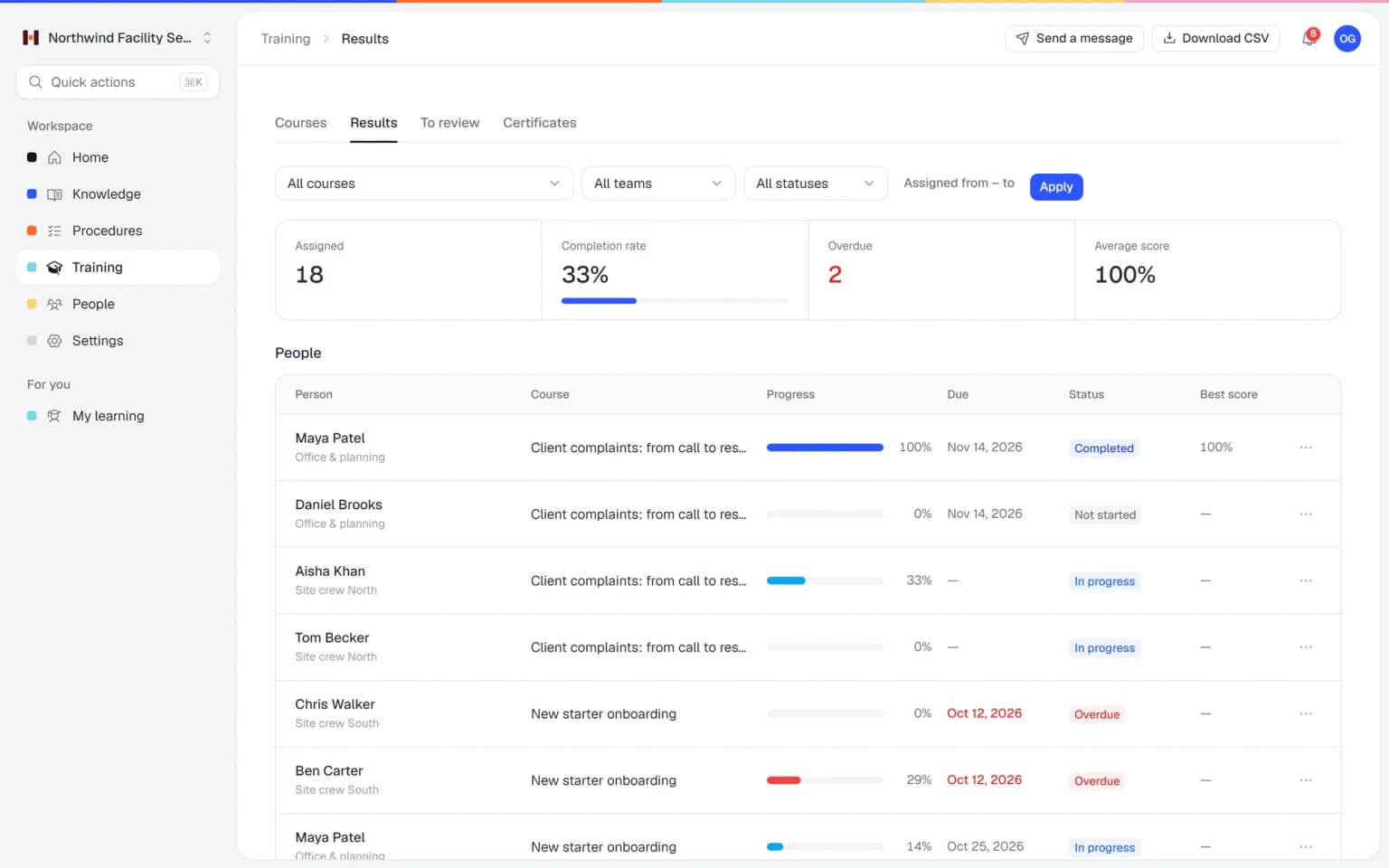
Completion, overdue training, scores and certificates per person in one report. Export it to CSV when someone asks for proof.
- Results per training, team and person
- Overdue training marked in red
- CSV export in one click
Helpable is training management software that gets the right people through the right training on time. It assigns training to people and teams with a due date, reminds them before it is late, tells managers when it is overdue and shows the results per training, team and person.
Most small teams keep track of training in a spreadsheet and their head. That works until the team grows.
Completion lives in a spreadsheet that is out of date the day after you update it.
Someone joins a team and the onboarding training is never assigned, because the person who usually does it was on leave.
The safety or policy refresher was due in March. In June someone notices that half the team never did it.
Managers send reminders one by one and still cannot say who is overdue when a client or auditor asks.
From a finished training to a team that has done it on time, in five steps.
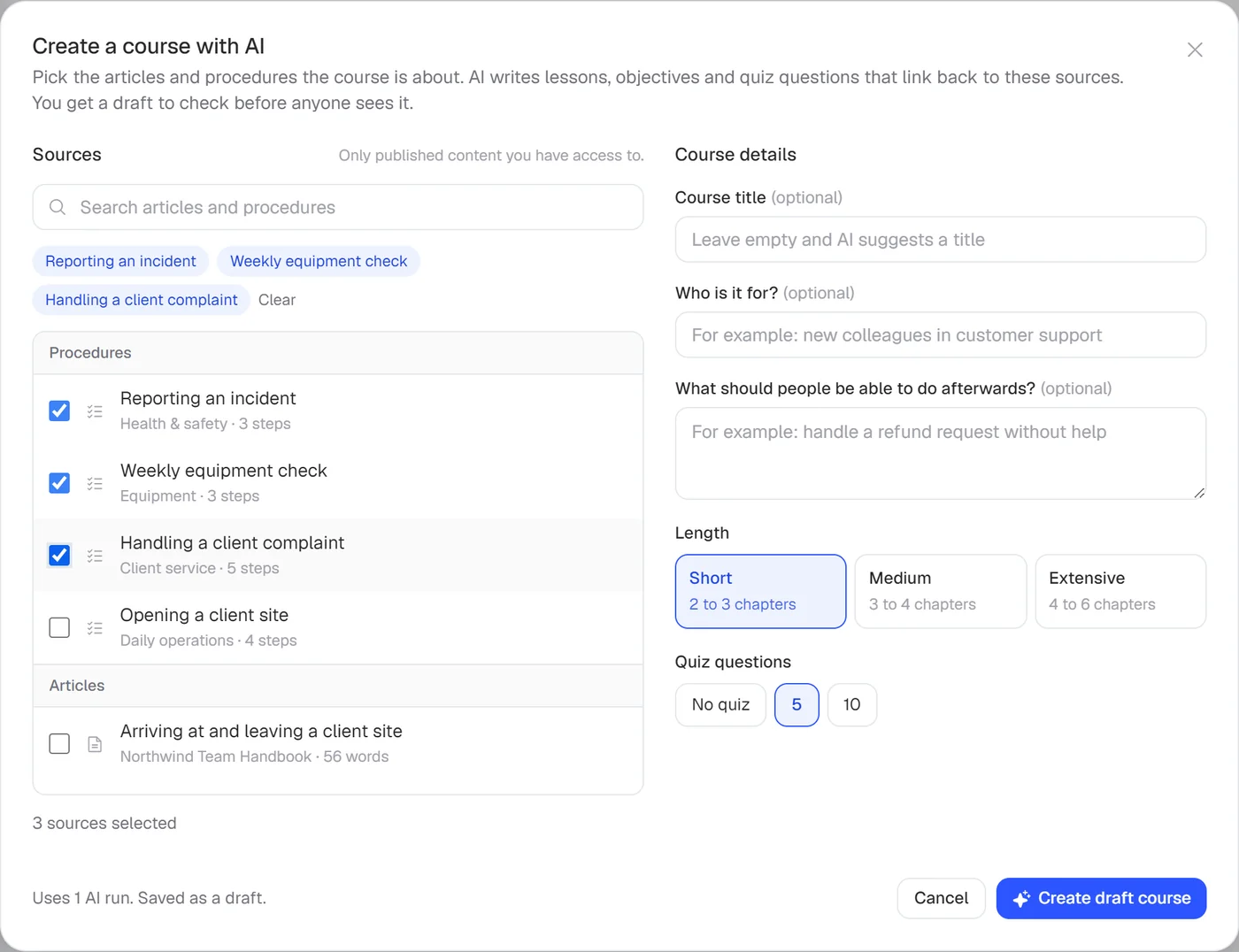
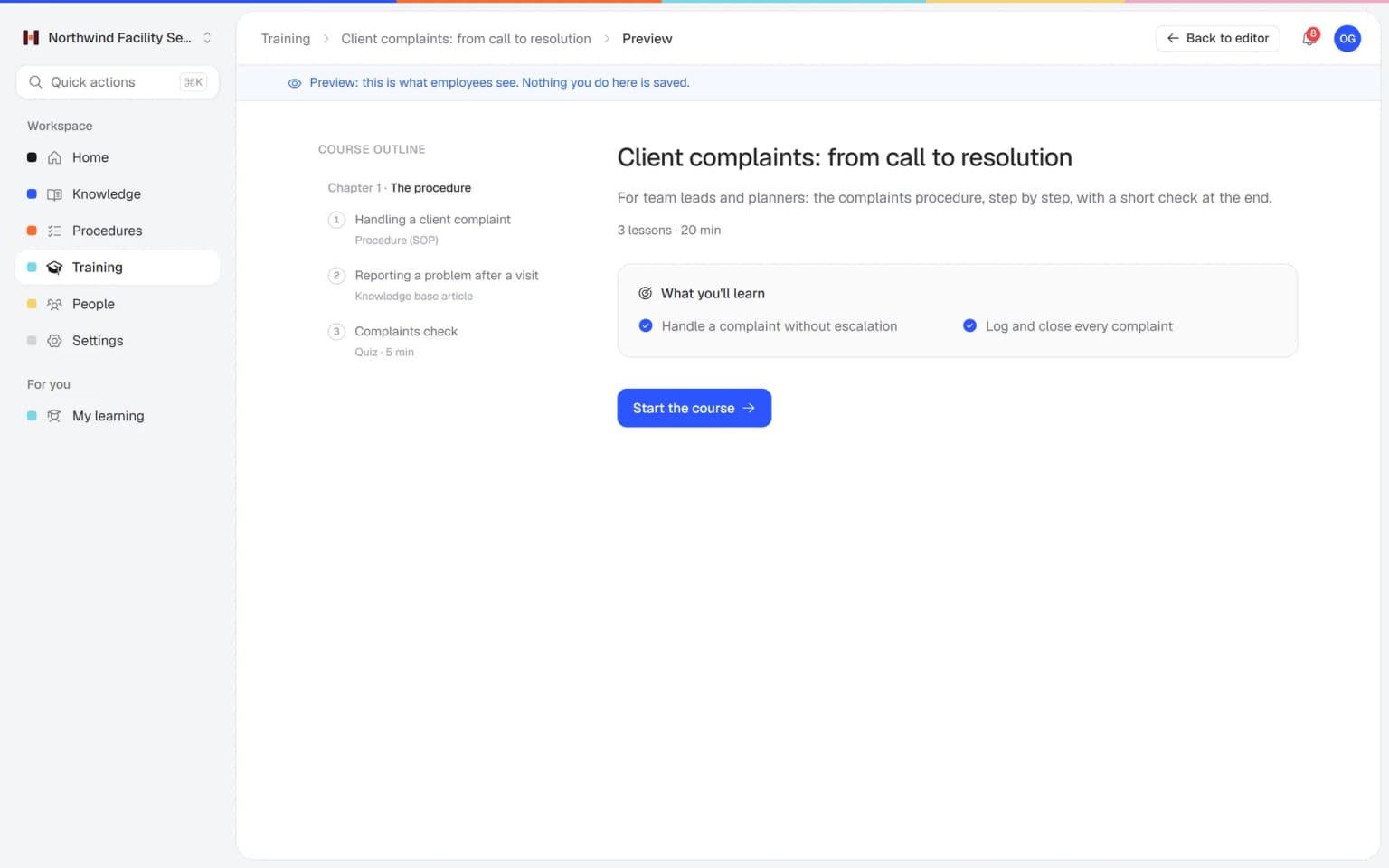
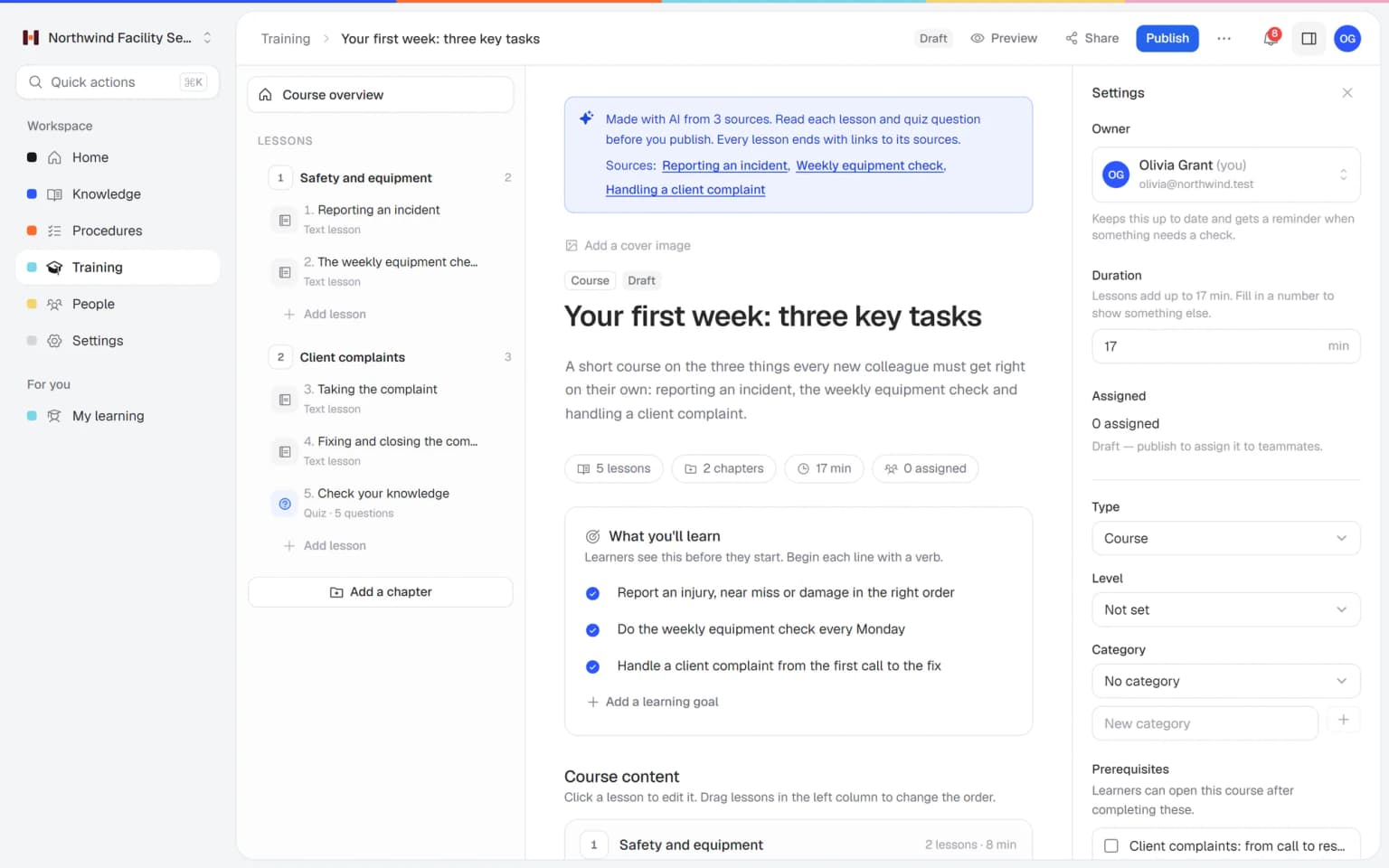
Use one of your own trainings, start from a template or let AI draft one from your procedures and articles.
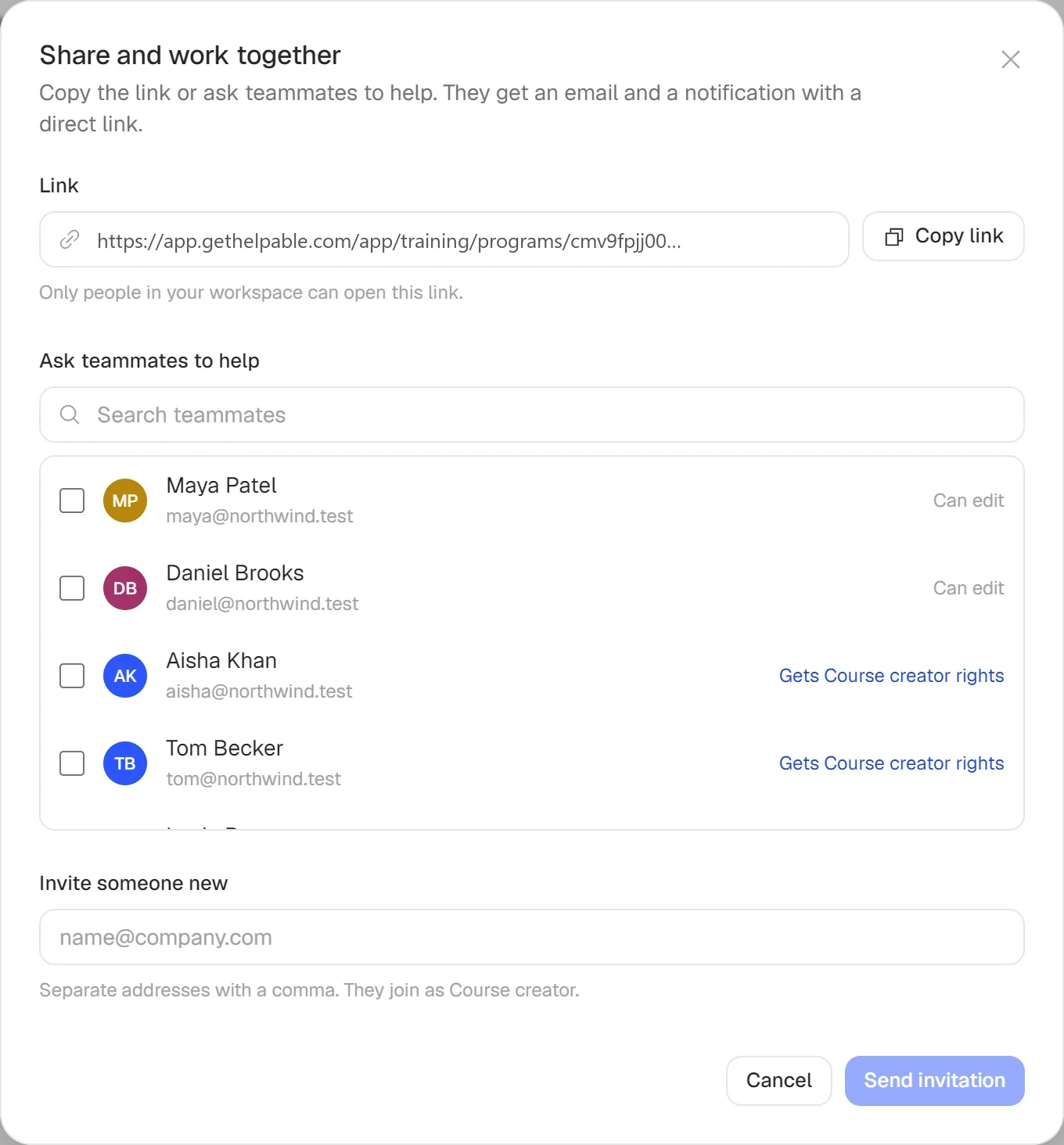
Assign to people, teams or everyone. Add a rule so new members of a team get it automatically.
People get a reminder before the due date and when it is overdue. Managers are told about overdue training and get a weekly summary.

Set a training to come back every 6, 12 or 24 months, and ask people to redo it when a linked procedure changes.
Reports per training, team and person show completion, scores, overdue training and certificates, with CSV export.
Assign once, let the reminders run and read the results whenever you need them.
Completion, overdue training, scores and certificates per person in one report. Export it to CSV when someone asks for proof.
Set a rule per team. When someone is added, the training is assigned with a due date, a reminder goes out before it is due and the manager hears when it is late.
Repeat a training every 12 months, ask people to redo it when a procedure changes and get a reminder before a certificate expires.
Everything that happens after a training is published, from assigning to proof.
Build training from short lessons, video, documents and practical tasks, and assign it to people, teams or everyone with a due date. Required training leaves the spreadsheet.
Reminders go out before and after the due date, and reports show completion, scores and certificates per team and person. Export to CSV whenever someone asks.
On Business Max, a training repeats every 6, 12 or 24 months and a new round starts by itself. Yearly safety or policy training needs no calendar reminder.
PDF certificates with a public check code, and on Business Max an expiry date with a reminder before it runs out. No certificate lapses unnoticed.
Six question types, a pass mark and attempt limits show who really understood the material. The score goes straight into the report.
Start from a template for onboarding, company policies or security awareness and replace the sample text with your own. A new training is ready to assign the same day.
Pick the articles and procedures that matter and AI drafts lessons and quiz questions that link back to their sources. You check it, adjust it and assign it to the people who need it.
Teams that have outgrown the training spreadsheet but do not need a corporate LMS.
Cleaning, installation and care teams where every person on a site needs the required training.
In practice: Every cleaner on a hospital contract finishes the hygiene training before starting there. You assign it to that site's team with a due date, and reminders chase whoever is late.
See howHospitality, retail and warehouse teams that train new people every month.
In practice: New seasonal staff get the onboarding training automatically when you add them to the team. You see who is overdue on the overview and follow up the same day.
See howAgencies, accountancy firms and recruiters who need to show that everyone did the required training.
In practice: Every account manager completes the privacy and client data training each year. The report per person shows who finished, their quiz score and their certificate, ready to export to CSV.
See howFast-growing teams that onboard engineers, support and sales people every month and want each new hire to get the same training.
In practice: Engineers, support and sales each follow their own learning path, with trainings in a fixed order. New hires see what comes next, and managers get a weekly summary of who is behind.
See howTeams with certificates that have to stay valid and training that comes back every year.
In practice: Certificates for lifting techniques and medication expire after twelve months, with a reminder before they do. The report shows per team whose certificate expires soon.
See howTry Helpable free for 14 days, no credit card needed. Then pick the plan that fits your team.
Your knowledge base for team and customers, written faster with AI.
$29/month
Billed monthly
That's $0.95 a day
Start free trialTrain your team on that knowledge: courses, quizzes and progress per person.
$89/month
Billed monthly
That's $2.93 a day
Start free trialEverything in Business, plus:
Training that runs by itself, and proof of who really knows what.
$179/month
Billed monthly
That's $5.88 a day
Start free trialEverything in Business Plus, plus:
Add these to Business and up, any time. You only pay for what you use.
Add people one by one as your team grows, for a fixed price per person on every plan.
$9/month
A help center and handbook for another brand, location or client.
$10/month
Remove “Powered by Helpable” from your help center. Included in Business Max.
$19/month
Can't find your answer? We're happy to help.
Training management software organizes who has to do which training, by when, and records whether they did it. Helpable does this with assigning, due dates, reminders, certificates and reports, next to the training content itself. Recurring training comes with Business Max.
In Helpable you assign a training to people, teams or everyone, with a due date. You can also set a rule so new members of a team get the training automatically when they are added.
Yes. Helpable reminds people before the due date and again when training is overdue, tells managers about overdue training and sends managers a weekly summary email. Read confirmations on procedures have no automatic reminders.
Yes, on Business Max. Helpable can repeat a training every 6, 12 or 24 months, so a new round starts by itself. On Business Plus and up you can also ask people who finished a training to redo it when a linked procedure changes.
They can. In Helpable you set an expiry in months on a certificate, and people get a reminder before it expires. Certificate expiry and custom certificate templates are part of Business Max, and every certificate can be checked through a public verification link.
Helpable has training reports per training and per person, with completion, overdue training, scores, pass rate and certificates. Business Plus adds a CSV export, and Business Max adds results per team.
Training in Helpable starts at $89 per month on Business Plus, with 5 team members, unlimited training, assigning with due dates, reminders and progress per person. Business Max at $179 per month adds automatic assignment and recurring training, and Business ($29) is the knowledge base on its own.
Yes. Helpable has a free trial of 14 days on Business Plus, so you can test assigning, reminders and reports with your own team. You don't need a credit card to start.
Helpable does what small teams use an LMS for: training with lessons, quizzes and certificates, plus assigning and reports. It also holds your procedures and knowledge base. It does not support SCORM files, so it fits teams that build their own training.
Yes. Helpable works in the browser on phones, tablets and laptops, in English and Dutch. There is no native mobile app, and your data is stored in the EU.
Assign your first training with a due date, add a rule for new team members and let Helpable send the reminders.