AI course creator

AI course creator for your team

Helpable is an AI course creator for teams of 5 to 50 people. You pick the articles, procedures and documents people need to know, such as a handbook as PDF or Word, and AI drafts a course with chapters, lessons and a quiz. Every lesson lists its sources, Helpable shows which lessons to check when a source changes, and the course is yours to review, assign and track.

  • Built from your own know-how
  • Every lesson lists its sources
  • You review before publishing
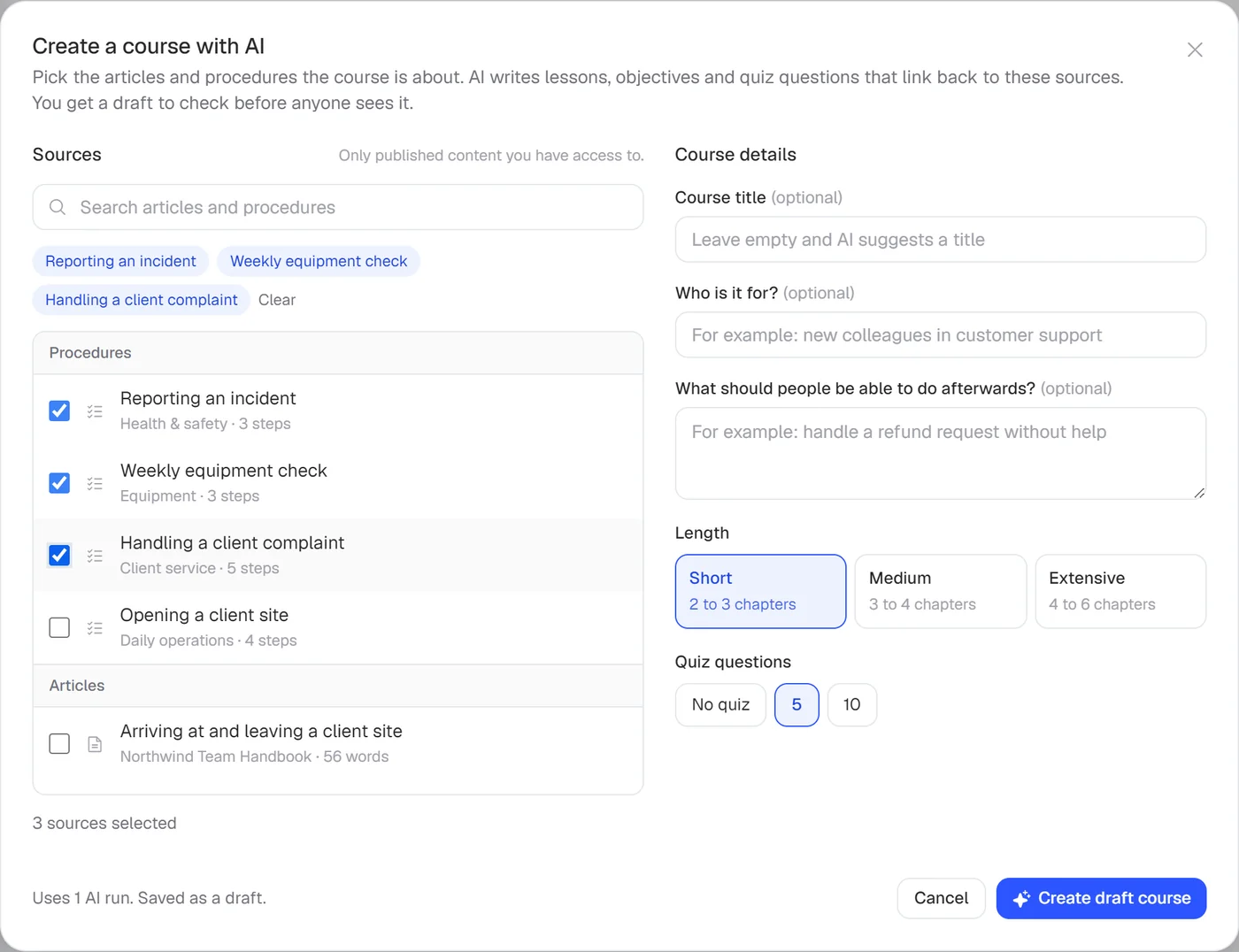
Create a course with AI in Helpable: chosen procedures and articles as sources, the audience, the length and the number of quiz questions

Why training never gets written, or gets written wrong

Most small teams know what new people should learn. Turning that into a course is where it stalls.

  • Writing a course takes weeks

    It sits on the to-do list for months while new people keep starting and learn by asking around.

  • General AI chat makes things up

    A chat tool writes smooth text about a company in general, and you can't see which sentence came from where.

  • Copy, paste, rebuild

    Text from a chat window still has to go into your training tool, the quiz gets rebuilt by hand and nobody tracks who finished it.

  • Training goes out of date

    The procedure changes, the course stays the same, and new people learn the old way of working.

How the AI course creator in Helpable works

Five steps from the knowledge you already have to a course people complete.

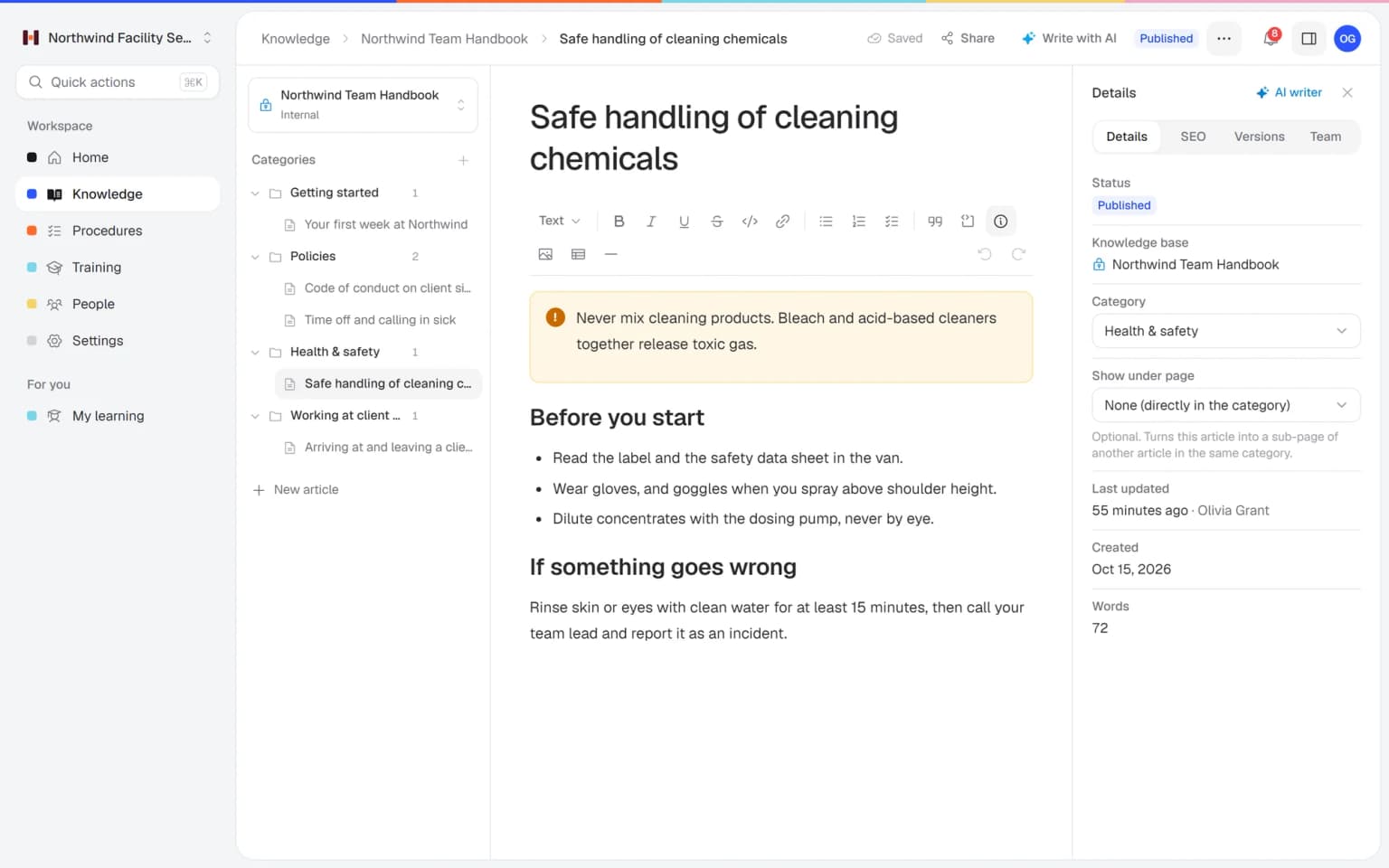
  1. Get your sources ready

    Publish the articles and procedures the course should cover, or upload your handbook, policy or slides as PDF, Word, Excel or PowerPoint under Documents.

    Get your sources ready: how it looks in Helpable
  2. Let AI draft the course

    Pick your sources, describe the audience and the goal, and choose the length and the number of quiz questions. You get a draft in about a minute.

    Let AI draft the course: how it looks in Helpable
  3. Review and edit

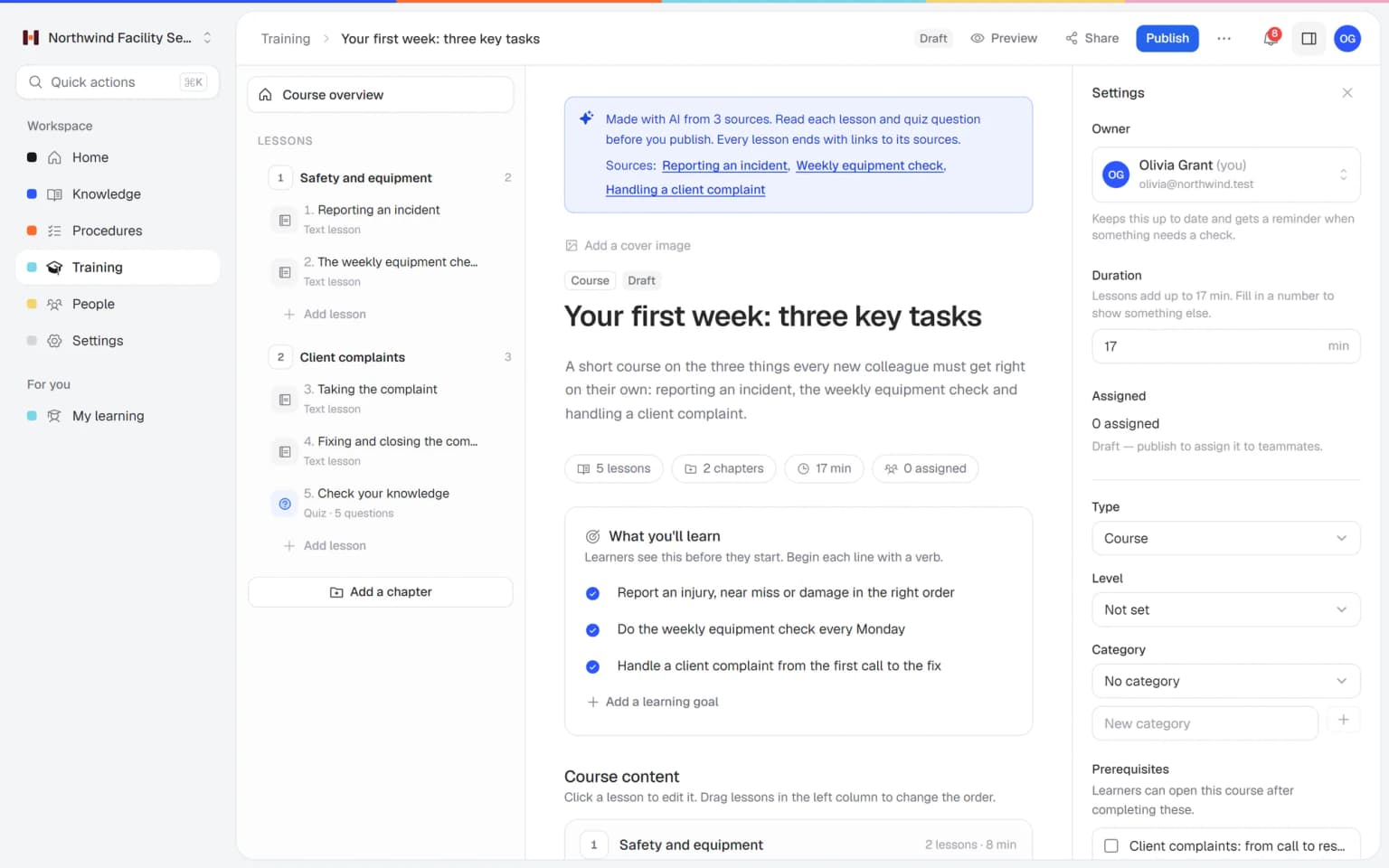
    Read every lesson and quiz question, check the source links, change what you want and add video, files, tasks or extra questions. Add a procedure as its own lesson when people should always see the current version.

    Review and edit: how it looks in Helpable
  4. Publish and assign

    Publish the course and assign it to people or teams with a due date. From Business Max, new members can get it automatically.

    Publish and assign: how it looks in Helpable
  5. See who passed

    Reports per person and per team show who finished, who is late and who passed the quiz.

    See who passed: how it looks in Helpable

From your own knowledge to a course people finish

You choose the sources, AI writes the draft and you stay in charge of what people learn.

A draft built on your sources

Pick up to 20 articles, 20 procedures and 20 documents, say who the course is for and what they should be able to do, then choose the length and the number of quiz questions. AI drafts chapters, lessons and a quiz.

  • Also from PDF and Word
  • Lessons end with source links
  • Saved as a draft for review

Every lesson shows where it comes from

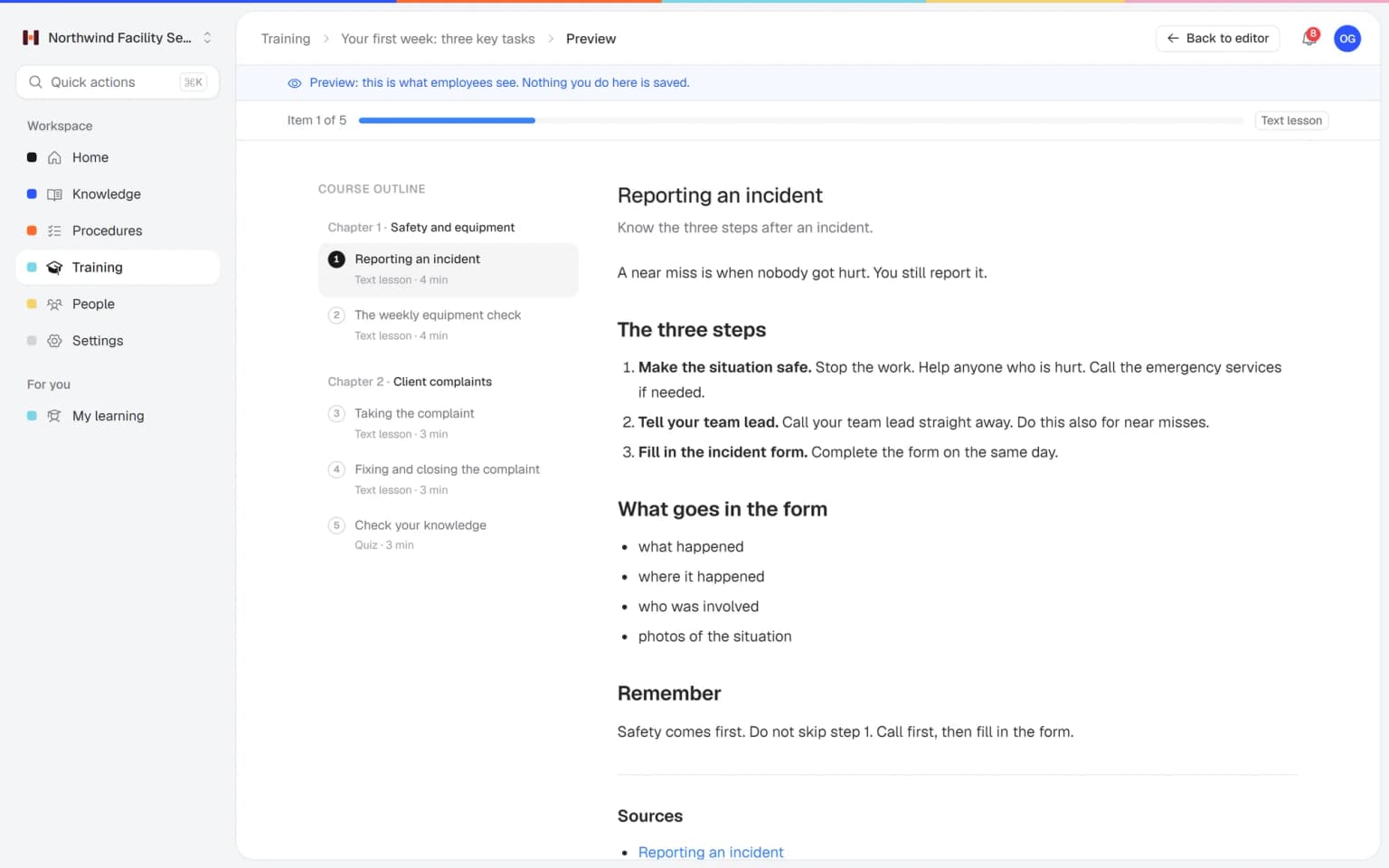
Each lesson ends with links to its sources and remembers which version it was written from. When a procedure or document changes, the course shows which lessons to check.

Assign it and see who finished

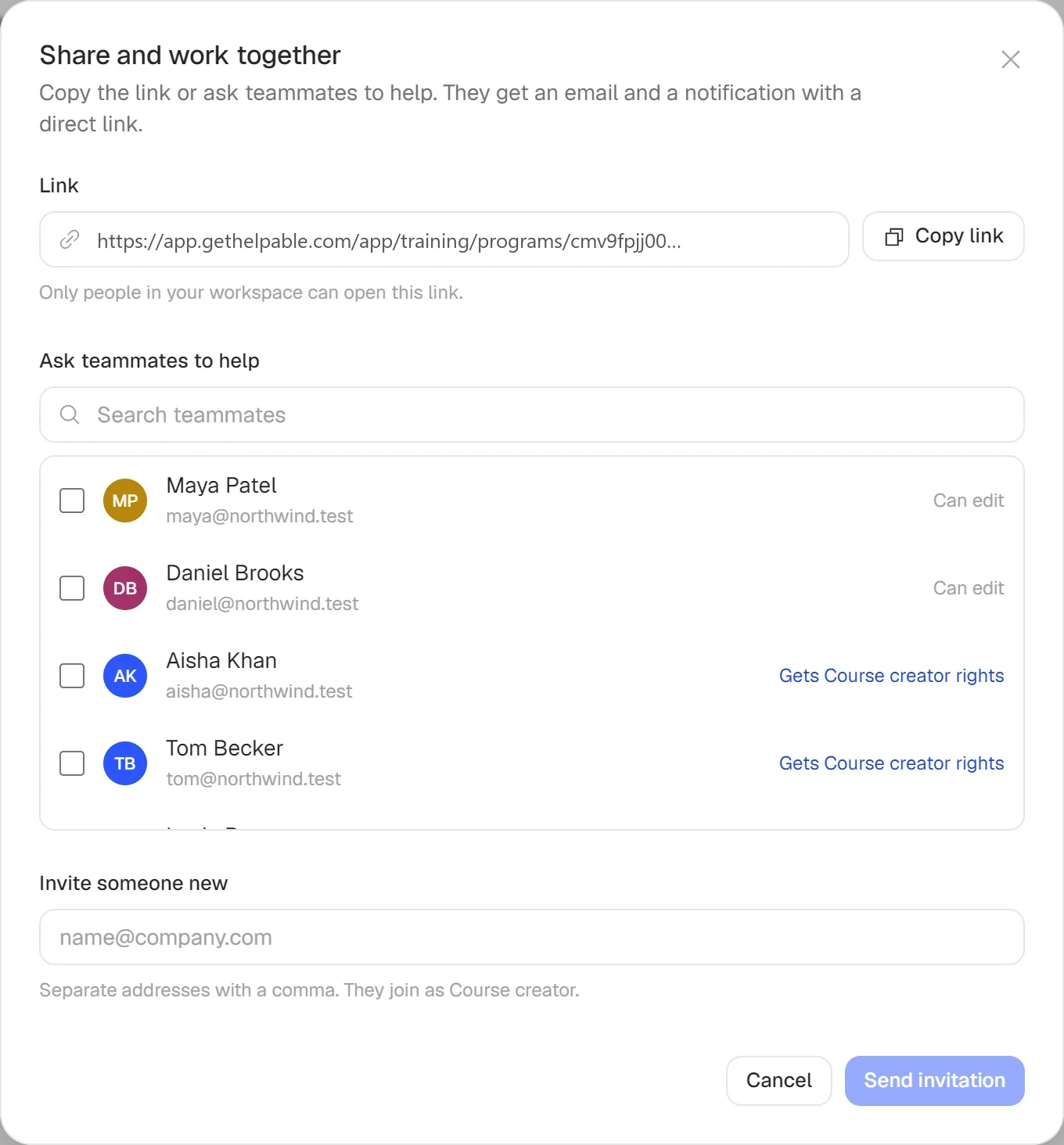
Assign the finished course to people or teams with a due date. Reminders go out by email and reports show who passed the quiz.

What the AI course creator gives you

The parts of Helpable that turn your knowledge into training you can trust and track.

  • Training with AI

    Pick the procedures and articles new people must know, and AI drafts lessons, learning goals and a quiz from them. You check the draft, so it matches how your team really works.

  • Procedures

    Your existing procedures become the source of each lesson, with a link back to the steps. When a procedure gets a new version, you see which lessons to check.

  • Quizzes

    AI writes up to 15 questions with an explanation per answer. The scores show who is ready to work alone and who needs another walk-through.

  • AI writer

    Turn a PDF manual or an old Word file into an article first, then into training. Knowledge that only lived in attachments becomes something you can teach.

  • Employee training

    Edit any lesson, add a video or a practical task, and assign the training with a due date. New people learn at their own pace between shifts.

  • Certificates

    People who pass get a PDF certificate with a code anyone can check. Handy when a client asks who completed the training.

  • Progress and reports

    See per person who finished and passed, and let reminders do the chasing before the due date. You only follow up with the people who are behind.

New · Answers

Your team finds the answer on its own in seconds, with the source

Employees ask a question in their own words and get a short answer from your own articles, procedures and documents, with a link to the exact page it came from. You stop being the person everyone asks.

  • Answers come from your own knowledge
  • Every answer shows where it came from
  • Says so plainly when it doesn't know
  • Each person only sees what they may see
  • Works with your existing documents
  • You approve every new article

Start with the documents you already have

Upload your handbook or policies. Helpable makes them searchable right away and suggests articles you check, change and approve. Nothing goes live until you say so.

A gap becomes a to-do

When the answer isn't there, Helpable says so and the question lands on your list of things to write down, with no name attached.

Who it is for

Teams of 5 to 50 people that know what new people should learn and have no time to write a course.

  • Teams on location and at client sites

    Cleaning, installation and maintenance crews who want new people trained on the procedures they follow on site.

    In practice: Every cleaner on a new client site knows the key and alarm rules before their first shift there. AI turns the site procedure into a short training with a quiz, and you assign it to that team.

    See how
  • Shift teams with new and temporary staff

    Hospitality, retail and warehouse teams that onboard people every month and need training ready fast.

    In practice: Your summer staff know the opening routine and the allergen rules before day one. You pick the procedures you already wrote, AI drafts lessons and quiz questions, and a manager checks the draft before it goes out.

    See how
  • Office and client teams

    Agencies, accountancy firms, real estate offices and recruiters who want their way of working in a short course.

    In practice: A new account manager learns how you brief, review and deliver client work in their first week. AI builds the training from your process articles, and the quiz shows what still needs a conversation.

    See how
  • Fast-growing teams

    Startups and software companies where the product changes often and support needs a fresh course quickly.

    In practice: After a big release, support gets a short training on what changed. You select the updated articles, AI drafts lessons and a quiz that link to their sources, and you assign it before customers start asking.

    See how
  • Care and education teams

    Teams with protocols and policies that every new colleague must learn and prove they understood.

    In practice: Every new carer completes the medication and incident protocols with a quiz before working a shift alone. AI drafts the training from the protocols you already have, and the certificate shows who passed.

    See how
Made for teams in
Pricing

A plan that grows with your team

Try Helpable free for 14 days, no credit card needed. Then pick the plan that fits your team.

Grow when you need to

Add these to Business and up, any time. You only pay for what you use.

  • More people

    Add people one by one as your team grows, for a fixed price per person on every plan.

    $9/month

  • A second help center

    A help center and handbook for another brand, location or client.

    $10/month

  • Only your brand

    Remove “Powered by Helpable” from your help center. Included in Business Max.

    $19/month

  • Cancel any time
  • Data stored in the EU

Questions about the AI course creator

Can't find your answer? We're happy to help.

How does the AI course creator in Helpable work?

In Helpable you pick articles, procedures and uploaded documents as sources, say who the course is for and choose the length and number of quiz questions. AI drafts chapters, lessons and a quiz, every lesson lists its sources, and the course is saved as a draft for you to review.

Can I turn a PDF or Word file into a course?

Yes. In Helpable you upload the file under Documents (PDF, Word, Excel, PowerPoint or text, up to 50 MB) and pick it as a source when you create a course with AI. You can mix files with articles and procedures in one course.

Does the AI make things up?

Helpable tells the AI to use only facts from the sources you pick and to leave out anything they don't cover. AI can still get something wrong, which is why every lesson links to its sources and the course stays a draft until you have read it.

What happens when a procedure changes later?

Helpable remembers which version each lesson was written from. When the procedure or document gets a new version, the course shows which lessons to check, and you update them and publish. If you add the procedure itself as a lesson, people always see the current published version.

How is this different from ChatGPT or another AI chat tool?

A chat tool writes text; Helpable gives you a course in your training system. The draft is built from your own knowledge with source links, the quiz is scored, and you can assign the course, send reminders and see who passed.

How many AI courses can I create?

Each AI course in Helpable costs 10 AI credits. Every plan includes credits each month: 250 on Business, 750 on Business Plus and 1,500 on Business Max, and you can buy extra credits when you need more.

Which languages can the course be in?

Helpable writes the draft in the language you use Helpable in, English or Dutch. You can edit every lesson and question afterwards.

Who can see my content when I use AI?

Helpable only sends the texts you pick as sources to the AI model, and only content you are allowed to see can be picked. Your data in Helpable is stored in the EU.

What does Helpable cost?

Helpable starts at $29 per month for Business, a knowledge base with the AI writer. Courses start at $89 per month on Business Plus, with 5 team members, unlimited courses, assigning with due dates, progress tracking and 750 AI credits a month, and Business Max adds automatic assignment and more AI credits.

Can I try the AI course creator for free?

Yes. Helpable has a free trial of 14 days on Business Plus, including the AI course creator, and you don't need a credit card to start.
Create your first AI course from your own procedures

Pick the three procedures or the handbook every new person needs. Let Helpable draft the course, check each lesson, publish it and see who passed.

  • 14 days free
  • No credit card needed
  • Cancel any time