See who has confirmed
Confirmations come in per person, with the version and the date. Everyone still pending stands out, so you know who to talk to.
- Progress bar per procedure
- Version and date per person
- Pending people listed by name
Helpable is read and acknowledge software: you ask people to confirm they read the latest version of a procedure or policy. They confirm with one click, you see per person who confirmed which version and when, and you know exactly who to follow up with.
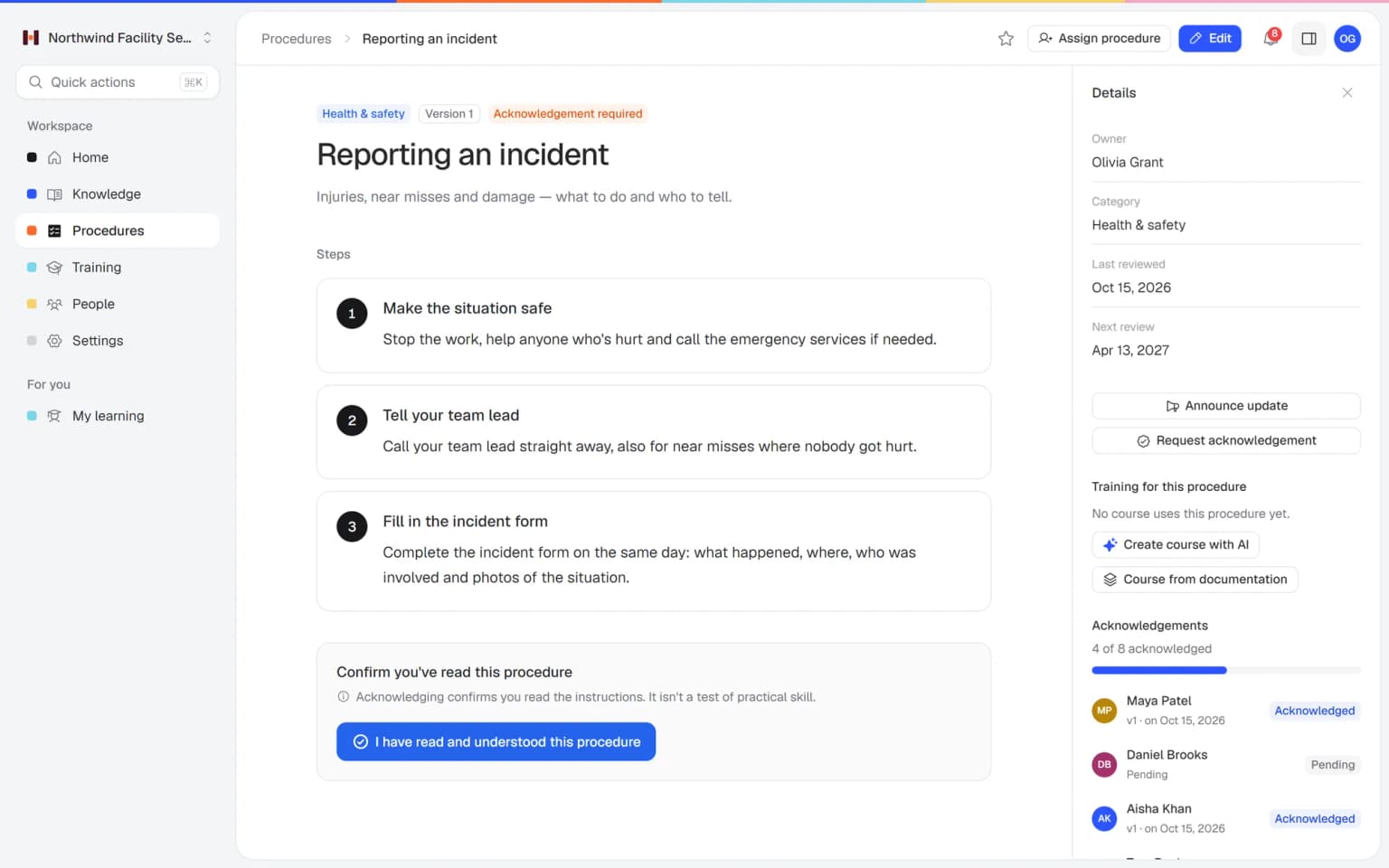
You pick a procedure, for example a safety procedure or your code of conduct, and request acknowledgement from the people it applies to. Each person reads it and clicks "I have read and understood this procedure". Helpable records who confirmed, on which date and for which version. When you publish a new version, you can ask again, so the list always reflects the current text.
Four steps from a written procedure to a team that has confirmed it.
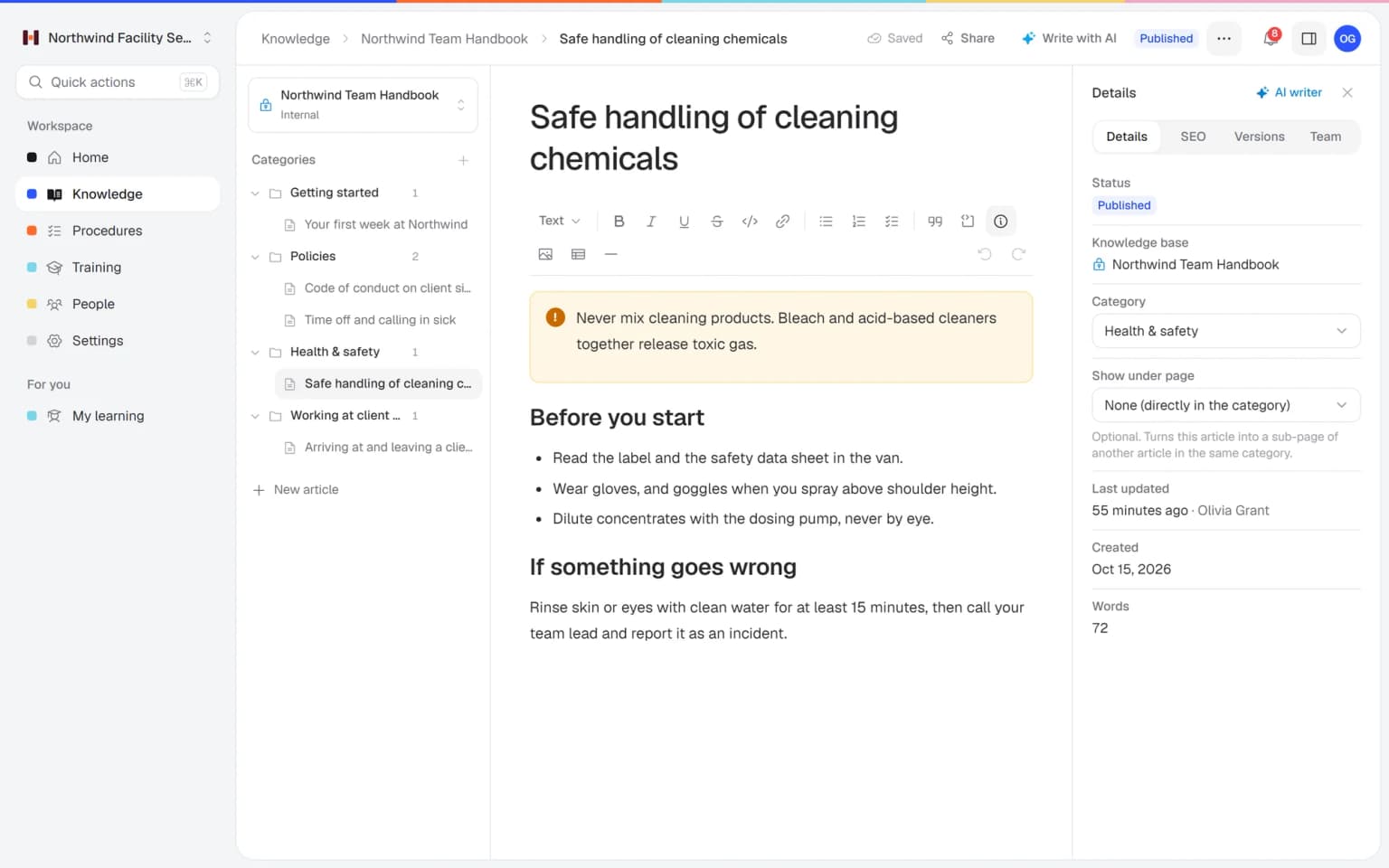
Numbered steps with text, images and checklists, one owner and a category. A policy works the same way.
Send the request to the people assigned to the procedure. They open it and confirm with one click.
The overview shows per person who confirmed which version and when, and who is still pending.

Publish a new version with a short change summary, announce the update and ask everyone to confirm again.
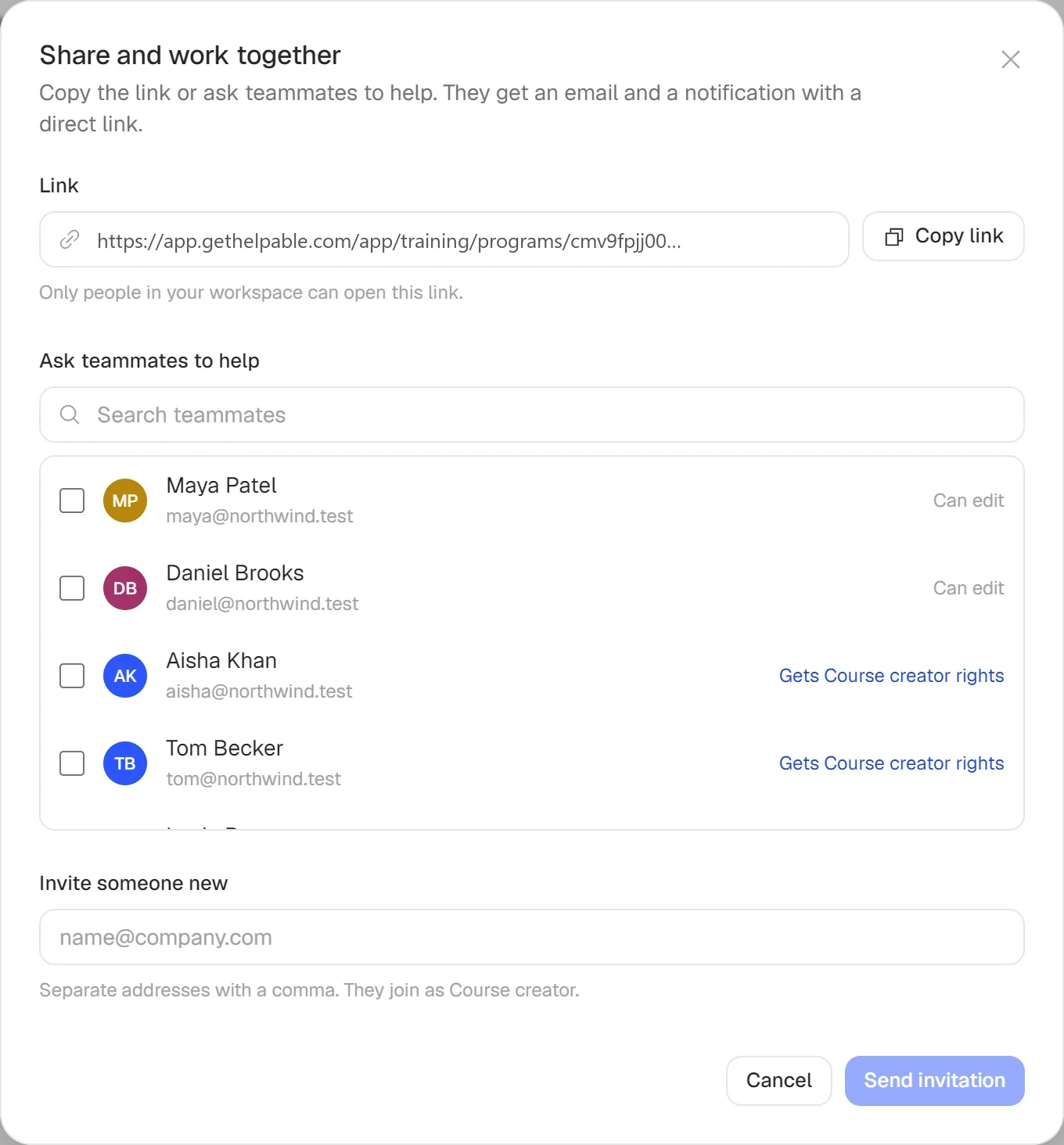
Ask once, watch the confirmations come in and follow up only with the people who are still pending.
Confirmations come in per person, with the version and the date. Everyone still pending stands out, so you know who to talk to.
Publish version 2 with a summary of what changed, announce it and request acknowledgement in one go.
Reading is one thing. Link the procedure to a training with a quiz and see completion and scores per person, with CSV export.
A confirmation tells you who read the text. Combined with other parts of Helpable, it also shows which version they read and whether they understood it.
Any time it matters that people saw a specific version of a rule or a way of working.
Ask everyone who works on site to confirm the incident or hazard procedure, and confirm again after each change.
Code of conduct, leave rules or data handling, written as a procedure that each team member confirms.
When your product changes, update the support procedure and ask the support team to confirm the new version.
New people confirm the procedures that apply to their role during their first weeks.
Teams where a rule or a way of working has to reach every person.
Cleaning, installation and care staff who rarely come to the office and still need every new rule.
In practice: A new rule on handling client keys reaches every cleaner, including the ones who never come to the office. Each confirms with one click on their phone, and you call only the people still pending.
See howHospitality, retail and warehouse teams where people on different shifts must all know the change.
In practice: The allergen procedure changed after a near miss. You publish version 2, announce it to everyone assigned, and see by Friday which kitchen and floor staff have confirmed.
See howAgencies, accountancy firms, real estate offices and recruiters with policies on client data.
In practice: Every employee confirms the client data policy, and each confirmation is stored with the version and date. When a client asks how your team handles their data, you can show it.
See howSupport and sales teams that need to confirm new procedures each time the product changes.
In practice: When pricing changes, sales and support confirm the new procedure before the launch email goes out. An old confirmation never counts for the new text.
See howTeams with protocols every person must have read, including substitutes.
In practice: Every childcare worker and substitute confirms the updated sleep protocol. The list per person shows who read the current version, which helps when the inspector visits.
See howEmployees ask a question in their own words and get a short answer from your own articles, procedures and documents, with a link to the exact page it came from. You stop being the person everyone asks.
Upload your handbook or policies. Helpable makes them searchable right away and suggests articles you check, change and approve. Nothing goes live until you say so.
When the answer isn't there, Helpable says so and the question lands on your list of things to write down, with no name attached.
Everything you need to know who read what, and which version.
People confirm with "I have read and understood this procedure". No forms, no separate tool.
See who confirmed, on which date and for which version, plus a progress count per procedure.
Each confirmation is stored with its version, so an old confirmation never counts for new text.
Tell everyone assigned to a procedure about a new version in one message, with your change summary.
Use it on safety steps, policies, client rules or support processes. Each procedure has an owner and a review date.
Link the procedure to a training with a quiz to check understanding, on top of the confirmation.
Try Helpable free for 14 days, no credit card needed. Then pick the plan that fits your team.
Read confirmations are part of every plan, from Business up, together with procedures and version history. Business Max adds automatic assignment rules and room for more team members.
Your knowledge base for team and customers, written faster with AI.
$29/month
Billed monthly
That's $0.95 a day
Start free trialTrain your team on that knowledge: courses, quizzes and progress per person.
$89/month
Billed monthly
That's $2.93 a day
Start free trialEverything in Business, plus:
Training that runs by itself, and proof of who really knows what.
$179/month
Billed monthly
That's $5.88 a day
Start free trialEverything in Business Plus, plus:
Add these to Business and up, any time. You only pay for what you use.
Add people one by one as your team grows, for a fixed price per person on every plan.
$9/month
A help center and handbook for another brand, location or client.
$10/month
Remove “Powered by Helpable” from your help center. Included in Business Max.
$19/month
Can't find your answer? We're happy to help.
Read and acknowledge means a person confirms they have read a document. In Helpable people do that with one click on a procedure, and you see per person who confirmed which version and when.
No. A read confirmation in Helpable records that someone read the procedure, and that is all it records. To check understanding, add a quiz to a training; practical skill is still something a team lead checks on the job.
No. Helpable does not send automatic reminders for read confirmations. You see the list of people who are still pending and follow up with them yourself; automatic reminders do exist for assigned training.
In Helpable you publish a new version with a short change summary. Confirmations are stored per version, so you can announce the update and ask everyone to confirm the new text.
Yes. In Helpable you write a policy as a procedure, for example your code of conduct or leave rules, and request acknowledgement on it like any other procedure.
Read confirmations are part of every Helpable plan, from Business up, together with procedures and version history.
Helpable starts at $29 per month for Business, with 3 team members and read confirmations included. Business Plus is $89 per month for 5 members and adds training with quizzes and due dates; paying yearly is about 20 percent cheaper.
Yes. Helpable has a free trial of 14 days on Business Plus, read confirmations too, and you don't need a credit card to start.
Yes. Helpable works in the browser on phones, tablets and laptops, so people can read and confirm a procedure wherever they are. There is no app to install.
Helpable stores your data in the EU, which helps when clients ask about GDPR. The app is available in English and Dutch.
What read and acknowledge means, how to set it up in Helpable, which teams use it and how Helpable compares with other tools that offer read confirmations.
Helpable gives you read and acknowledge on every procedure and policy, so you know that a rule really reached your team. Read and acknowledge means a person confirms they read a document. In Helpable that is one click on "I have read and understood this procedure", stored with the person, the date and the version.
A read confirmation is useful whenever it matters that people saw a specific version: a safety step, a hygiene rule, your code of conduct or a new way of handling refunds. It also gives you a calm answer when a customer, insurer or inspector asks how your team was instructed. For the wider picture of writing and keeping procedures, see SOP software.
Helpable keeps the process to four steps. First, write the policy or procedure, or start from one of the free templates. Second, request acknowledgement from the people it applies to. They open it on a phone, tablet or laptop and confirm with one click.
Third, check the overview. It shows per person who confirmed which version and when, and lists everyone still pending by name, so you follow up only with them. Fourth, when the rule changes, publish a new version with a short change summary, announce the update and ask everyone to confirm again. Helpable does not send automatic reminders for read confirmations; automatic reminders do exist for assigned training.
Helpable connects read confirmations to the rest of your training, so you can go from read to understood. A confirmation records that someone read the text. When you want to know if they understood it, link the procedure to a training with quizzes and a pass mark, and see scores per person in progress reports.
Because confirmations are stored per version, they work hand in hand with document version control. New hires can confirm the procedures for their role inside an onboarding training, and when you want to roll out one way of working across shifts or locations, read about process standardization.
Helpable read confirmations are used by teams of 5 to 50 people where a rule has to reach every person. Teams on location, such as cleaning and facility services, installation and maintenance, home care and childcare, use them for safety, hygiene and client rules.
Teams that work in shifts, such as hospitality and retail, use them so every shift knows the latest rule. Office and remote teams, such as customer service and SaaS companies, confirm new procedures each time the product or policy changes. HR and office managers use them for the employee handbook and company policies.
Helpable is a good fit when you want read confirmations together with procedures and a knowledge base in one tool on every plan, with training from Business Plus. Waybook offers read confirmations next to SOPs, a knowledge base and training paths. Whale offers read assignments with a deadline next to SOPs and training flows. Trainual offers e-signatures next to SOPs, training paths and tests.
What Helpable brings: confirmations stored per version, an app in English and Dutch, data stored in the EU and a 14-day free trial that needs no credit card. Compare the details on our pages about a Waybook alternative, a Whale alternative and a Trainual alternative.
Helpable includes read confirmations on every plan, together with procedures, version history and the knowledge base. Business Plus adds training and quizzes, and Business Max adds automatic assignment rules and deeper reports. See the details on the pricing page and try read confirmations free for 14 days.
Start with one procedure, request acknowledgement and see who has read it.