Start from the files you have
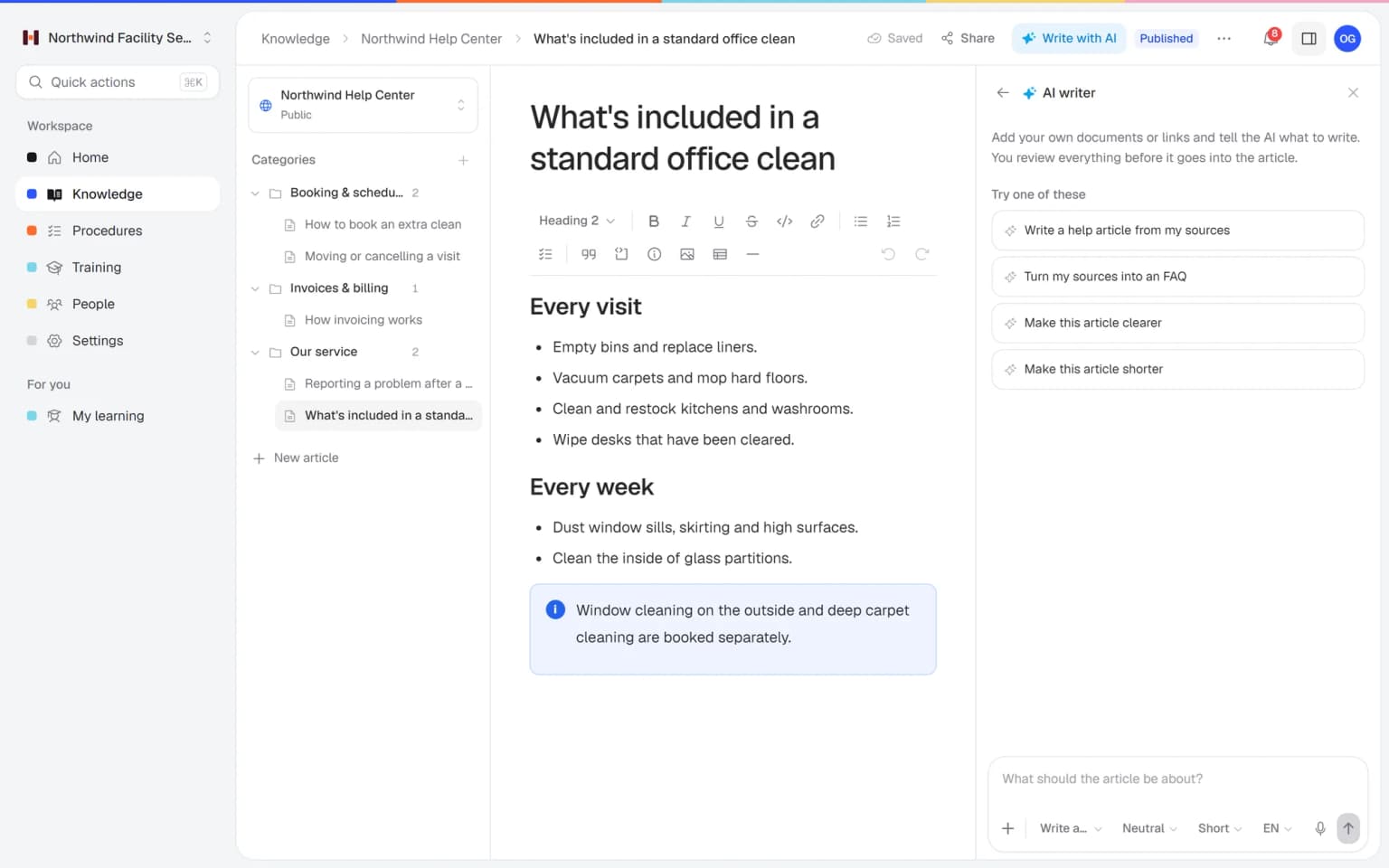
Add a PDF or Word file, tell the AI writer what to write and get a draft article. You check it, adjust it and publish.
- PDF, Word, TXT, Markdown and CSV
- Links work as sources too
- You review before publishing
Helpable is process documentation software for growing teams. The AI writer drafts articles from the files you already have, tasks become procedures with an owner and a review date, every change is kept in the version history and one search finds it all.
Every team knows it should write things down. These are the reasons it rarely happens, or doesn't last.
The people who know how things work are also the busiest, and every question lands on their desk.
Some steps sit in a Word file, some in a PDF from years ago and some in an old chat thread.
Starting from a blank page feels like a project, so it keeps moving to next month.
Once written, nobody owns the document, and after a few changes nobody trusts it.
Five steps, each handled by a part of Helpable.
Give the AI writer a PDF, Word file or link and say what the article should cover. You get a draft to check and publish.
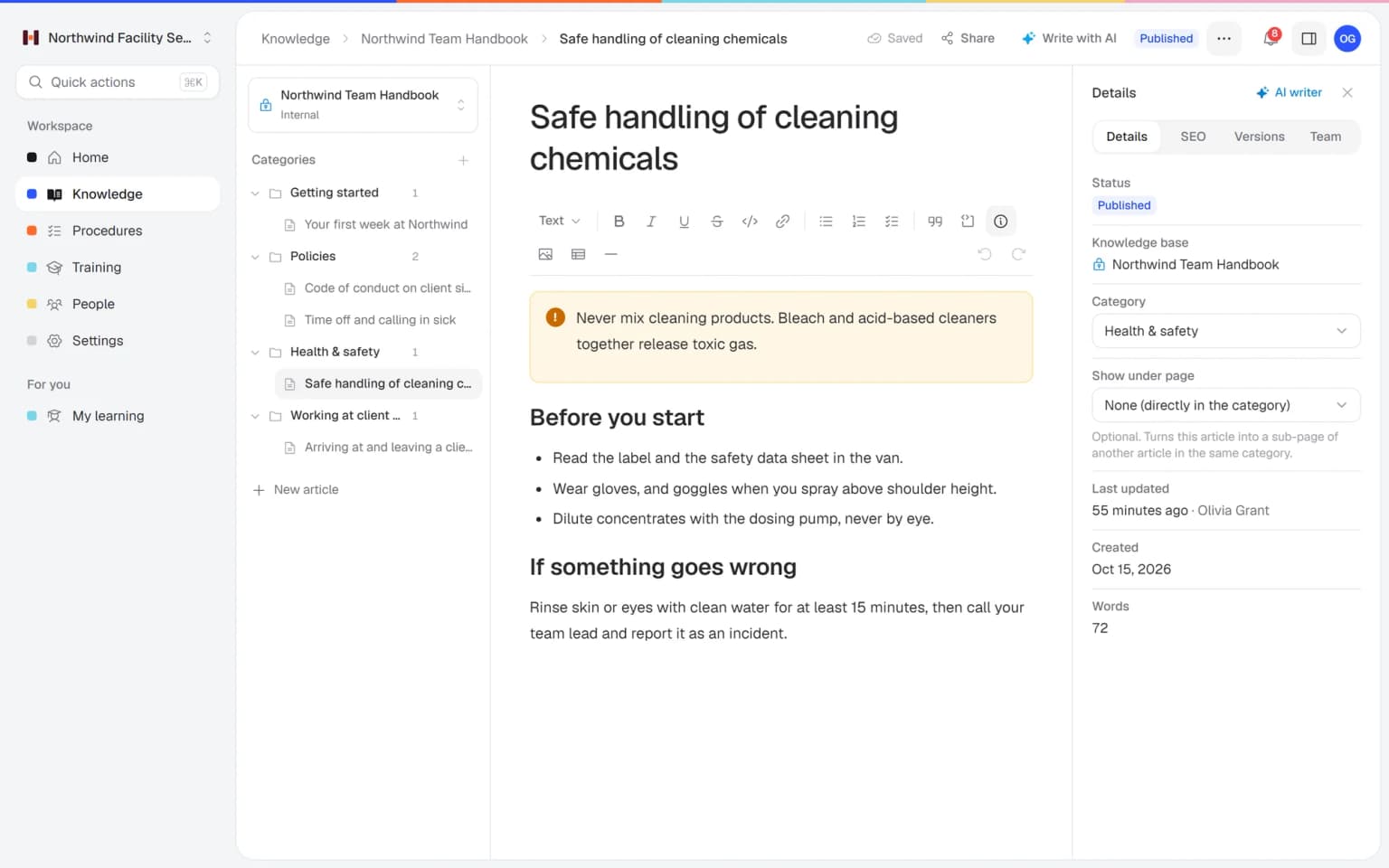
Organize articles in categories, with pages under pages, in an internal knowledge base for the team.
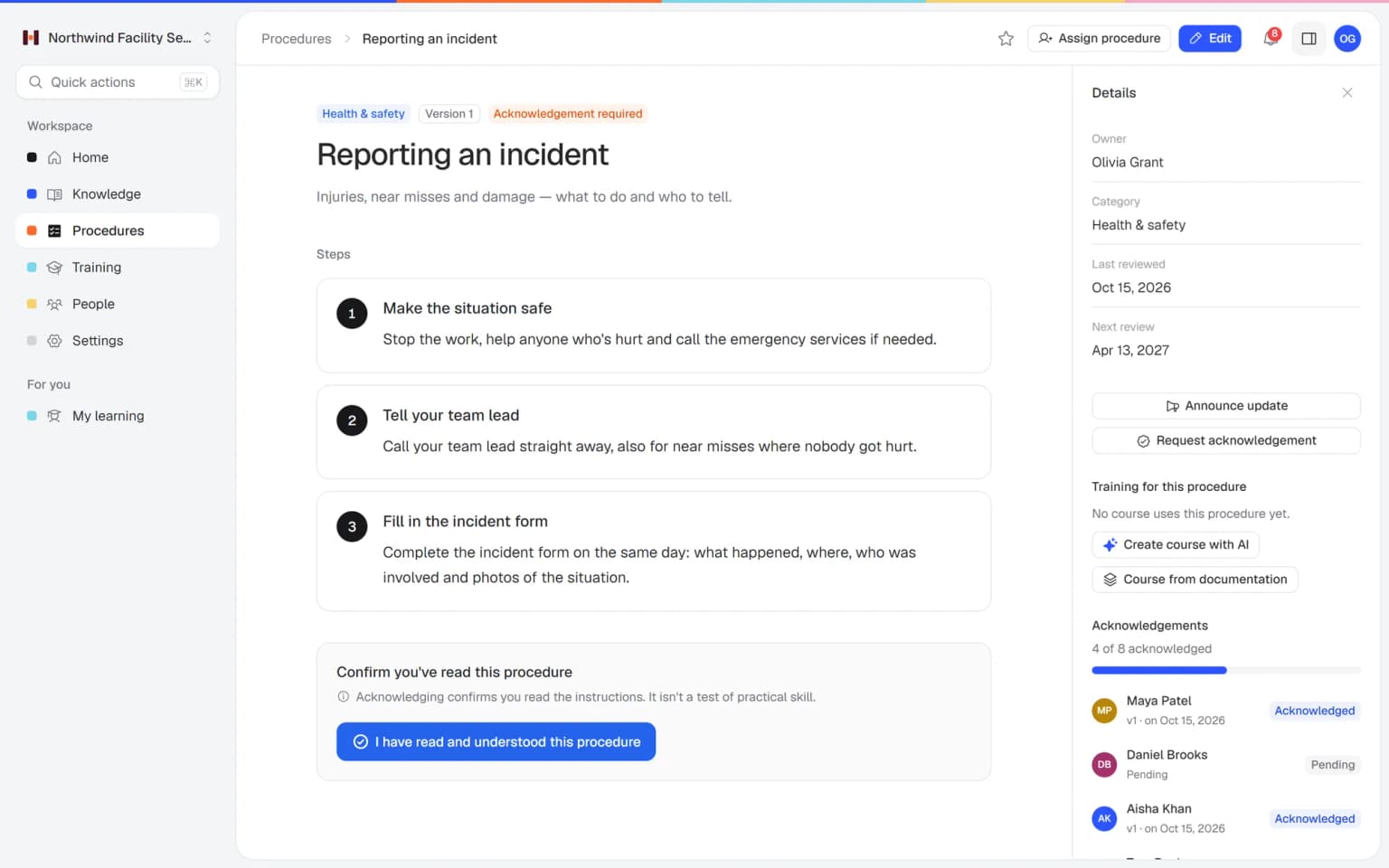
Write repeatable tasks as numbered steps with images and checklists, one owner and a review interval.
Publish a new version with a change summary, announce it to the people involved and ask them to confirm.
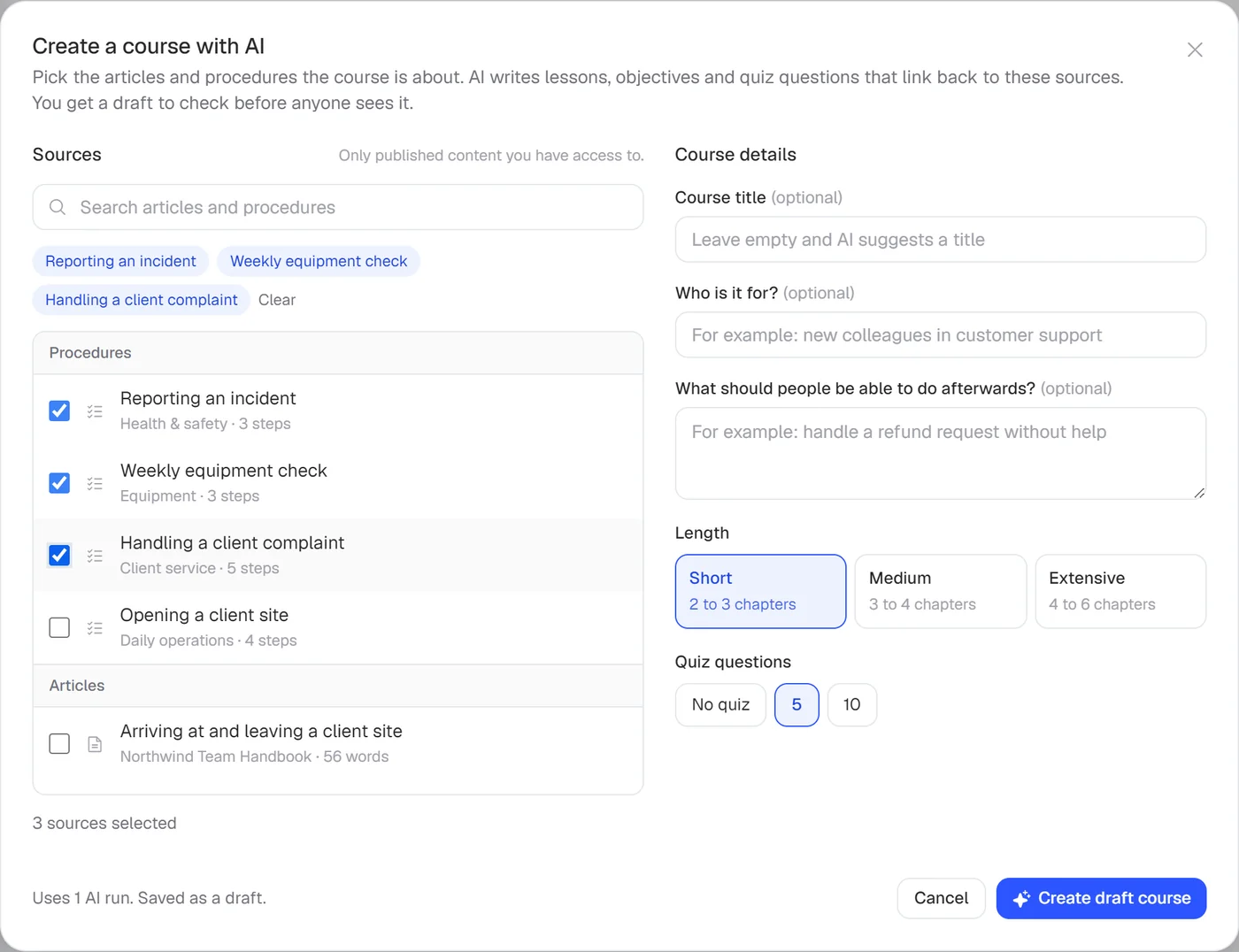
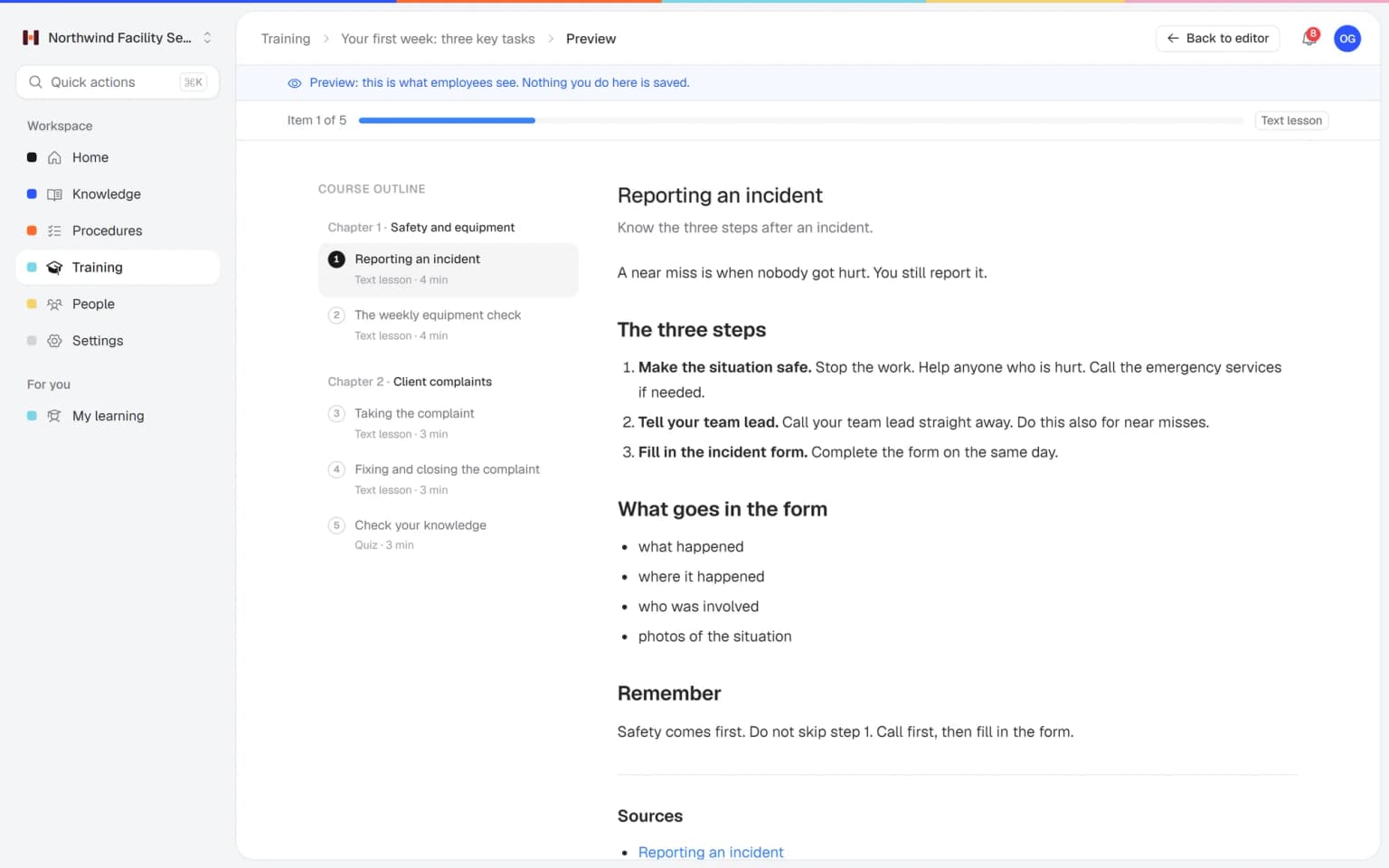
Let AI draft a training from the articles and procedures you pick, with lessons that link back to the source.
Start from the files you have, keep every change on record and let people find the answer themselves.
Add a PDF or Word file, tell the AI writer what to write and get a draft article. You check it, adjust it and publish.
Each version shows what changed, who published it and when. Go back to an earlier version when you need to, and read confirmations stay tied to the version people saw.
Type a word and get the matching procedure, article and training in one list, so nobody has to ask where something is.
The parts of Helpable that get processes written down and keep them right.
Write each process as numbered steps with images and checklists inside the steps. Anyone can follow a task from start to finish and get the same result.
Turn existing Word files, PDFs and links into draft articles you review. The processes you already wrote down get a head start.
Background and the why go into articles with categories and pages under pages, next to the procedures. The structure matches how your team thinks.
Each published version of a procedure keeps a short summary of what changed. You always know which version applies and why it changed.
Ask the people who do the work to confirm a new version with one click. You see per person who confirmed and who is still pending.
Roles decide who may edit and publish, and every procedure has one owner. Processes stay right because someone is responsible for each.
Let AI draft a training from your documented processes, with a quiz. New hires learn the process before they do it.
Employees ask a question in their own words and get a short answer from your own articles, procedures and documents, with a link to the exact page it came from. You stop being the person everyone asks.
Upload your handbook or policies. Helpable makes them searchable right away and suggests articles you check, change and approve. Nothing goes live until you say so.
When the answer isn't there, Helpable says so and the question lands on your list of things to write down, with no name attached.
Teams that have grown past the point where you can just ask the person next to you.
Cleaning, installation and maintenance teams where the know-how sits with the owner and a few long-time staff.
In practice: The way your best cleaner handles a new office building becomes the written process for everyone: numbered steps, photos of the result and a checklist before leaving. One owner keeps it right.
See howHospitality, retail and warehouse teams that open, close and count stock the same way every day.
In practice: Opening, cash-up and stock counts get written down once, with the steps in order. A new employee follows them on the shop's tablet, and the store manager stops explaining it every Saturday.
See howAgencies, accountancy firms and real estate offices where every client project should run the same way.
In practice: An agency documents how a project runs from brief to launch, one procedure per phase, each with an owner. New project managers follow the same route, and the review date shows when it needs a check.
See howTeams that document how support, sales and engineering work, so new hires can get up to speed on their own.
In practice: Support, sales and engineering each document their handoffs, such as escalating a bug or passing a deal to onboarding. New hires read the current version, and the history shows who changed what.
See howTeams with intake, medication and incident processes that everyone has to follow the same way.
In practice: Intake, medication and incident processes each get numbered steps and an owner. When a process changes, you publish the new version with a summary of what changed, and the team confirms it.
See howTry Helpable free for 14 days, no credit card needed. Then pick the plan that fits your team.
Your knowledge base for team and customers, written faster with AI.
$29/month
Billed monthly
That's $0.95 a day
Start free trialTrain your team on that knowledge: courses, quizzes and progress per person.
$89/month
Billed monthly
That's $2.93 a day
Start free trialEverything in Business, plus:
Training that runs by itself, and proof of who really knows what.
$179/month
Billed monthly
That's $5.88 a day
Start free trialEverything in Business Plus, plus:
Add these to Business and up, any time. You only pay for what you use.
Add people one by one as your team grows, for a fixed price per person on every plan.
$9/month
A help center and handbook for another brand, location or client.
$10/month
Remove “Powered by Helpable” from your help center. Included in Business Max.
$19/month
Can't find your answer? We're happy to help.
Process documentation software helps you write down how your company works and keep it current. Helpable does this with a knowledge base for explanations, procedures for step-by-step tasks, an AI writer, version history and one search.
The Helpable AI writer drafts an article from PDF, Word, TXT, Markdown and CSV files, or from links. You tell it what to write, check the draft and publish it yourself.
Yes. In Helpable you upload documents such as PDF and Word files; Helpable processes them, makes them searchable and suggests article drafts you check and approve. Nothing is published until you say so.
In Helpable an article suits explanations, policies and background, and a procedure suits a repeatable task with numbered steps. Procedures add an owner, a review interval and read confirmations per version.
Helpable gives each procedure an owner and a review interval, and shows the next review date. Every published version is kept with a change summary, and you can announce an update and ask people to confirm it.
Yes. Helpable keeps a version history for articles and procedures, so you can see what changed and go back to an earlier article version. Read confirmations are stored per version.
A shared drive stores files; Helpable gives every process an owner, a version history and one search across articles, procedures and training. You also see who confirmed the latest version of a procedure.
Helpable starts at $29 per month for Business, with 3 team members, one internal knowledge base, procedures, read confirmations and the AI writer. Business Plus is $89 per month for 5 members and adds training with quizzes and due dates.
Yes. Helpable has a free trial of 14 days on Business Plus, and you don't need a credit card to start.
Helpable stores your data in the EU, which helps when clients ask about GDPR. Roles decide who can edit and who can only read, and the app works in English and Dutch.
Pick the process people ask about most, give the AI writer the file you already have and publish the result in Helpable.