A multilingual knowledge base
Colleagues and customers read your articles in a language they know well, so they understand the work and find answers on their own. Translating an article is quick, and you check every version before anyone sees it.
- 14 days free
- No credit card needed
- Writes in five languages
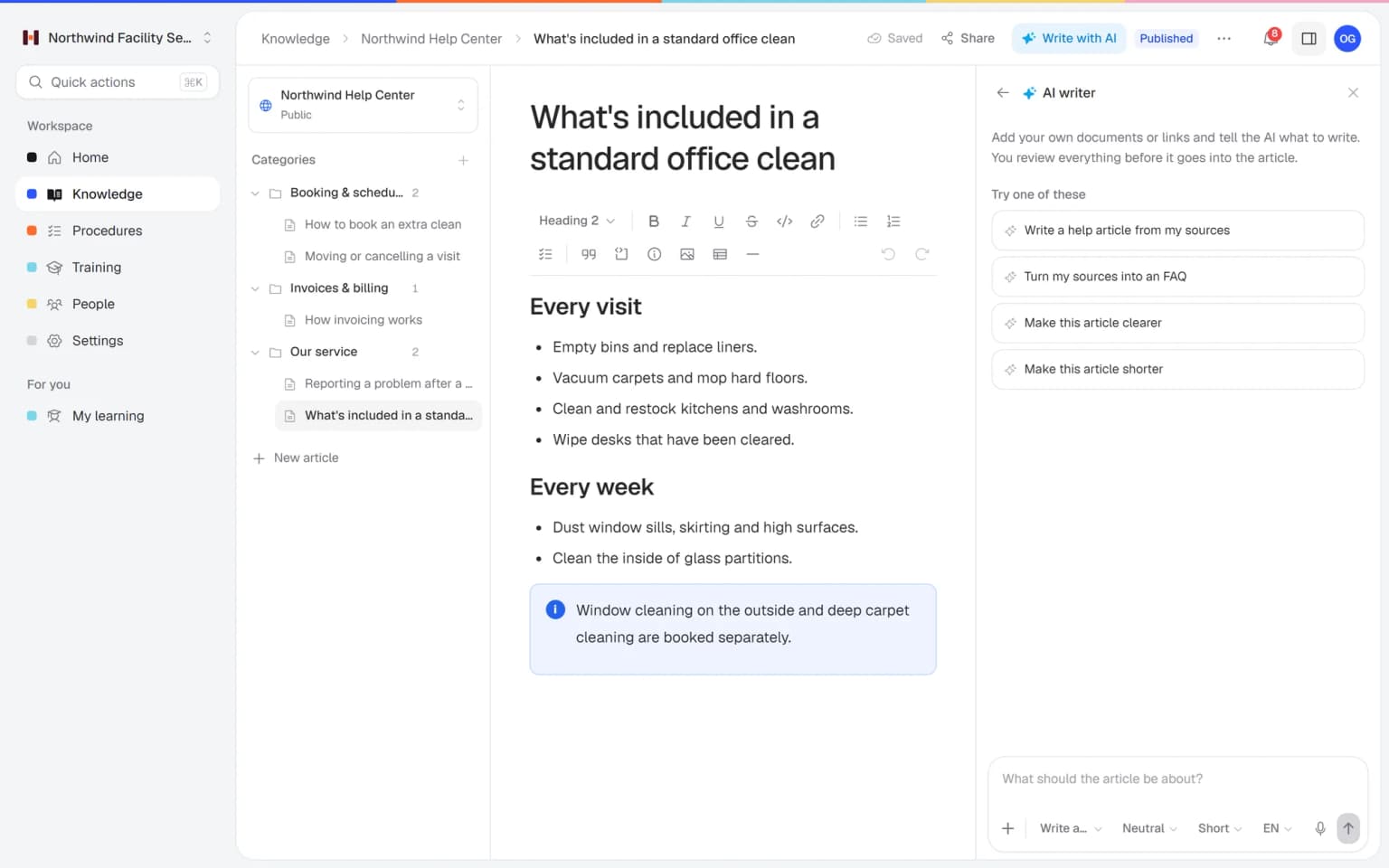
Knowledge that lands, whatever language people speak
Helpable helps mixed-language teams and international customers read the same knowledge in a language that works for them.
Mixed teams understand the work
Dutch and English speakers each use Helpable in their own language, and articles can be written in the language your people read best. Fewer misunderstandings on the job.
Quick translations
The AI writer translates an article to English, Dutch, German, French or Spanish. You read it, adjust what you want and publish when you are happy.
Customers helped in their language
Run a separate public help center per language, so customers abroad find answers they can read and need to contact you less often.
New colleagues ready sooner
New hires read the handbook in a language they understand. They find answers on their own and need less help to get started.
Every translation stays accurate
Translations arrive as an unpublished change, and a teammate can review them. Wrong terms get fixed before anyone reads them.
Your company look in every language
Each public help center has its own logo, color, title and welcome text, so customers in every language see the same trusted company.
Knowledge in one language leaves people behind
These are the moments where a single-language knowledge base starts to cost you time.
New colleagues nod along but miss half
Seasonal staff or new hires read the instructions in a language they only half know.
With Helpable Translate the articles they need into a language they read well, and check the text before you publish it.
Translating by hand takes days
Someone has to sit down with every article and a dictionary, so it never happens.
With Helpable The AI writer translates an article for you. You only review it and fix the words that matter for your business.
Foreign customers keep asking the same thing
Your help articles exist, but customers abroad can't read them.
With Helpable Set up a public help center in their language, so they find the answer themselves.
Half the team works in English, half in Dutch
Some people are more at home in English, others in Dutch.
With Helpable Everyone chooses English or Dutch for the app, so each person feels at home in the tool.
From one language to the ones you need
Three steps. Your first translated article is ready in a few minutes.
Write the article once
Write it yourself, or let the AI writer draft it from your own files and links.
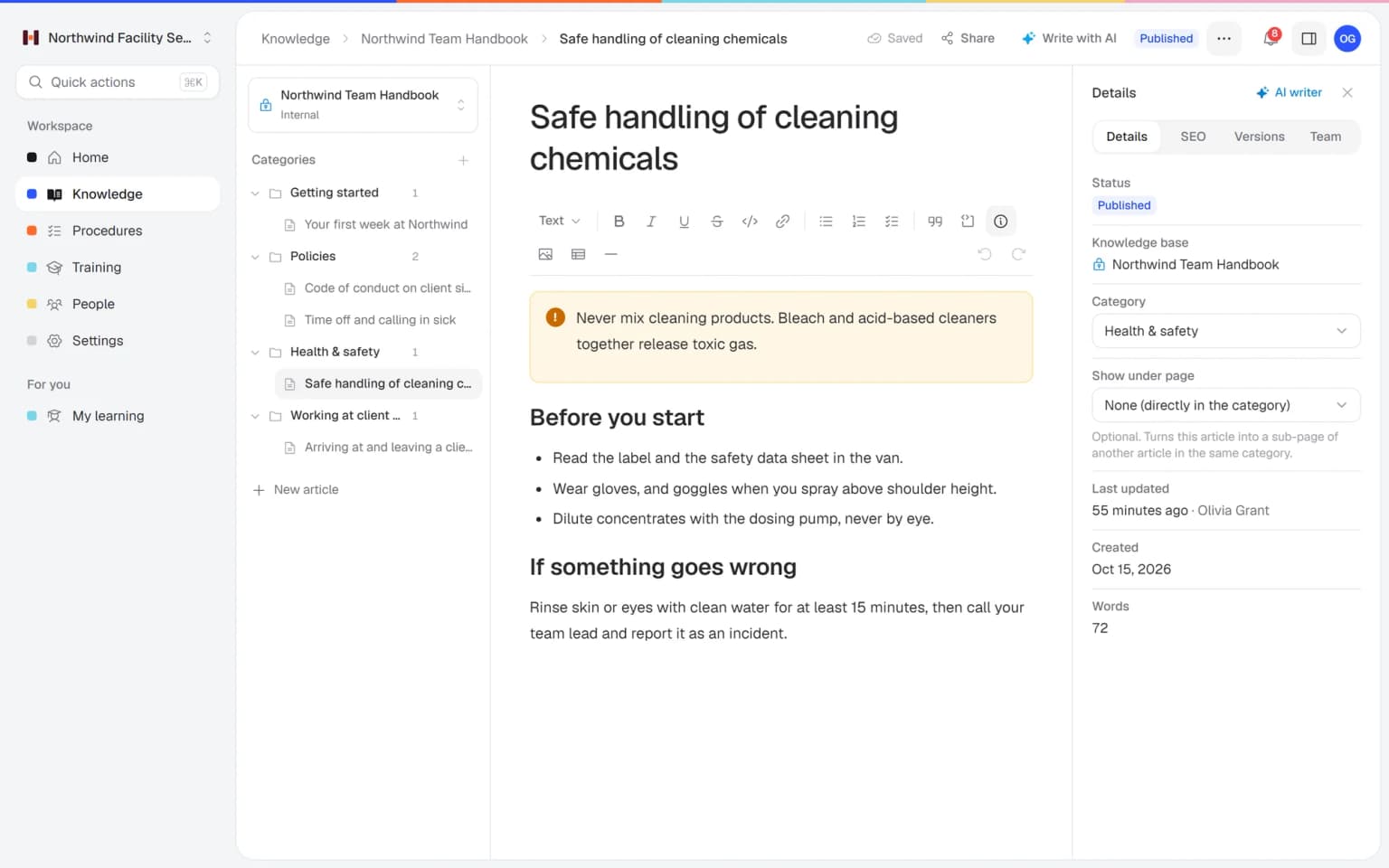
Translate it with AI
Choose English, Dutch, German, French or Spanish. The translation lands in the editor as an unpublished change.
Check it and publish
Read it through, adjust what you want and publish. Nothing goes live by itself.
- 14 days free
- No credit card needed
Knowledge in every language, checked, branded and ready to train with
Translating works best with the rest of Helpable. Combine it with reviews, your branding and training, and every person gets knowledge they can read and use.
Translate with AI, check with a colleague
The AI writer translates an article into German, French or Spanish. Invite a colleague who knows the language to help write it, or ask them to review it before it goes live.
AI writerA branded help center per language
Run a separate public help center for each language and give each one your logo, your color and a welcome text in that language. Customers abroad recognize your company and find their answer.
BrandingTurn translated articles into training
Pick published articles and procedures, say who the training is for, and AI drafts a training with lessons, goals and quiz questions. Each lesson links to the article it came from.
Training with AI
Knowledge in every language, checked and ready to use
Translating is only the first step. These combinations make sure every language is correct, recognizable and used by your team and customers.
- + AI writerTranslate an article in minutes, then check itThe AI writer translates an article into English, Dutch, German, French or Spanish. The translation lands as an unpublished change, so you fix the terms that matter before anyone reads it.
- + BrandingYour logo and own words in every languageGive each public help center its own title, welcome text and footer in its language. Customers abroad see the same trusted company and know where to start.
- + Training with AITurn translated articles into trainingPick published articles and procedures, say who the training is for, and AI drafts lessons, learning goals and quiz questions. Each lesson links back to the article it came from.
- + Team and rolesLet a colleague who speaks the language review itInvite the colleague who knows the language to help write the translation, or ask them for a review. Members only see the published version, so nobody reads a half-checked text.
- + Help center SEOGet found in every language you serveEach public help center has its own sitemap, and every article gets its own search title and description. Customers who search in their own language can land on your answer.
- + Help center insightsSee which questions are missing per languageInsights work per public help center, so you see what customers search for in each language. Write or translate the missing answers first, and see which ones help.
A help center for each language your customers speak
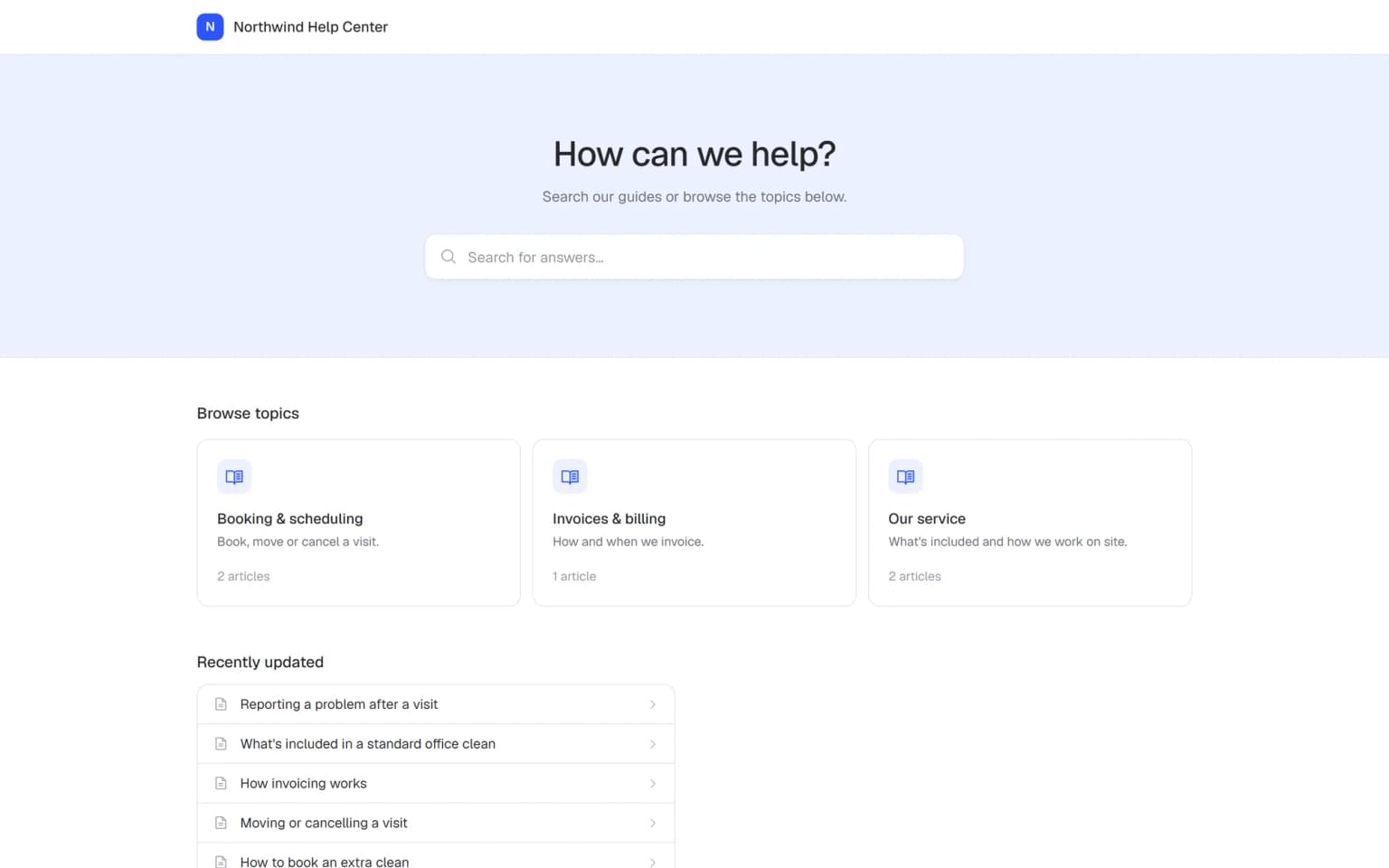
Run a separate public help center per language, each with its own articles and search. The buttons and labels of a help center show in English or Dutch. Business includes one public help center, Business Plus 3 and Business Max 10, and from Business an add-on gives you more.
- Fewer questions from abroad
- Your look in every language
- Same structure in each one
Built for teams that work in more than one language
The parts you need to write, translate and share knowledge in several languages.
AI translation per article
Translate an article to English, Dutch, German, French or Spanish with one request.
You check it first
Every translation arrives as an unpublished change, so you review it before people see it.
Write in five languages
Let the AI writer draft new articles in any of the five languages from your own files.
App in English or Dutch
Each person picks English or Dutch for the app. The workspace has its own default.
Help center per language
Run a separate public help center for each language you serve.
Same structure everywhere
Categories, pages under pages and search work the same in every knowledge base.
Your team practices hard conversations before a real customer hears them
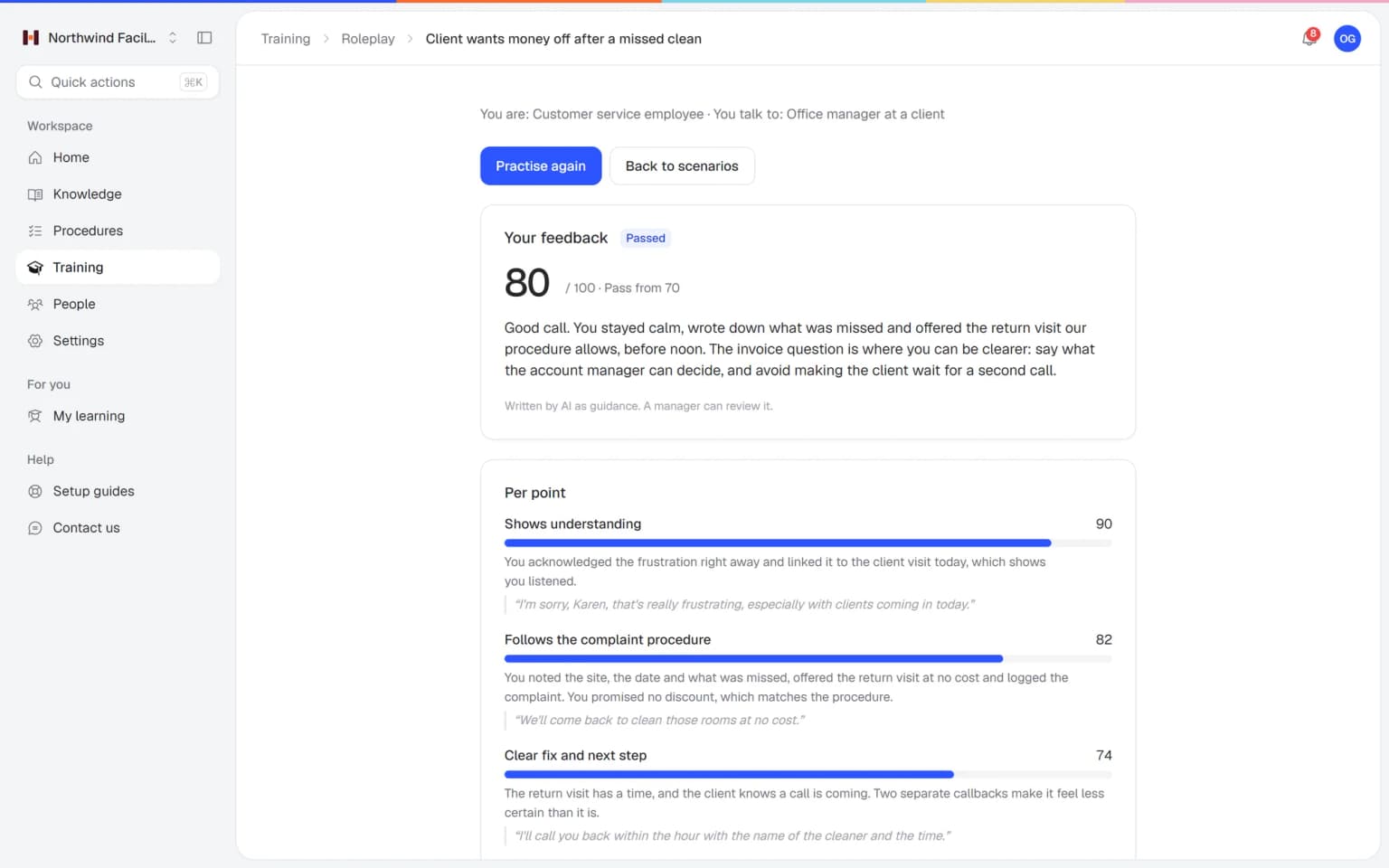
Employees talk with an AI that plays a customer, colleague or manager, in a scenario you build from your own procedures. After each conversation they get a score and concrete tips, and you see who is ready.
- Scenarios built from your own knowledge
- A score and feedback after every conversation
- Free conversation or multiple choice
- Results per person for the trainer
A plan that grows with your team
Try Helpable free for 14 days, no credit card needed. Then pick the plan that fits your team.
Translating with the AI writer is on every plan and uses your monthly AI credits. Every plan has at least one public help center, Business Plus has 3, Business Max has 10, and from Business extra ones are an add-on.
Business
Your knowledge base for team and customers, written faster with AI.
$29/month
Billed monthly
That's $0.95 a day
Start free trial- 3 team members included
- An internal knowledge base and a public help center
- AI writes first versions from your own documents
- Start from what you have: documents, Word files and your website
- Procedures everyone follows, with read confirmations
- Your help center on your own web address
- 250 AI credits per month
- Recommended · your free trial runs on this plan
Business Plus
Train your team on that knowledge: courses, quizzes and progress per person.
$89/month
Billed monthly
That's $2.93 a day
Start free trialEverything in Business, plus:
- 5 team members included
- Training with quizzes, due dates and reminders
- See per person who finished what
- Practice conversations with AI, included
- Video lessons and final tests
- Certificates you can show clients and inspectors
- Results exported in one click
- 3 help centers and 3 internal knowledge bases
- 750 AI credits per month
What's in Business
- 3 team members included
- An internal knowledge base and a public help center
- AI writes first versions from your own documents
- Start from what you have: documents, Word files and your website
- Procedures everyone follows, with read confirmations
- Your help center on your own web address
- 250 AI credits per month
Business Max
Training that runs by itself, and proof of who really knows what.
$179/month
Billed monthly
That's $5.88 a day
Start free trialEverything in Business Plus, plus:
- 9 team members included
- New colleagues get their training automatically
- A fixed onboarding route from day one
- Learning insights: who really studied and who clicked through
- Skills matrix and a training record per person
- Practical work signed off on the floor
- Locations with their own managers
- Refresher training that comes back by itself
- Certificates that expire on time, in your own design
- Your help center fully in your own brand
- 10 help centers and 10 internal knowledge bases
- 1,500 AI credits per month
What's in Business Plus
- 5 team members included
- Training with quizzes, due dates and reminders
- See per person who finished what
- Practice conversations with AI, included
- AI writes first versions from your own documents
- Start from what you have: documents, Word files and your website
- Procedures everyone follows, with read confirmations
- Video lessons and final tests
- Certificates you can show clients and inspectors
- Results exported in one click
- Your help center on your own web address
- 3 help centers and 3 internal knowledge bases
- 750 AI credits per month
Grow when you need to
Add these to Business and up, any time. You only pay for what you use.
- More people
Add people one by one as your team grows, for a fixed price per person on every plan.
$9/month
- A second help center
A help center and handbook for another brand, location or client.
$10/month
- Only your brand
Remove “Powered by Helpable” from your help center. Included in Business Max.
$19/month
- Cancel any time
- Data stored in the EU
What is a multilingual knowledge base?
A multilingual knowledge base offers help articles in more than one language, so employees and customers can read them in a language they know well. In Helpable you translate articles with the AI writer and can run a separate public help center for each language.
Which languages can Helpable translate help articles into?
Helpable's AI writer writes and translates articles in English, Dutch, German, French and Spanish. You choose the language, and the translation appears in the editor for you to check.
Does Helpable translate the whole knowledge base automatically?
No. Helpable translates one article at a time with the AI writer. Each translation lands in the editor as an unpublished change, so you check it before anyone sees it.
Can I run a help center in several languages with Helpable?
Yes. In Helpable you can run a separate public help center per language. Business includes one public and one internal knowledge base, Business Plus 3 of each and Business Max 10, and from Business an add-on gives you more.
In which languages can my team use the Helpable app?
The Helpable app is available in English and Dutch. Each person picks their own language, and the workspace has a default of English or Dutch.
Which language do the buttons in a Helpable help center use?
The buttons and labels of a Helpable public help center show in English or Dutch. The articles themselves can be written in English, Dutch, German, French or Spanish.
Read more
Read more about this
- 8 best internal knowledge base softwareInternal knowledge base tools for small teams compared on features and fit.Read the article
- Internal knowledge base: when you need oneWhat goes in an internal knowledge base, how to secure access and which tools fit.Read the article
- How to organize a knowledge base: 3 methodsThree ways to structure a knowledge base, common mistakes and how to name categories.Read the article
Multilingual knowledge base: a guide for small teams
What a multilingual knowledge base is, how to build one in Helpable, how it fits with the rest of the product and how to compare tools.
What is a multilingual knowledge base?
A Helpable multilingual knowledge base gives employees and customers articles in a language they read well. People understand the work, follow the steps correctly and find answers on their own. For mixed teams and customers abroad, that means fewer misunderstandings and fewer repeat questions.
In Helpable you write an article once and translate it with the AI writer into English, Dutch, German, French or Spanish. Each translation arrives as an unpublished change in the editor, so a person checks it before anyone reads it. The app itself is available in English and Dutch, and each person picks their own language.
How to translate your knowledge base, step by step
Helpable keeps translation simple and under your control. First, write the article in the language you know best, or let the AI writer draft it from your files and links. Second, ask the AI writer to translate it into the language you need. Third, read the result, or ask a colleague who speaks the language to review it. Fourth, publish the translated version in the help center for that language.
For customers, you run a separate public help center per language, each with its own articles and search. Translations are separate articles, so you keep each language up to date on its own. A language switcher between help centers is not available yet.
Multilingual help with branding, SEO and training
Helpable translations work together with the rest of your help center and training. Each public help center gets its own branding, so the title, welcome text and footer speak the customer's language. With help center SEO, every translated article has its own search title, description and place in the sitemap.
For your own team, published articles and procedures can become a training with training with AI. Lessons, learning goals and quiz questions are drafted for you, and each lesson links back to its source article.
A multilingual knowledge base for mixed teams
Helpable helps teams where people speak different languages at work. Teams with many new or seasonal workers, such as cleaning and facility services and hospitality, give everyone instructions they can read. Care teams in home care explain procedures clearly to every colleague.
Companies that sell abroad, from webshops to SaaS companies, run a help center per language, so customers find answers in their own language.
Helpable vs Trainual and Easygenerator for translated content
Helpable combines a multilingual knowledge base, a public help center, procedures and employee training in one tool, with an app in English and Dutch. Trainual can translate content into 25 languages, including Dutch. Easygenerator is an authoring tool that turns knowledge into training, with EasyTranslate for 75 languages as an add-on. See Helpable vs Trainual and Helpable vs Easygenerator for a full comparison.
Helpable stores your data in the EU, and you can try Business Plus free for 14 days. No credit card is needed to start.
Which Helpable plan do you need for several languages?
Helpable includes AI translation in every plan, and each translation uses AI credits: 250 a month on Business, 750 on Business Plus and 1,500 on Business Max. Every plan has at least one public and one internal knowledge base. For a help center per language, Business Plus gives you 3 and Business Max 10, or from Business you add extra knowledge bases as an add-on. See the pricing page.
Make your knowledge readable for everyone, starting today
Translate your first article in a few minutes.
- 14 days free
- No credit card needed
- Cancel any time