An internal handbook people actually use
Categories for each topic, short articles and pages under pages. Only your team can see it.
- Categories and pages under pages
- Version history you can restore
- Scheduled publishing
Helpable is knowledge management software for the know-how that now lives in a few heads and a messy shared drive. It helps you capture it, put it in one place people can search, keep it current with owners and review dates, and turn it into training for new people.

In a team of 10 to 50 people, knowledge problems show up as interruptions, mistakes and slow onboarding.
The same two people answer every question, and things grind to a halt when they are on leave.
Three versions of the same document sit in a shared drive, and nobody knows which one is current.
A guide was right last year. Since then the process changed and nobody updated it.
Every new hire gets a different version of how things work, depending on who they sit next to.
Five steps from scattered knowledge to a team that finds, trusts and learns it.
Let the AI writer draft articles from PDF, Word, TXT, Markdown or CSV files and links, or write them from scratch.
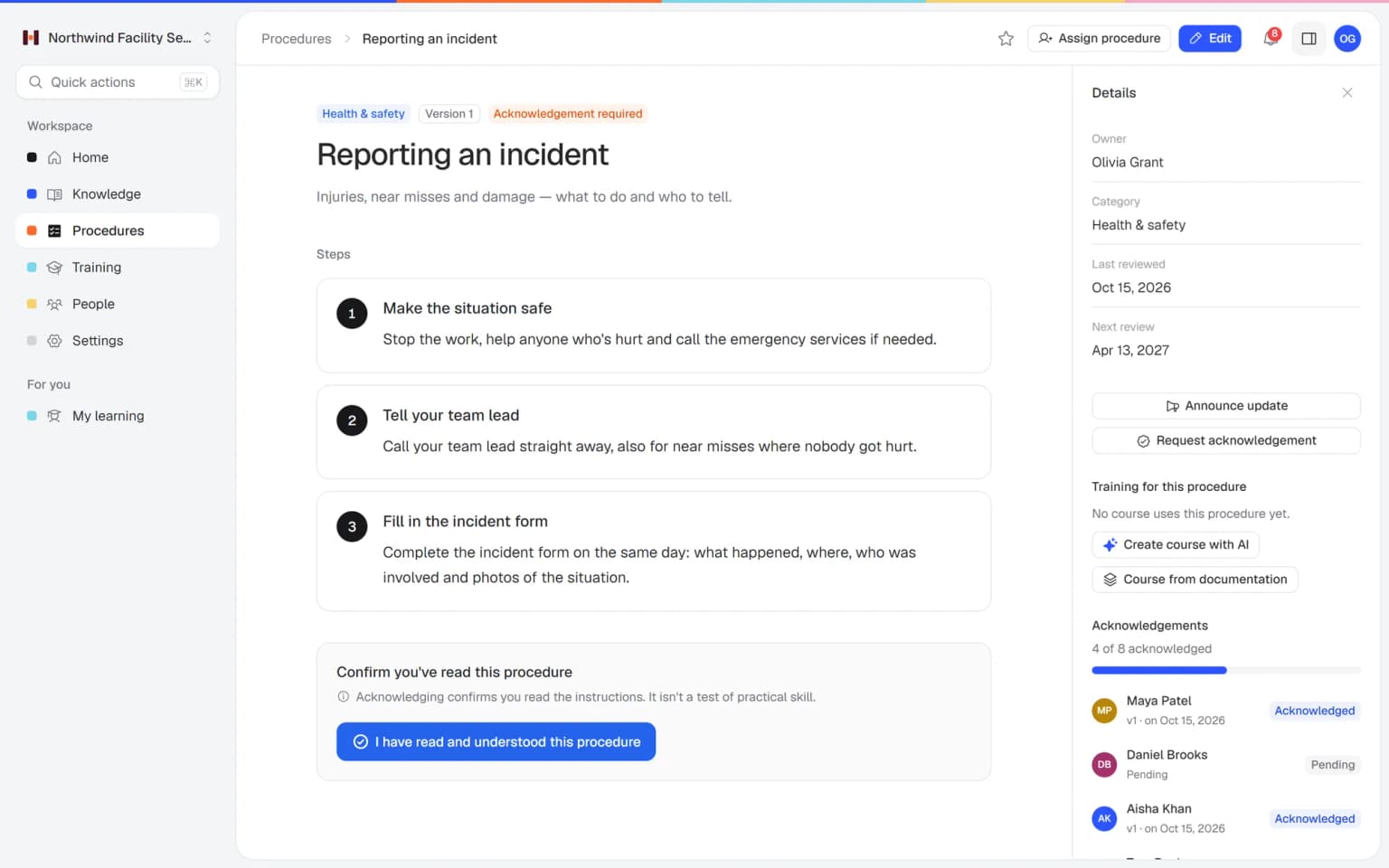
Put articles in categories in your internal knowledge base, and turn repeated tasks into procedures with numbered steps.
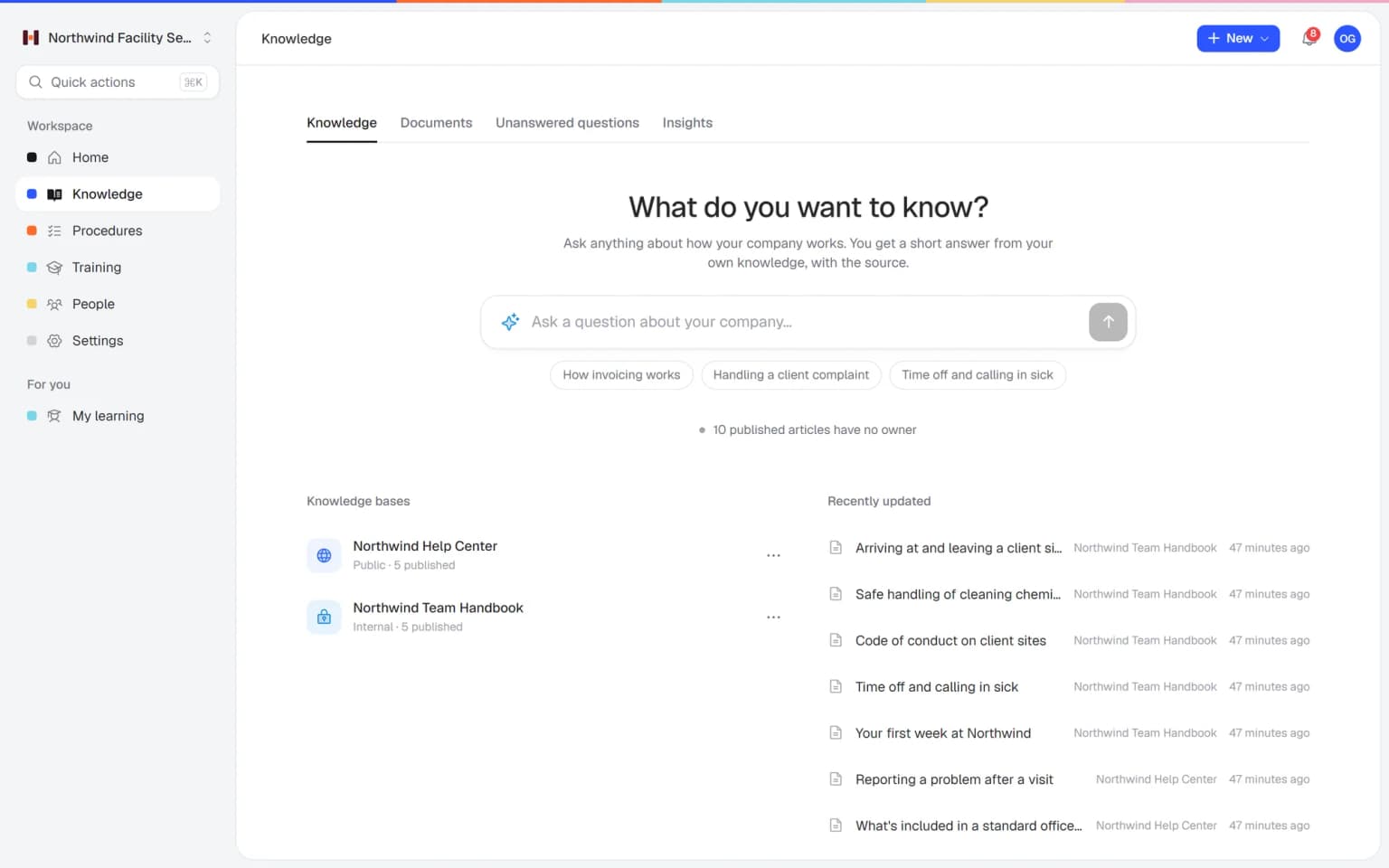
One search finds articles, procedures and training. Customer-facing answers go in a public help center.
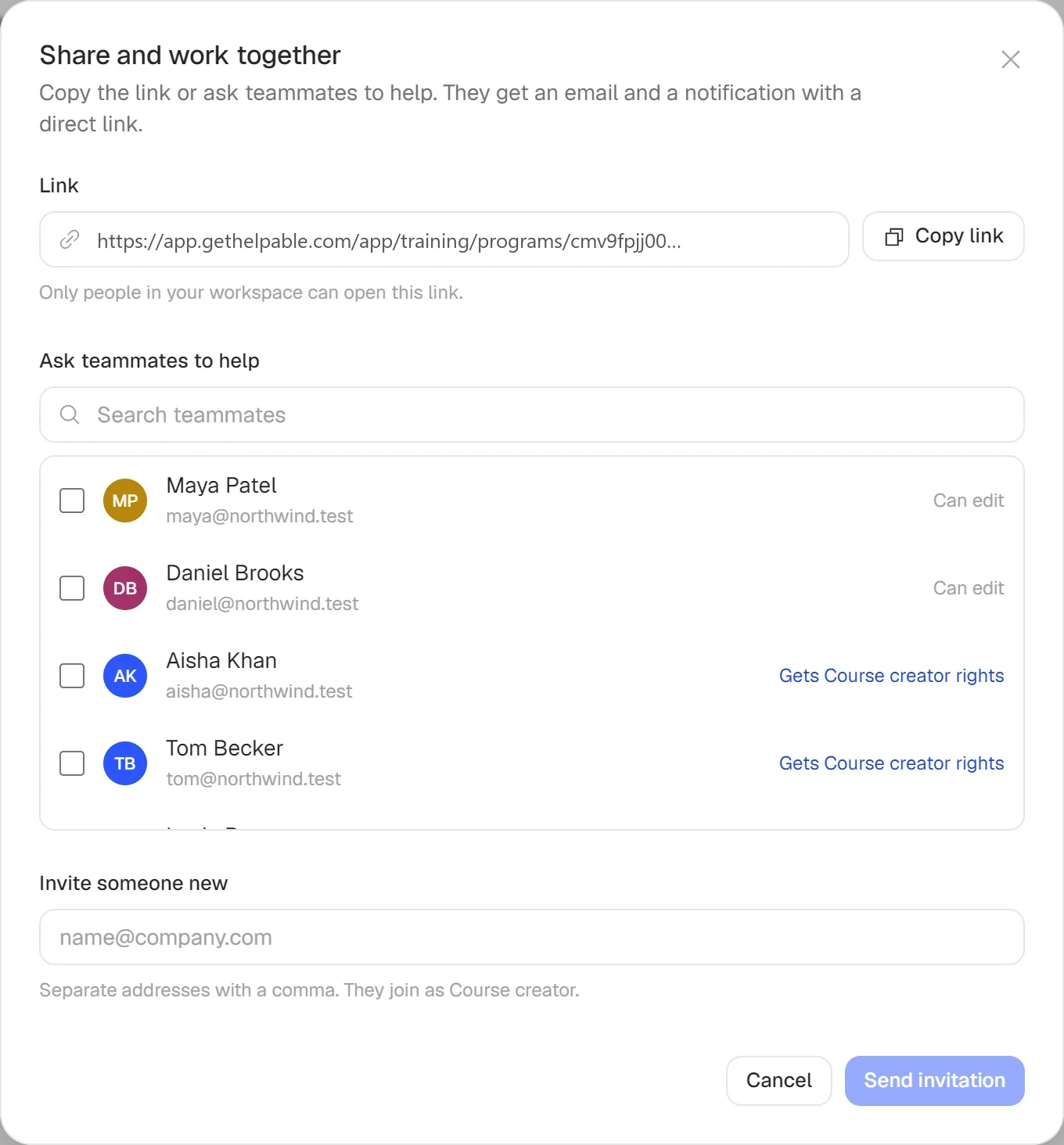
Give procedures an owner and a review interval. Articles and procedures keep a version history.
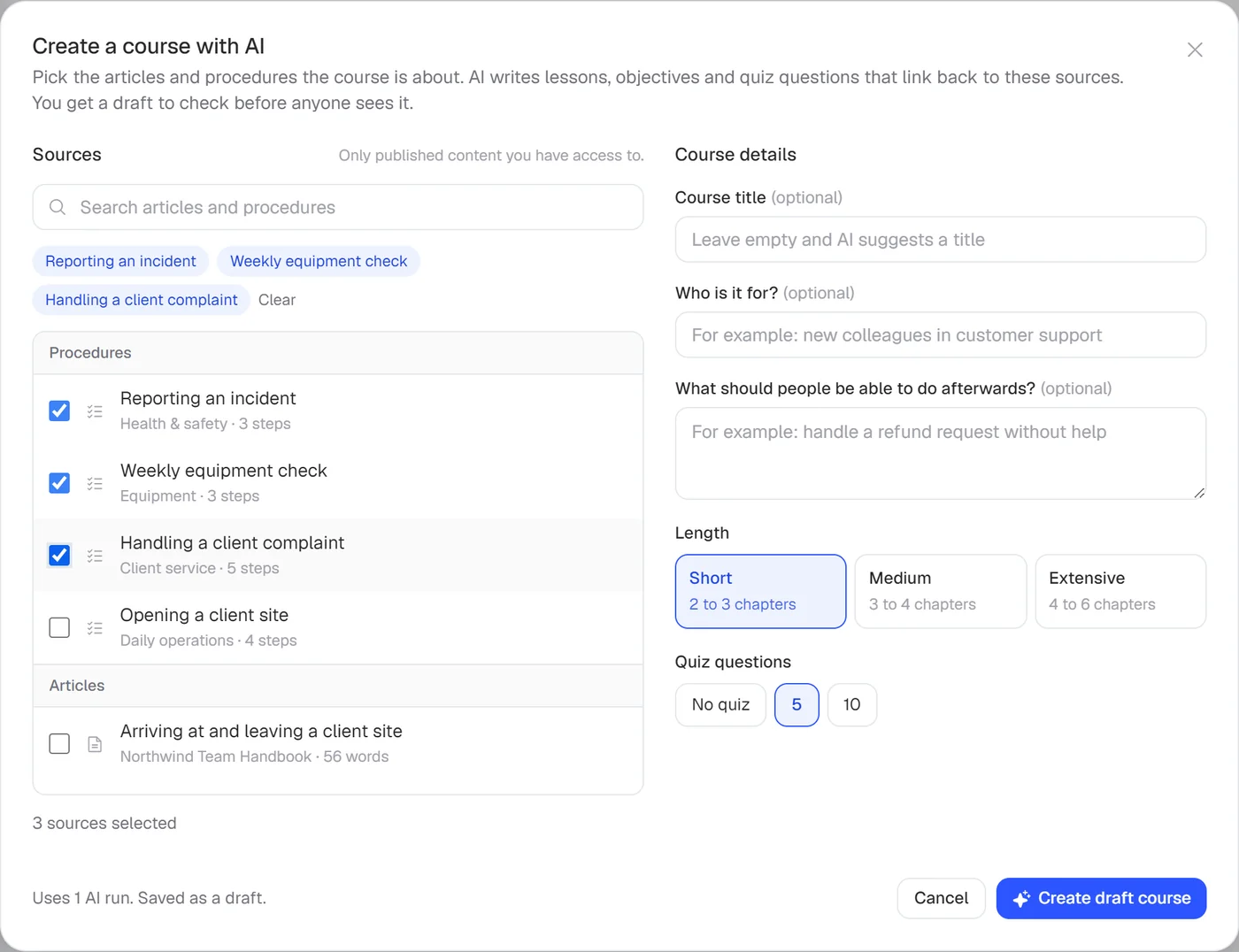
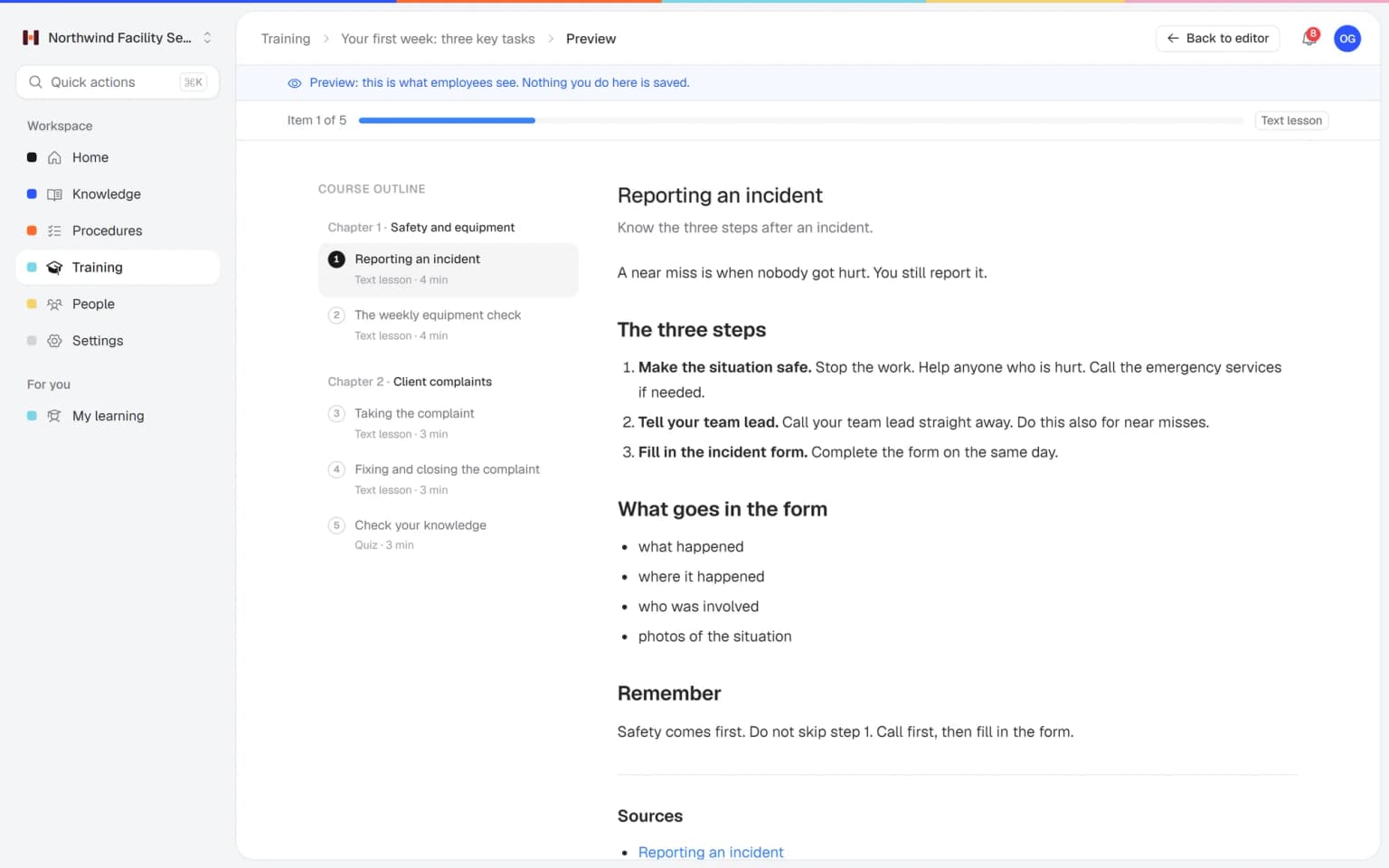
Let AI draft a training from the articles and procedures you pick, then assign it to new people.
Write it down once, let people find it in seconds and see when it needs a fresh look.
Categories for each topic, short articles and pages under pages. Only your team can see it.
Give the AI writer a PDF or Word file and it drafts an article from it. You check the draft and publish.
Every procedure has an owner and a next review date, so you see which ones are due soon.
The parts of Helpable that capture, organize, share and maintain what your team knows.
Capture how the company works in articles with categories, visible only to your team. Knowledge stays when an experienced colleague leaves.
Turn PDF, Word, TXT, Markdown or CSV files and links into draft articles you check. The know-how hidden in old folders gets a proper home.
People ask in their own words and get an answer from your knowledge, with the source. Unanswered questions become a list of what to write next.
Put the how-to of each task in a procedure with one owner and a next review date. Someone is always responsible for keeping it right.
Articles and procedures keep a version history. You see who changed what and can roll back a mistake.
AI drafts a training from chosen articles and procedures, with lessons linked to their sources. Captured knowledge reaches new people as training they finish.
See which help center searches found nothing and which articles readers found unhelpful. You know where knowledge is still missing.
Employees ask a question in their own words and get a short answer from your own articles, procedures and documents, with a link to the exact page it came from. You stop being the person everyone asks.
Upload your handbook or policies. Helpable makes them searchable right away and suggests articles you check, change and approve. Nothing goes live until you say so.
When the answer isn't there, Helpable says so and the question lands on your list of things to write down, with no name attached.
Teams that need their knowledge in order and have no time for an enterprise knowledge project.
Cleaning, installation and field service teams whose know-how sits with a few experienced people.
In practice: Your most experienced installer retires next year. Their tips per boiler type go into articles with photos now, and new technicians find them on site in one search.
See howHospitality, retail and warehouse teams where knowledge leaves with every seasonal worker.
In practice: The handover between the morning and evening shift stops depending on who happens to be working. Fixes and house rules get written down once, and the evening crew gets the same answer as the morning crew.
See howAgencies, accountancy firms and recruiters that want client know-how to stay when people leave.
In practice: When an account manager leaves, the client's preferences and the agreed way of working stay in the knowledge base. Their successor reads up in the first days, and the client hardly notices the change.
See howTeams that onboard engineers, support and sales people quickly and need to keep support up to date when the product changes.
In practice: Old docs from the shared drive go into Documents, where Helpable makes them searchable and suggests article drafts. A manager approves what is still right, and the rest stops misleading new hires.
See howTeams that keep internal how-tos and customer help articles side by side.
In practice: Agents keep the internal how-to and the customer article side by side. Help center searches that found nothing and articles readers marked unhelpful show what to improve this week.
See howPractices, childcare and businesses with several branches that need the same knowledge everywhere.
In practice: A protocol that one location improved becomes the standard for all of them. You publish the new version with a short summary and ask every team to confirm it.
See howTry Helpable free for 14 days, no credit card needed. Then pick the plan that fits your team.
Your knowledge base for team and customers, written faster with AI.
$29/month
Billed monthly
That's $0.95 a day
Start free trialTrain your team on that knowledge: courses, quizzes and progress per person.
$89/month
Billed monthly
That's $2.93 a day
Start free trialEverything in Business, plus:
Training that runs by itself, and proof of who really knows what.
$179/month
Billed monthly
That's $5.88 a day
Start free trialEverything in Business Plus, plus:
Add these to Business and up, any time. You only pay for what you use.
Add people one by one as your team grows, for a fixed price per person on every plan.
$9/month
A help center and handbook for another brand, location or client.
$10/month
Remove “Powered by Helpable” from your help center. Included in Business Max.
$19/month
Can't find your answer? We're happy to help.
Knowledge management software helps a company capture, organize, share and maintain what its people know. Helpable does this for small teams with an internal knowledge base, procedures, one search, a public help center and training built from the same content.
Yes. Helpable is made for service companies with 10 to 50 people and for startups, so it has the parts a small team uses every day and leaves out the heavy setup of enterprise knowledge tools.
Helpable's AI writer drafts an article from a PDF, Word, TXT, Markdown or CSV file, or from a link. You check the draft and publish it. You can also upload whole documents, such as a handbook or policy: Helpable makes them searchable and suggests articles for you to approve.
In Helpable each procedure has an owner, a review interval and a next review date, so you see which ones are due. Articles and procedures keep a version history you can view and restore, and procedures store a change summary per version.
Yes, if you want. Helpable includes a public help center with its own categories, branding, search and custom domain, next to your internal knowledge base that only your team can see.
Yes. Helpable answers employee questions in plain words from your articles, procedures and uploaded documents, with a link to the source, and says so when the answer isn't there. There is also one search across articles, procedures and training.
No, Helpable has no integrations with tools like Slack, Microsoft Teams or Google Drive yet. You bring documents in through the AI writer or by writing articles directly.
Helpable starts at $29 per month for Business, with 3 team members, one internal knowledge base and one public help center. Business Plus is $89 per month and Business Max is $179 per month, with up to 10 knowledge bases.
Yes. Helpable has a free trial of 14 days on Business Plus, and you don't need a credit card to start.
Helpable stores your data in the EU, which helps when customers ask GDPR questions. It works in the browser on phones, tablets and laptops, in English and Dutch.
Start with the questions you answer every week. Put them in Helpable, let people search them and turn them into training for the next new hire.