Every version on record
See each version of a procedure with a short summary of what changed, who published it and when. The current version is marked.
- Change summary per version
- Name and date with each version
- Current version clearly marked
Helpable is document version control software that keeps one current version of every procedure and article. Procedures keep each published version with a summary of what changed, articles have a history you can view and restore, and training always shows the latest steps.
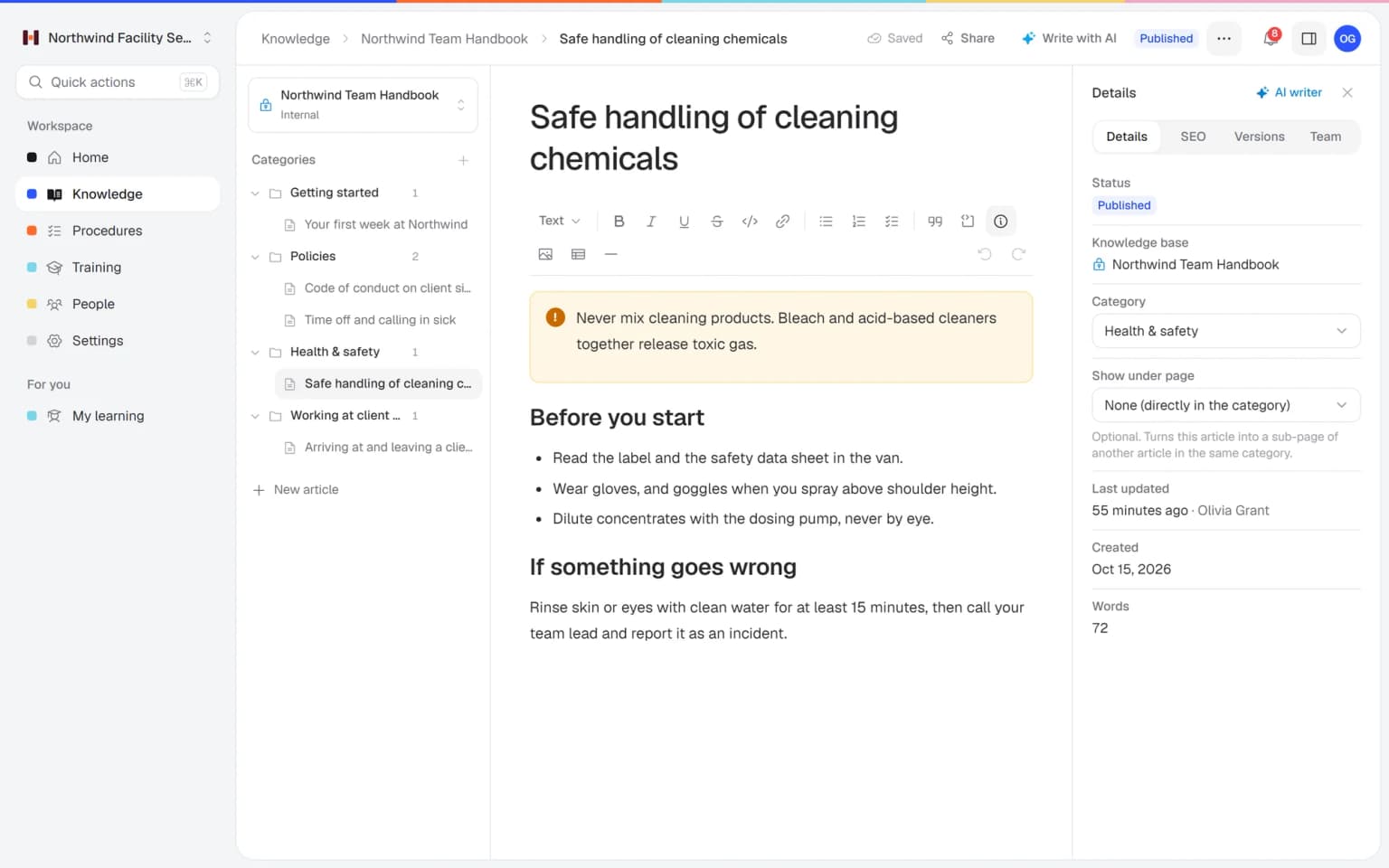
Every time you publish a procedure, Helpable saves it as a new version with a short summary of what changed, who published it and when. Articles in your knowledge base keep a version history too, so you can look back and restore an earlier version. Everyone always opens the current version, and read confirmations are stored per version, so you know who read the text that applies today.
Four steps from a change to a team that works by the new version.
Change the steps, images or checklists in the editor, then get ready to publish.
Write in one line what changed. Helpable saves it as the next version, with your name and the date.
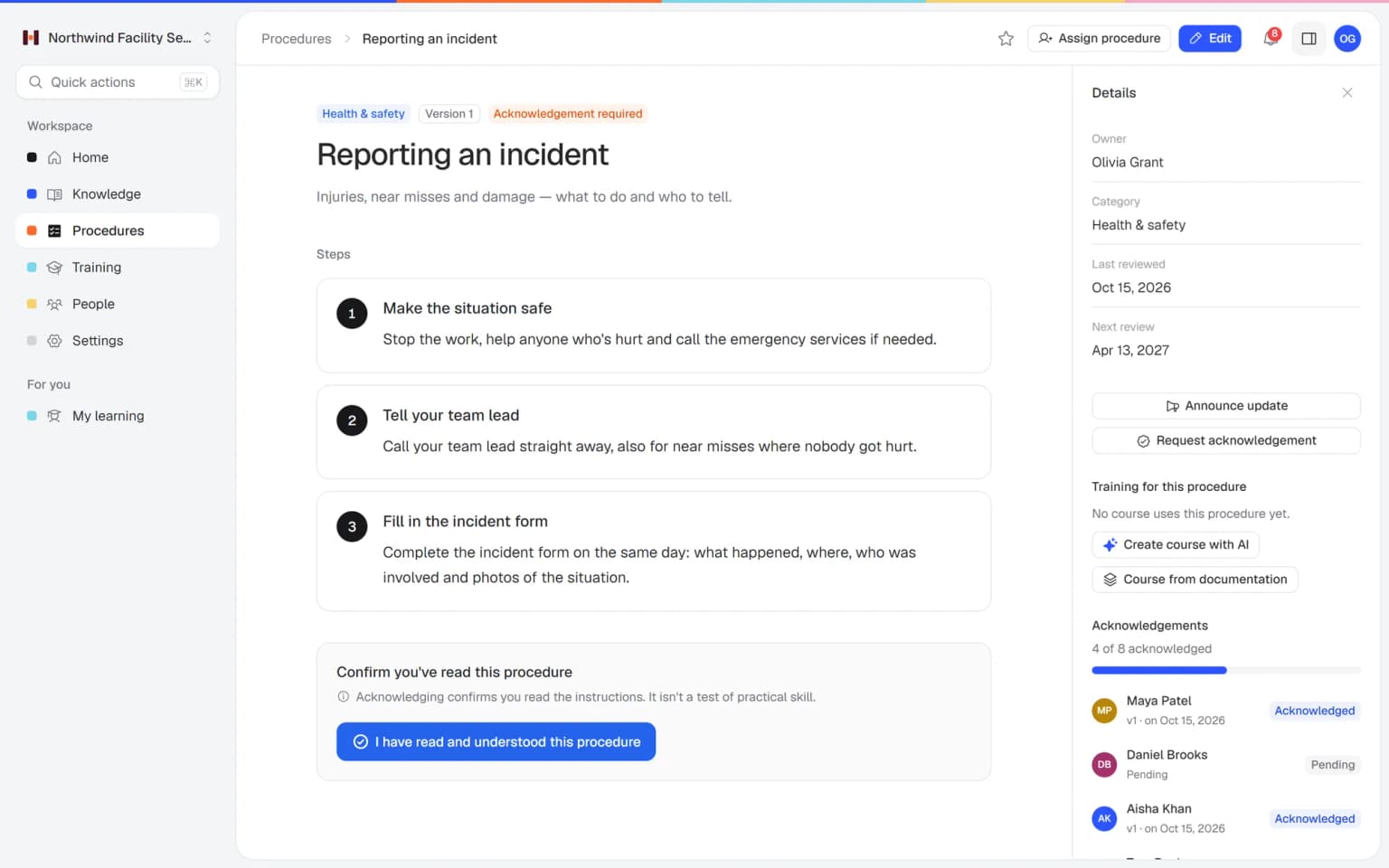
Announce the update to everyone assigned to the procedure and ask them to confirm the new version.
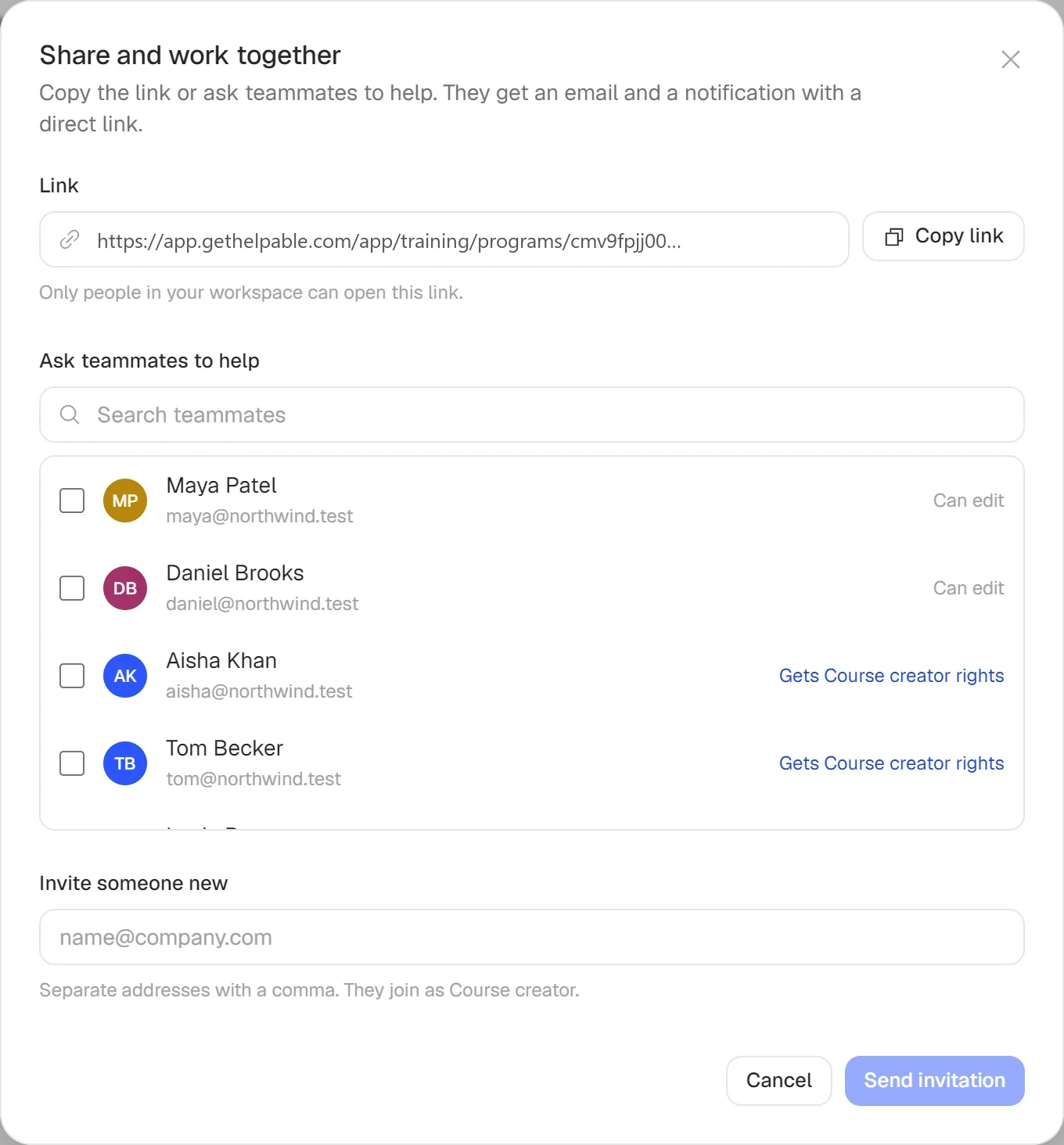
Lessons that link the procedure show the new version. You can ask people who finished the training to redo it.

See what changed, roll out the new version and check who read it.
See each version of a procedure with a short summary of what changed, who published it and when. The current version is marked.
Publish version 2 with a summary, announce it and ask for confirmation in one go.
Confirmations are stored per version, so the overview shows who read the text that applies today and who is still pending.
Keeping versions is the start. Combined with other parts of Helpable, a new version also reaches the right people, the right lessons and your help center.
Any document where an outdated copy causes mistakes.
Change the steps after an incident, publish a new version and ask everyone on site to confirm it.
Update a policy article and keep the earlier version in the history in case you need to look back or restore it.
Prepare an article for a product release and schedule it to publish on the right date.
When the product changes, the support procedure gets a new version and the team confirms it.
Teams where an old copy of a document leads to mistakes.
Installation, cleaning and maintenance teams who must never work from an old copy on site.
In practice: Technicians open the installation procedure on site and always get the current version. The old one stays in the history with its change summary, so nobody works from last year's printout.
See howHospitality, retail and warehouse teams where rules change and every shift has to know it.
In practice: A store team works from one current returns procedure. When the rule changes, version 3 gets a one-line summary, and staff who confirmed version 2 are asked to confirm again.
See howAgencies, accountancy firms and real estate offices where several versions of the same document float around.
In practice: Two account managers stop sending clients different versions of the onboarding checklist. There is one current article, and its history shows what changed and when.
See howTeams whose product changes often and whose support docs and help center have to keep up.
In practice: A help center article for a new feature is prepared ahead and scheduled to publish on release day. Support's procedure gets a new version the same morning.
See howTeams that must show which version of a protocol applied and who read it.
In practice: After an incident, the medication protocol gets a new version with a summary of what changed. You can show which version applied on which date and who confirmed it.
See howEmployees ask a question in their own words and get a short answer from your own articles, procedures and documents, with a link to the exact page it came from. You stop being the person everyone asks.
Upload your handbook or policies. Helpable makes them searchable right away and suggests articles you check, change and approve. Nothing goes live until you say so.
When the answer isn't there, Helpable says so and the question lands on your list of things to write down, with no name attached.
The parts of Helpable that keep one current version for everyone.
Every published version of a procedure is kept, with a change summary, the author and the date.
Open the Versions tab of an article, view an earlier version and restore it if you need to.
Ask people to confirm a procedure and see per person which version they confirmed, and when.
Tell everyone assigned to a procedure about the new version in one message, with your summary.
Set a date and time for an article to go live, for example together with a product release.
Lessons that link a procedure always show its current version. You can ask people to redo the training after a change.
Try Helpable free for 14 days, no credit card needed. Then pick the plan that fits your team.
Version history for procedures and articles is part of every plan, from Business up, together with read confirmations per version. Business Plus adds 3 knowledge bases and Business Max up to 10, for separate teams or brands.
Your knowledge base for team and customers, written faster with AI.
$29/month
Billed monthly
That's $0.95 a day
Start free trialTrain your team on that knowledge: courses, quizzes and progress per person.
$89/month
Billed monthly
That's $2.93 a day
Start free trialEverything in Business, plus:
Training that runs by itself, and proof of who really knows what.
$179/month
Billed monthly
That's $5.88 a day
Start free trialEverything in Business Plus, plus:
Add these to Business and up, any time. You only pay for what you use.
Add people one by one as your team grows, for a fixed price per person on every plan.
$9/month
A help center and handbook for another brand, location or client.
$10/month
Remove “Powered by Helpable” from your help center. Included in Business Max.
$19/month
Can't find your answer? We're happy to help.
Document version control means keeping track of every version of a document, so everyone works from the current one and you can see what changed. Helpable does this for procedures and for knowledge base articles.
Helpable saves every published version of a procedure with a short summary of what changed, who published it and when. The current version is what everyone sees.
For knowledge base articles, yes. Helpable keeps a version history for each article that you can view and restore from the Versions tab.
Helpable stores read confirmations per version. After a new version you can ask everyone to confirm again, and the overview shows who read the current text.
Yes. In Helpable a lesson that links a procedure always shows its current version, and you can ask people who already finished the training to redo it.
Yes. Helpable lets you schedule an article in your knowledge base or help center to publish on a date and time you choose.
No. Helpable has no approval workflow yet. Roles (owner, admin, training manager, course creator and member) decide what each person can do.
Helpable starts at $29 per month for Business, with 3 team members, procedures with version history and read confirmations. Business Plus is $89 per month for 5 members; paying yearly is about 20 percent cheaper.
Yes. Helpable has a free trial of 14 days on Business Plus, and you don't need a credit card to start.
Helpable stores your data in the EU, which helps when clients ask about GDPR. It works in the browser on phones, tablets and laptops, in English and Dutch.
What document version control is, how it works for procedures and articles in Helpable, which teams need it and how Helpable compares with wikis and file storage.
Helpable gives your procedures and articles document version control, so everyone works from the current version and you can see what changed. Document version control means keeping track of every version of a document: what changed, who changed it and when. Leave it out, and a printed sheet, a PDF in an inbox and a group chat message soon all say something different.
In Helpable every published version of a procedure is kept with a short change summary, the author and the date, and the current version is what everyone opens. Knowledge base articles keep their own version history, which you can view and restore. For the wider topic of writing down how your company works, see process documentation software.
Helpable turns every change into a clear new version in four steps. First, edit the steps, images or checklists of the procedure. Second, publish it with a one-line change summary; Helpable saves it as the next version with your name and the date.
Third, announce the update to everyone assigned to the procedure and ask them to confirm the new version with read and acknowledge. Fourth, check the overview to see who read the current text. Lessons that link the procedure show the new version right away, and you can ask people who finished the training to redo it. For articles, open the Versions tab to compare and restore an earlier version, or schedule an update to go live later.
Helpable uses one approach for every kind of document, so your team never has to ask which file is current. Procedures and work instructions get versions with change summaries. Articles in your employee handbook and the rest of your knowledge base get a history you can restore.
Public help center articles work the same way, and scheduled publishing lets you prepare a change ahead of a release. Read confirmations, training lessons and the search across procedures, knowledge and training always point to the current version.
Helpable version control fits any team where an old copy of a document leads to mistakes. Teams on location, such as cleaning and facility services and installation and maintenance, keep safety and client procedures current after every change. Teams in hospitality and retail make sure every shift works from the same version.
Office and remote teams, such as customer service, agencies and SaaS companies, update support processes and help articles each time the product changes. Care, childcare and other service companies use it for policies that have to be shown on request.
Helpable is a good fit when you want version control together with read confirmations, training and a knowledge base in one tool. In Google Drive a file version can disappear after 30 days or 100 newer versions unless you choose to keep it forever. Notion keeps page history for a period that depends on the plan. SweetProcess offers full version history with restore and change proposals that managers approve.
What Helpable brings: version history on every plan, confirmations stored per version, an app in English and Dutch, data stored in the EU and a 14-day free trial that needs no credit card. Compare the details on our pages about Google Drive, a Notion alternative and a SweetProcess alternative.
Helpable includes version history for procedures and articles on every plan, together with read confirmations per version. Business Plus adds 3 knowledge bases and Business Max up to 10. Compare the plans on the pricing page and try version history free for 14 days.
Start with the procedure that changes most often. Publish it in Helpable, add a change summary and see who read the latest version.