Employee quiz software for training
Helpable is employee quiz software for small teams: a short quiz after a lesson tells you who is ready to do the work alone and who needs a bit more help. Employees get feedback right away, and you see the results per person.
- 14 days free
- No credit card needed
- Scored for you automatically
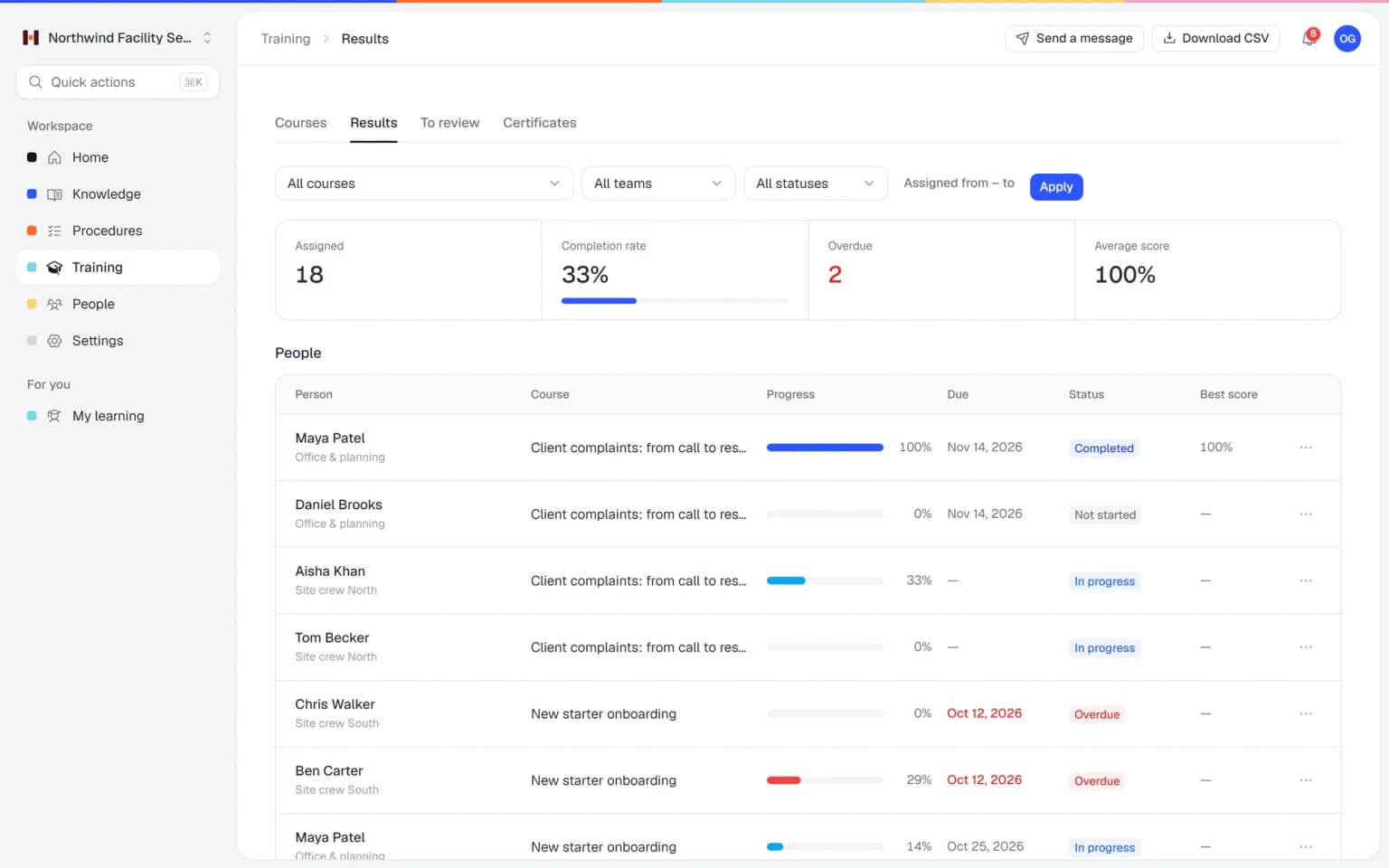
Confidence that people can do the job
Quizzes in Helpable show what stuck after a lesson, with very little work from you.
Safe to let people work alone
When someone passes the quiz, you know they understood the key steps. You can hand over work with more confidence.
Gaps show up early
Scores per person and per training show where people struggle, so you can explain it again before mistakes happen.
People learn as they answer
Employees see feedback after each question or at the end, so a wrong answer becomes a moment to learn.
Time back for managers
Nobody has to quiz each employee in person. Helpable scores most questions automatically, so you only grade the short answers.
Proof when someone asks
Scores, pass rates and certificates are saved per employee. When a client or auditor asks who is trained, you can show it.
The same bar for everyone
Every employee meets the same pass mark. Shuffled questions and question banks keep the result honest.
Reading something is one thing, understanding it is another
Most training stops once people have read the material. Here is where that falls short.
Everyone says they get it
Nobody likes to admit they are unsure, so questions stay unasked.
With Helpable A short quiz quietly shows who understood it, and who could use another explanation.
Mistakes show up at the customer
You only learn someone missed a step when a job goes wrong.
With Helpable Make the quiz required with a pass mark, so people only continue once they pass.
Checking everyone by hand takes hours
Asking each person questions one by one doesn't fit in a busy week.
With Helpable Helpable scores most questions automatically. Only short answers wait for you to grade them.
Answers get passed around
Colleagues share the right answers, and the quiz loses its point.
With Helpable Shuffle questions and answers, draw questions from a question bank and limit attempts or time.
From lesson to proven understanding
Three steps. A first quiz is quick to build.
Write a few questions
Pick from six question types, or let AI suggest questions based on your own procedures and articles.
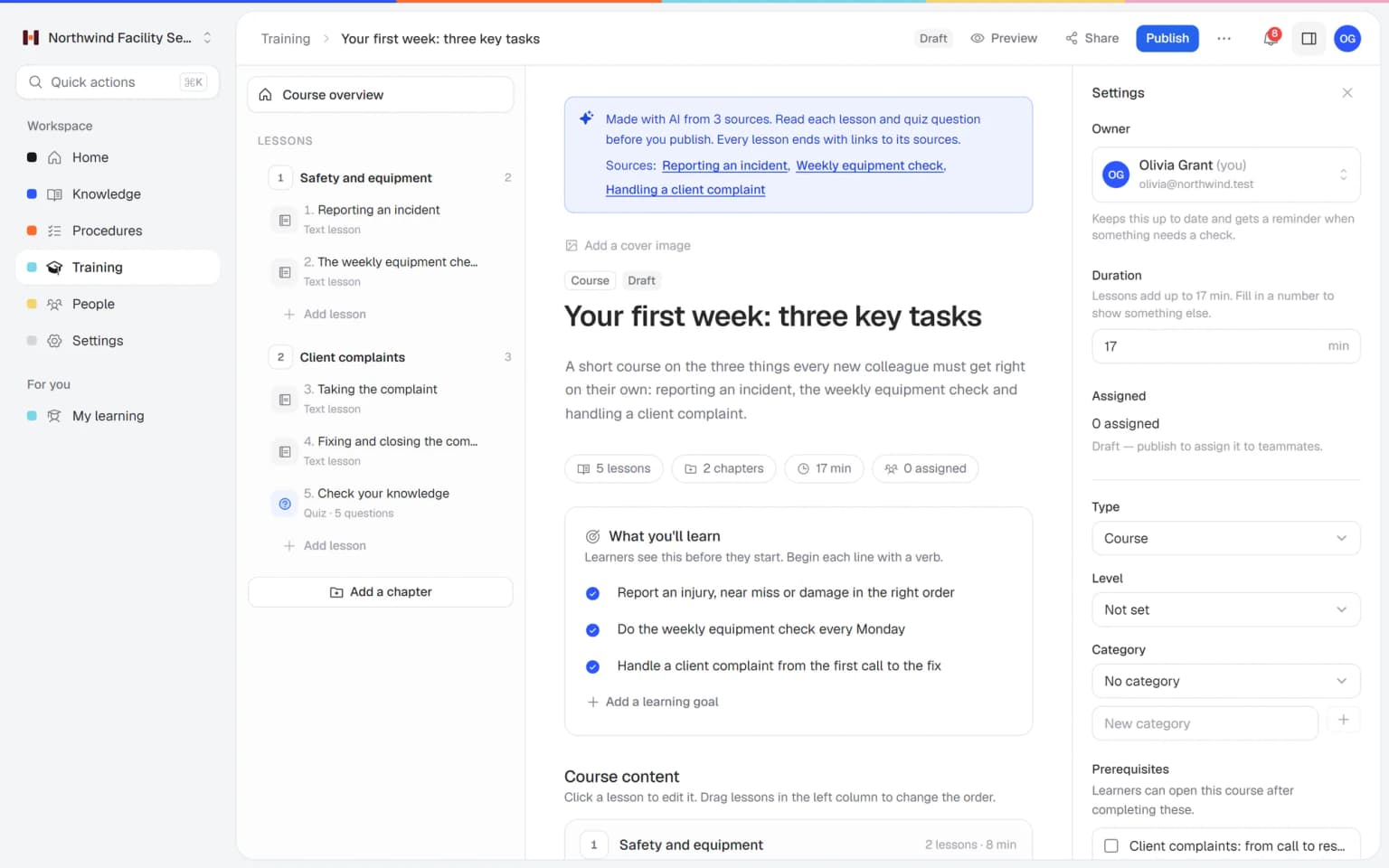
Set the rules
Choose a pass mark, the number of attempts, an optional time limit and when people see feedback.
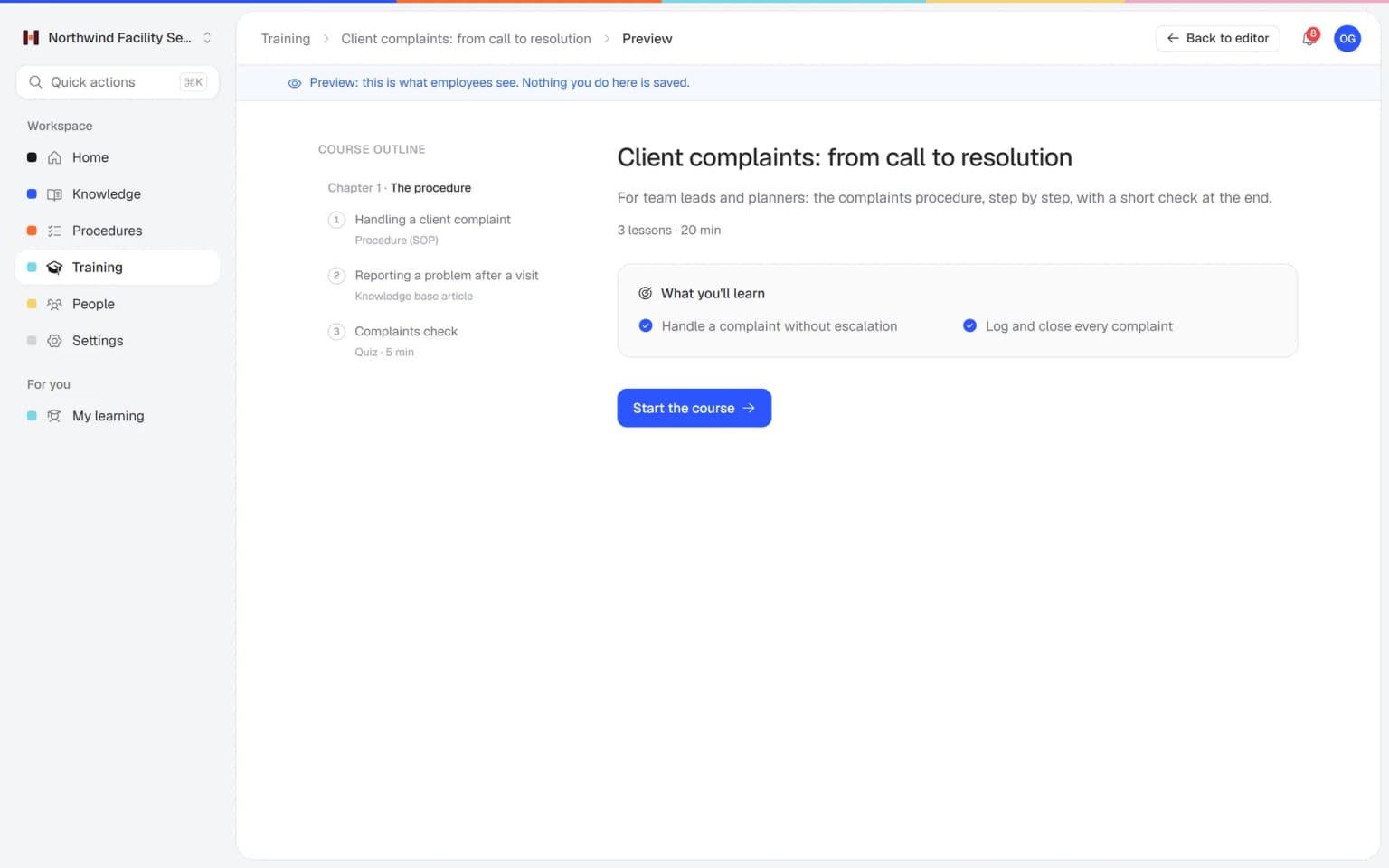
See who passed
Results per employee show scores and pass rates. Short answers can be graded by hand.
- 14 days free
- No credit card needed
Quizzes that lead to certificates and clear reports
A quiz means most inside a training. Together with certificates, reports and AI, it shows who is ready for the job.
Pass the quiz, get the certificate
Make the quiz required, so people only continue once they pass. When they finish the training, they get a certificate with a code anyone can check on a public page.
CertificatesScores you can act on
Reports show scores, pass rate and certificates per training, team and employee. Export them as CSV when you need them for an audit or a client.
Progress and reportsQuestions written from your own knowledge
Create a training with AI from your articles and procedures and choose how many quiz questions you want. You get lessons, goals and a quiz in one draft, ready for you to check.
Training with AI
Quizzes do more next to the rest of Helpable
A quiz in Helpable checks understanding. Combined with other features, it leads to certificates, clear reports and better procedures.
- + Employee trainingCheck each chapter before people move onPlace a quiz at the end of a chapter and make it required. Employees only continue once they reach the pass mark, so nobody moves ahead with gaps.
- + CertificatesA certificate that shows someone passedWhen the training includes a required quiz, the certificate only follows after a pass. Customers can check the certificate code on a public page.
- + Training with AIQuiz questions drafted from your own proceduresChoose how many quiz questions you want when AI drafts a training from your articles and procedures. You review and edit every question before anyone sees it.
- + Progress and reportsScores that show which lesson needs workAverage score and pass rate per training show where people struggle. You rewrite that lesson, and the next group gets a clearer explanation.
- + ProceduresTest the steps that matter mostLink a procedure to a lesson and ask about its key steps with an ordering question. People show they know the right order before they do the job.
- + AI RoleplayPractice the conversation after the quizA quiz checks what people know. With AI Roleplay Studio, included from Business Plus, they practice a customer or team conversation and get points per answer.
Ask the question the way the work really is
Some knowledge fits a true/false question. Other work is about the right order of steps, or about matching a problem to its fix. With six question types, you test what matters for the job.
- Questions that match real work
- Shuffled so answers don't leak
- Feedback right after each answer
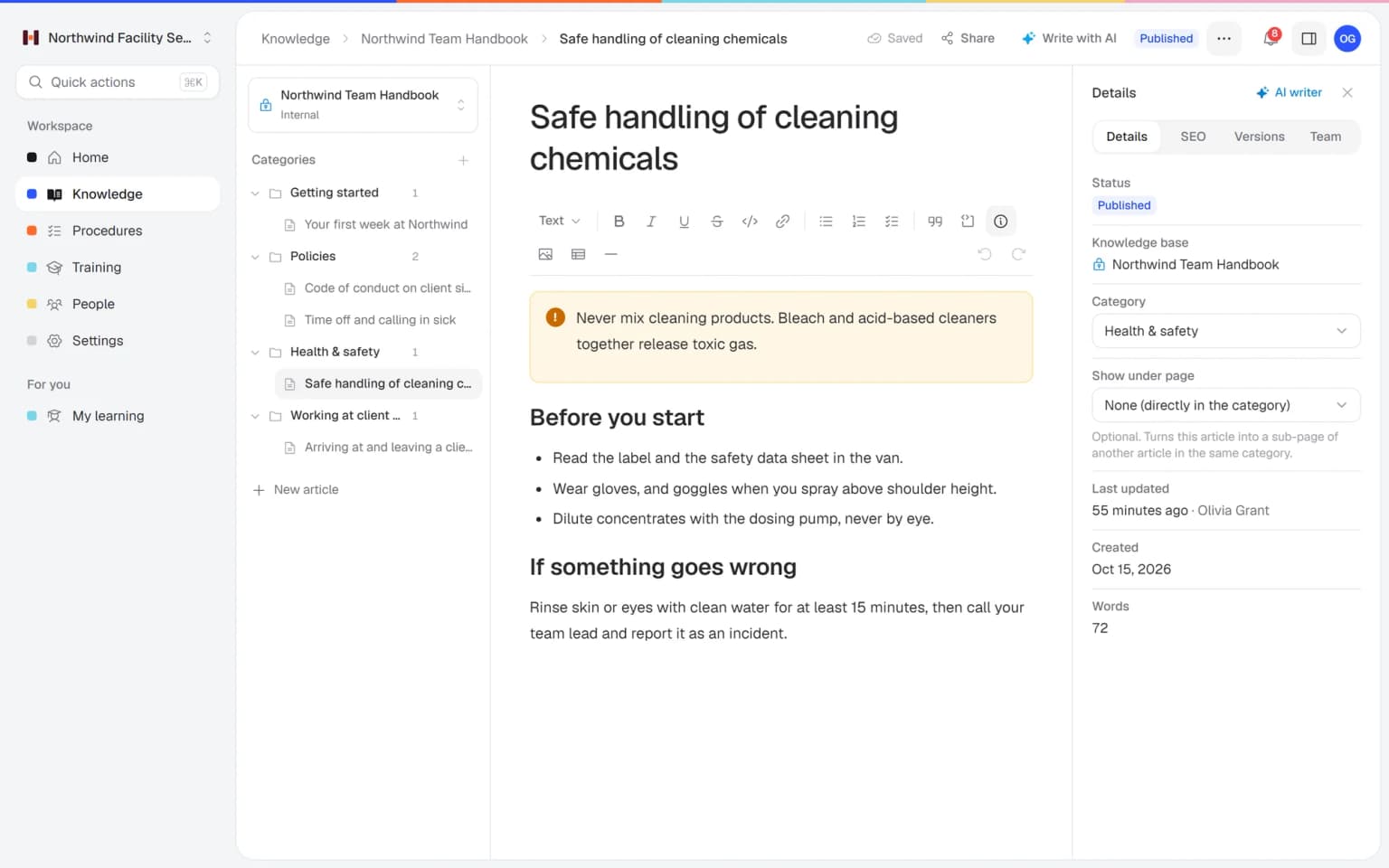
Quiz settings for every kind of check
A quick knowledge check or a serious assessment, with the same tool.
Six question types
Single choice, multiple choice, true/false, short answer, matching and ordering.
Pass mark
Decide which score counts as a pass, and make a quiz required to continue.
Attempts and time limit
Limit how often people can try and how long they have.
Question banks
Keep sets of questions and let each attempt draw from them.
Feedback that teaches
Show an explanation after each question or at the end of the quiz.
Certificates
Give a certificate when someone completes the training. On Business Max it can have an expiry date.
A first version of a training from your own procedures, in minutes
Pick the articles and procedures that matter and AI drafts lessons and quiz questions that link back to their sources. You check it, adjust it and assign it to the people who need it.
- Built from your own knowledge
- Every lesson links to its source
- Quiz questions drafted for you
- Nothing goes live until you approve it
A plan that grows with your team
Try Helpable free for 14 days, no credit card needed. Then pick the plan that fits your team.
Quizzes are part of every plan, from Business to Business Max, with all six question types, pass marks and question banks. Final assessments start at Business Plus.
Business
Your knowledge base for team and customers, written faster with AI.
$29/month
Billed monthly
That's $0.95 a day
Start free trial- 3 team members included
- An internal knowledge base and a public help center
- AI writes first versions from your own documents
- Start from what you have: documents, Word files and your website
- Procedures everyone follows, with read confirmations
- Your help center on your own web address
- 250 AI credits per month
- Recommended · your free trial runs on this plan
Business Plus
Train your team on that knowledge: courses, quizzes and progress per person.
$89/month
Billed monthly
That's $2.93 a day
Start free trialEverything in Business, plus:
- 5 team members included
- Training with quizzes, due dates and reminders
- See per person who finished what
- Practice conversations with AI, included
- Video lessons and final tests
- Certificates you can show clients and inspectors
- Results exported in one click
- 3 help centers and 3 internal knowledge bases
- 750 AI credits per month
What's in Business
- 3 team members included
- An internal knowledge base and a public help center
- AI writes first versions from your own documents
- Start from what you have: documents, Word files and your website
- Procedures everyone follows, with read confirmations
- Your help center on your own web address
- 250 AI credits per month
Business Max
Training that runs by itself, and proof of who really knows what.
$179/month
Billed monthly
That's $5.88 a day
Start free trialEverything in Business Plus, plus:
- 9 team members included
- New colleagues get their training automatically
- A fixed onboarding route from day one
- Learning insights: who really studied and who clicked through
- Skills matrix and a training record per person
- Practical work signed off on the floor
- Locations with their own managers
- Refresher training that comes back by itself
- Certificates that expire on time, in your own design
- Your help center fully in your own brand
- 10 help centers and 10 internal knowledge bases
- 1,500 AI credits per month
What's in Business Plus
- 5 team members included
- Training with quizzes, due dates and reminders
- See per person who finished what
- Practice conversations with AI, included
- AI writes first versions from your own documents
- Start from what you have: documents, Word files and your website
- Procedures everyone follows, with read confirmations
- Video lessons and final tests
- Certificates you can show clients and inspectors
- Results exported in one click
- Your help center on your own web address
- 3 help centers and 3 internal knowledge bases
- 750 AI credits per month
Grow when you need to
Add these to Business and up, any time. You only pay for what you use.
- More people
Add people one by one as your team grows, for a fixed price per person on every plan.
$9/month
- A second help center
A help center and handbook for another brand, location or client.
$10/month
- Only your brand
Remove “Powered by Helpable” from your help center. Included in Business Max.
$19/month
- Cancel any time
- Data stored in the EU
What are employee quizzes used for?
Employee quizzes check whether people understood what they learned in a training. In Helpable you add a quiz to a training, and you see per person who passed and how they scored.
Which question types does Helpable support?
Helpable quizzes support six question types: single choice, multiple choice, true/false, short answer, matching and ordering. Short answers can be graded by hand, and the other types are scored automatically.
Can I set a pass mark for a quiz in Helpable?
Yes. In Helpable you set a pass mark per quiz and can make the quiz required, so employees have to pass it before they continue with the training. You can also limit the number of attempts and set a time limit.
How does Helpable stop people from sharing answers?
Helpable can shuffle the questions and the answer options, and draw questions from a question bank, so each attempt looks different. A limit on attempts and a time limit make guessing less useful.
Do I have to write all quiz questions myself?
Helpable can write draft quiz questions for you. When you create a training with AI, you choose how many questions you want and get drafts based on your own articles and procedures. You check and edit them before anyone sees them.
Where do I see quiz results in Helpable?
Helpable shows the average score and pass rate per training, and the results per employee. On Business Plus you export the overview to CSV, and Business Max adds results per team.
Read more
Read more about this
- Roleplay training for employees: a practical guideHow to let employees practice customer, sales and team conversations before they happen for real, and how to score it.Read the article
- 10 customer service roleplay scenarios, with scoringTen scenarios to practice with your team, each with the situation, how the customer behaves, the goals and what to score on.Read the article
- 9 best onboarding software for small businessHR tools for paperwork and training tools for learning the job, compared for small teams.Read the article
Employee quizzes: how to check what your team understood
What employee quizzes in Helpable do, how to build one, where they fit in your training and how Helpable compares to other quiz and training tools.
What are employee quizzes for?
Helpable uses employee quizzes to show whether people understood a lesson, before that knowledge is needed at work. A short quiz after a chapter tells you who is ready to work alone and who needs another explanation. Employees get feedback after each question or at the end, so a wrong answer becomes a moment to learn.
Quizzes live inside your employee training, next to the lessons and procedures they check. That keeps questions close to the source, and results land in the same reports as completion and certificates.
How to build a quiz in a few minutes
Helpable gives you six question types: single choice, multiple choice, true/false, short answer, matching and ordering. Pick the type that matches the work. Ordering fits a procedure with fixed steps, and matching fits a problem and its fix.
Set a pass mark, a limit on attempts and an optional time limit. Shuffle questions and answers, and draw questions from a question bank, so each attempt looks different. Make the quiz required when people must pass it to continue. Most questions are scored automatically, and you grade short answers by hand. Short on time? Training with AI drafts quiz questions from your own articles and procedures.
Quizzes with certificates, reports and procedures
Helpable connects every quiz to the rest of your training, so a pass means something. When the training has a required quiz, the certificate only follows after a pass, with a code customers can check.
Progress and reports show average score and pass rate per training, team and employee. A low score on one question points to a lesson that needs a clearer explanation. When a procedure changes, update the lesson and its questions, and ask people who finished to redo the training.
Quizzes for small teams in every sector
Helpable quizzes suit any team where a mistake at work costs time or trust. Teams on location, such as cleaning and facility services and installation and maintenance, check safety steps and job procedures.
Customer-facing teams in hospitality, retail and customer service check product knowledge and house rules. Care and childcare teams check protocols, and office teams at agencies and SaaS companies check policies and security awareness. The same quiz settings work for a quick knowledge check and a serious assessment.
An alternative to Trainual or Whale for quizzes
Helpable is worth a look when you compare quiz tools that also handle the rest of training. Trainual offers tests and AI-drafted tests inside its SOP and training tool. Whale offers AI quizzes next to its SOPs. Easygenerator is an authoring tool that publishes training to a learning platform you already use.
Helpable puts quizzes, training, procedures and a knowledge base in one tool, with read confirmations on every plan and quizzes from Business Plus. The app works in English and Dutch, data is stored in the EU, and you can try it for 14 days with no credit card. Compare the details on the Trainual alternative and Whale alternative pages.
Which Helpable plan includes employee quizzes?
Helpable includes quizzes in Business Plus and Business Max, with all six question types, question banks, pass marks, attempts, time limits and final assessments. The plans differ in team size: Business with 3 members, Business Plus with 5 and Business Max with 9 included, and you can add more people on every plan.
Quizzes come with Business Plus and Business Max, which include 750 and 1,500 AI credits a month to draft quiz questions with AI. See all plans on the pricing page, or read how quizzes fit an LMS for small business.
Know who is ready, starting with your next training
Add a short quiz to your first training today.
- 14 days free
- No credit card needed
- Cancel any time