AI knowledge base software

AI knowledge base software for teams

Helpable is AI knowledge base software that answers your team's questions from your own articles, procedures and documents, with a link to the exact source. People get a clear answer in seconds, you stop being the person everyone asks, and every question it can't answer shows you what to write next. Made for companies of 5 to 50 people.

  • Answers from your own content
  • A source link on every answer
  • Says so when it doesn't know
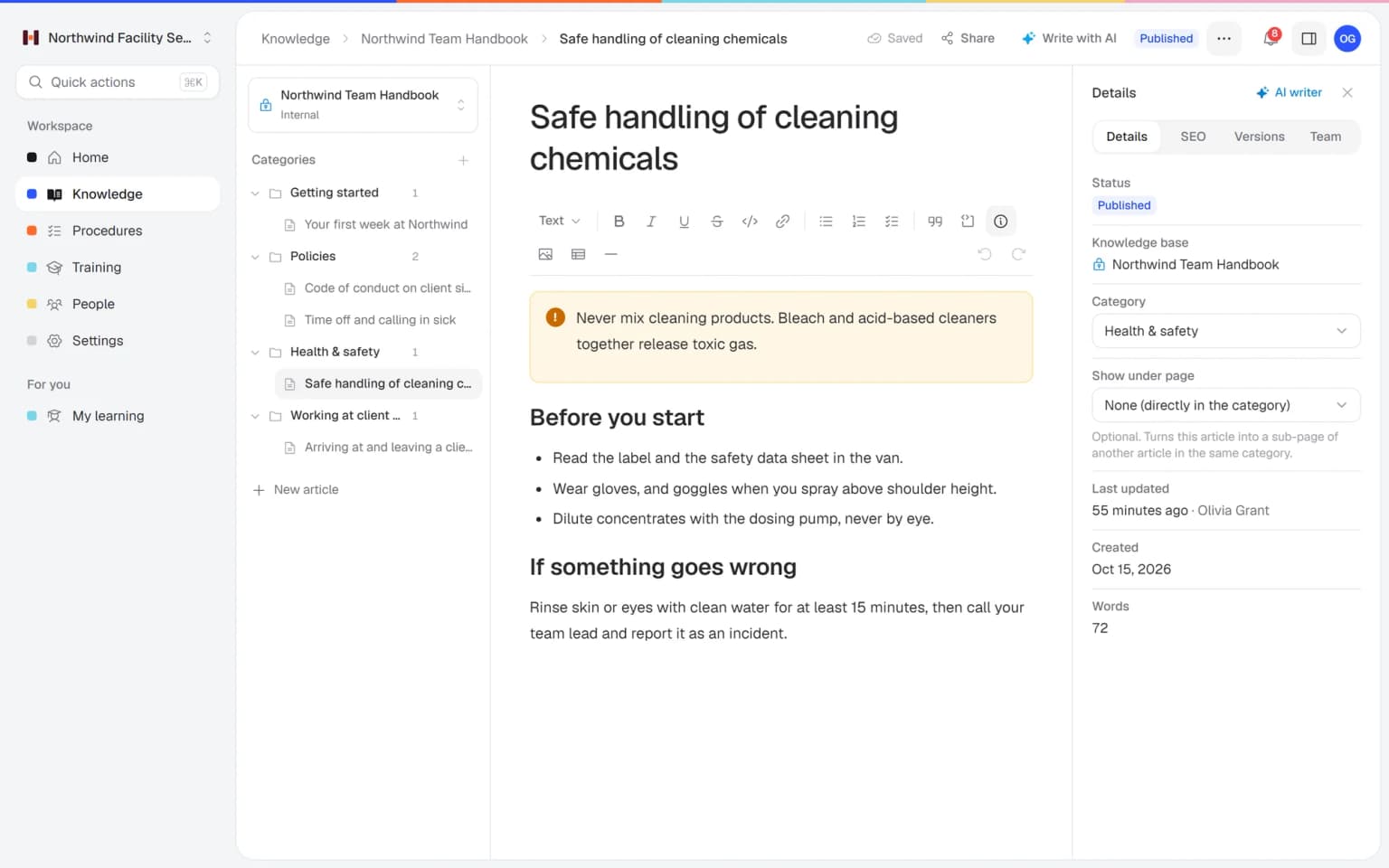
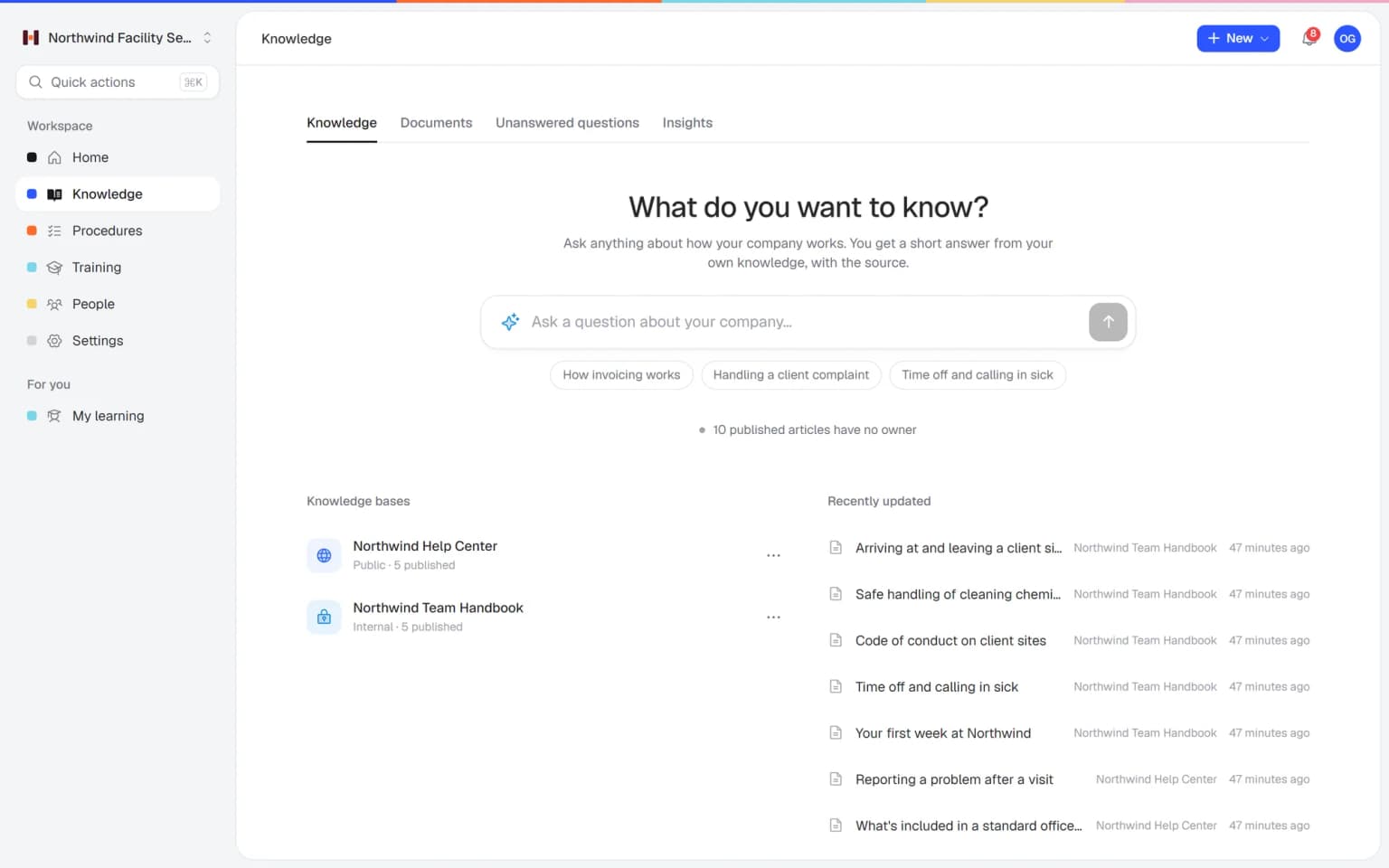
The knowledge base in the Helpable dashboard, where employees ask questions and find articles

Why your team still asks you

Most teams have written plenty down. Finding the right line at the right moment is the hard part.

  • Search finds files, people want answers

    A search for "overtime" returns six documents. Someone has to open them all, so they message a colleague.

  • The same few people answer everything

    Two or three colleagues know where things are, and they lose hours a week to quick questions.

  • Generic AI tools guess

    A chatbot that doesn't know your policies makes up a plausible answer, and nobody can check where it came from.

  • You don't know what is missing

    Questions get answered in chat and forgotten, so the same gap in your handbook stays open for years.

How the AI knowledge base works

From the documents you already have to answers your team uses every day.

  1. Upload what you already have

    Add your handbook, policies and how-tos as PDF, Word, text, Markdown or CSV. Helpable reads them and makes them searchable right away.

    Upload what you already have: how it looks in Helpable
  2. Approve the article drafts

    Helpable suggests short article drafts from each document. A manager edits, merges or rejects them, and nothing is published until you approve it.

    Approve the article drafts: how it looks in Helpable
  3. Decide who sees what

    Limit articles and documents to a team or to managers. Every answer only uses content that person may open.

    Decide who sees what: how it looks in Helpable
  4. Let your team ask

    Employees ask in their own words and get a short answer with a link to the source. Follow-up questions continue the same conversation.

    Let your team ask: how it looks in Helpable
  5. Fill the gaps

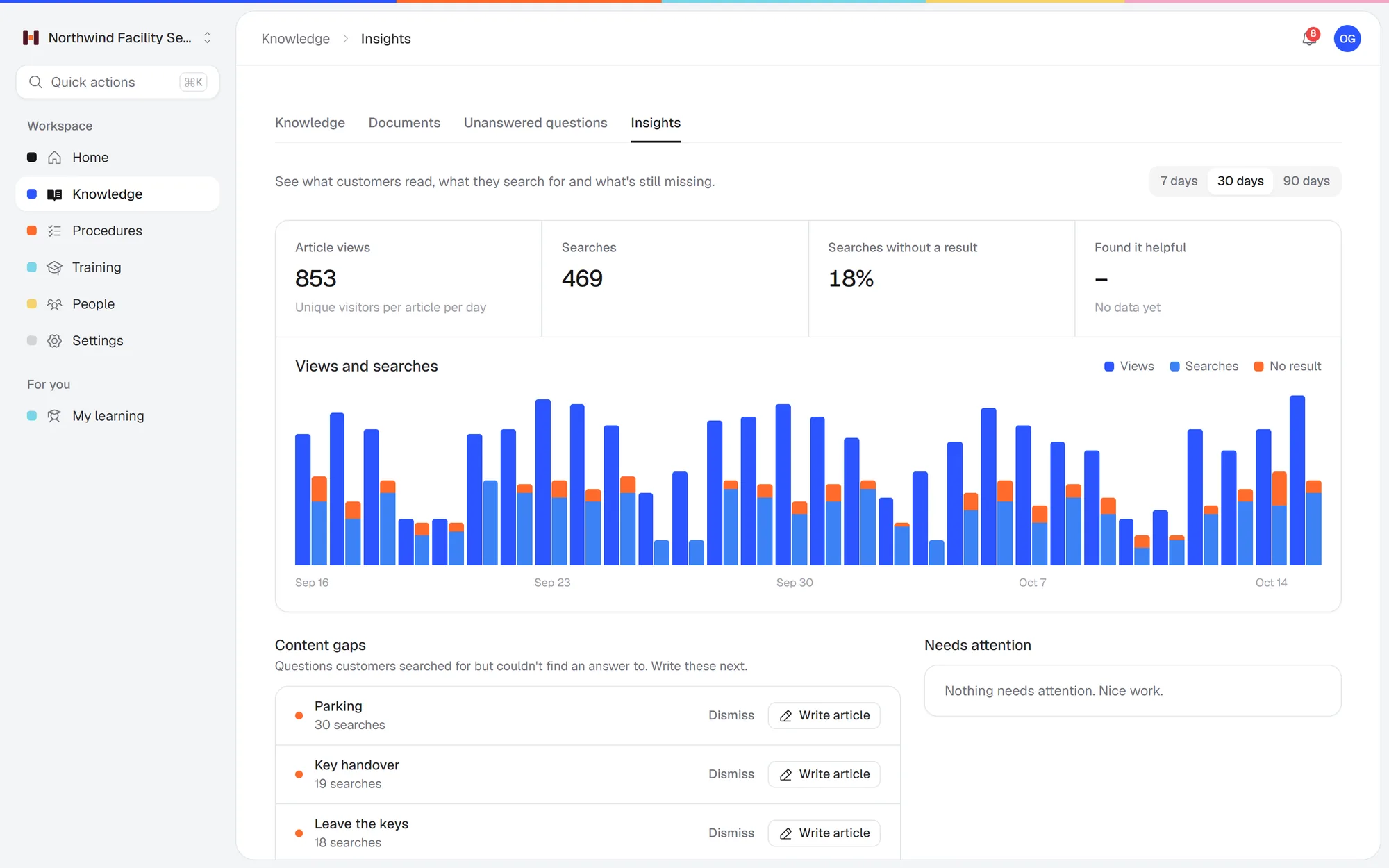
    Questions Helpable can't answer land on a list of gaps, with no name attached. Write the missing article and the next person gets an answer.

    Fill the gaps: how it looks in Helpable

Answers your team can check

Short answers from your own knowledge, a fast start from the files you have and content that stays current.

Ask in plain words, get the source

An employee types a question the way they would ask a colleague. Helpable answers in a few sentences and links to the article, procedure or document page it used, so they can read the full context.

  • Answers from your own content
  • Linked to the exact page
  • Follow-up questions in one chat

Start from the files you have

Upload handbooks and policies as PDF, Word, text, Markdown or CSV. Helpable makes them searchable right away and suggests article drafts that a manager checks and approves.

Answers that follow your changes

Answers only use published content. Update an article and the next answer uses the new version, and articles made from a changed document are flagged for a fresh look.

What you get in Helpable's AI knowledge base

The parts that make answers useful, checkable and safe to share with your whole team.

  • Knowledge base

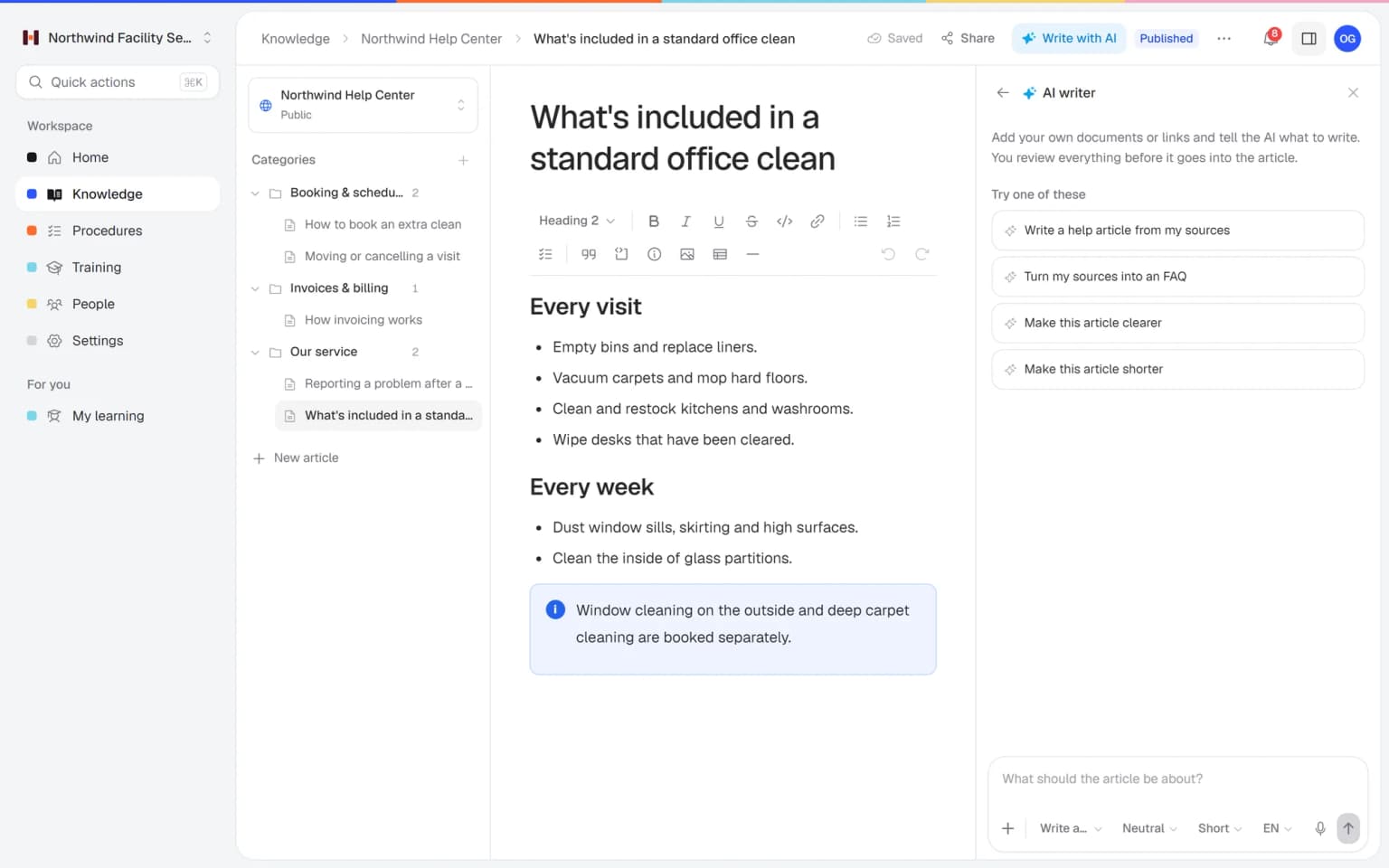
    Write the answer to each recurring question once, in an article your team can search. Answers come from those articles, with a link to the source.

  • Procedures

    Procedures count as sources too, so a question like how to close the till gets the exact steps. Each person only gets answers from content they may see.

  • AI writer

    Upload the old handbook or a supplier manual and get article drafts a manager approves. The AI can then answer from knowledge that used to sit in attachments.

  • Team roles and permissions

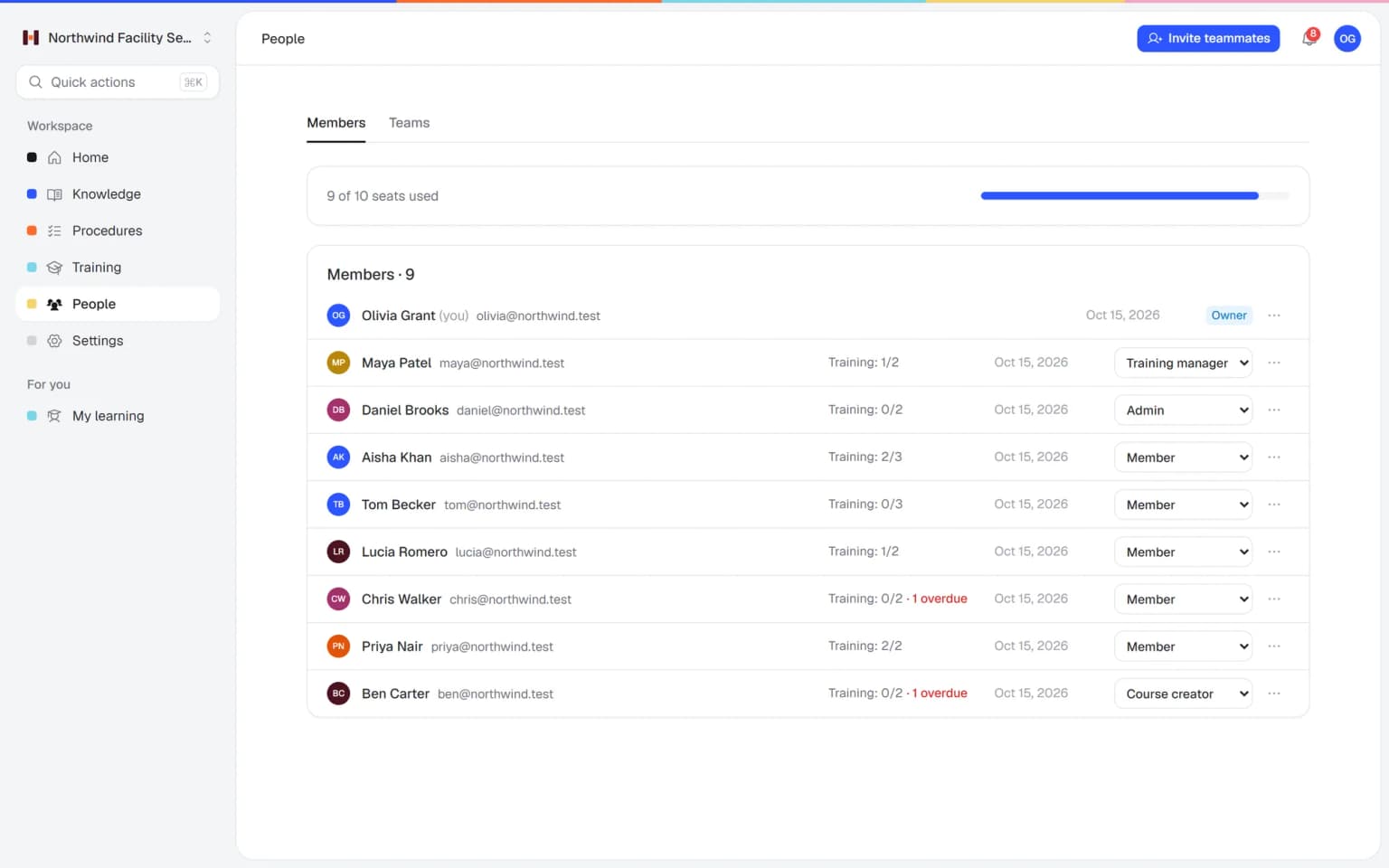
    Limit content to a team or to managers, and it stays out of everyone else's answers. Roles decide who writes, who publishes and who only reads.

  • Document version control

    Update an article and the next answer uses the new version. Earlier versions stay in the history, so you can see what the team was told before.

  • Multilingual

    Translate key articles with the AI writer into English, Dutch, German, French or Spanish, and check them before publishing. Mixed-language teams read the rules in a language they know well.

  • Training with AI

    Turn the articles behind the most asked questions into a short training with a quiz. New people learn the basics up front and ask fewer questions later.

New · AI Roleplay Studio

Your team practices hard conversations before a real customer hears them

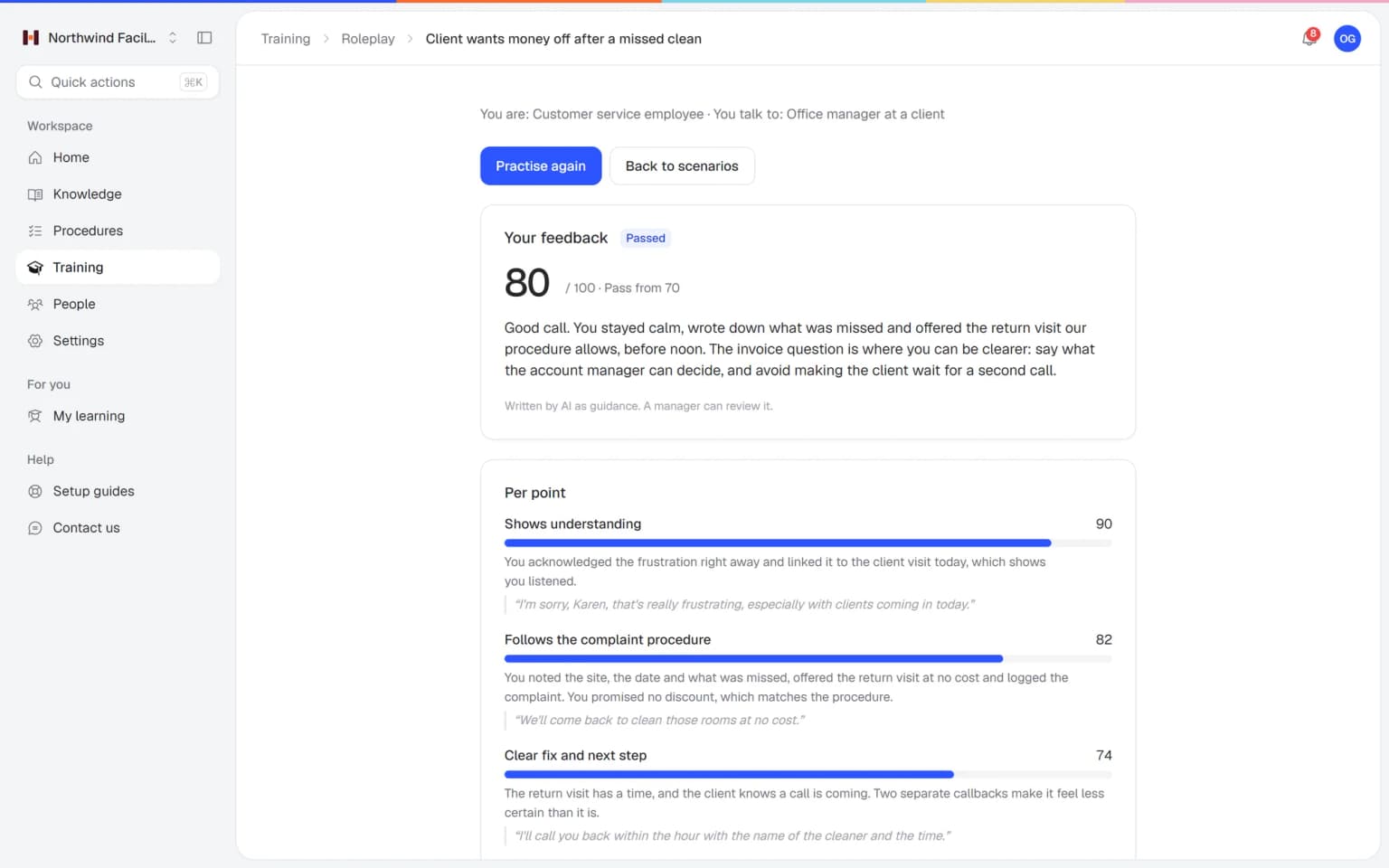
Employees talk with an AI that plays a customer, colleague or manager, in a scenario you build from your own procedures. After each conversation they get a score and concrete tips, and you see who is ready.

  • Scenarios built from your own knowledge
  • A score and feedback after every conversation
  • Free conversation or multiple choice
  • Results per person for the trainer
Feedback after a practice conversation in AI Roleplay Studio, with a score per criterion and tips

Who it is for

Teams of 5 to 50 people where the same questions come up every week and a few colleagues hold the answers.

  • Teams on location and at client sites

    Cleaning, installation, home care and field service teams who need a quick answer on their phone, away from the office.

    In practice: Technicians get the answer on site, so nobody calls the office mid-job. One types which pressure to set after refilling a boiler, and Helpable replies from your own instruction with a link to it.

    See how
  • Shift teams with new and temporary staff

    Hospitality, retail, warehouse and logistics teams where new people ask the same first questions every month.

    In practice: The shift manager keeps serving guests when a new waiter gets stuck. At ten in the evening he asks how to void a wrong order on the till, and the answer points to the step in your procedure.

    See how
  • Office and client teams

    Agencies, accountancy firms, real estate offices and recruiters with client processes and house rules people look up all day.

    In practice: Account managers stop asking the founder how invoicing works for retainer clients. They ask in their own words and get the short version from your process article, with a link to the full text.

    See how
  • Fast-growing teams

    Startups, software companies and webshops that hire faster than the founders can answer every question themselves.

    In practice: New engineers find out how to request staging access on their own. Questions that got no answer land on a list of gaps, which tells you what to write down next.

    See how
  • Care and education teams

    Clinics, childcare, schools and training providers with protocols people need to find quickly and get right.

    In practice: A childcare substitute checks the sleep protocol mid-shift and gets your own rule, with the source. Answers only use content that person is allowed to see.

    See how
  • Franchises and multi-location businesses

    Companies with several branches that want every location to get the same, current answer.

    In practice: Every branch gets the same answer on the return rules, because it comes from one current policy. When head office updates that article, the next answer in every store uses the new version.

    See how
Made for teams in
Pricing

A plan that grows with your team

Try Helpable free for 14 days, no credit card needed. Then pick the plan that fits your team.

Grow when you need to

Add these to Business and up, any time. You only pay for what you use.

  • More people

    Add people one by one as your team grows, for a fixed price per person on every plan.

    $9/month

  • A second help center

    A help center and handbook for another brand, location or client.

    $10/month

  • Only your brand

    Remove “Powered by Helpable” from your help center. Included in Business Max.

    $19/month

  • Cancel any time
  • Data stored in the EU

Questions about AI knowledge base software

Can't find your answer? We're happy to help.

What is an AI knowledge base?

An AI knowledge base is a knowledge base that answers questions in plain words from the content stored in it. In Helpable, employees ask a question and get a short answer from your own articles, procedures and documents, with a link to the source.

Where do the answers come from?

Helpable only answers from your own published articles, published procedures and uploaded documents. Drafts, archived and deleted content are left out, and an answer is only shown when every source it cites is really there.

Which files can we upload?

Helpable reads PDF, Word (.docx), plain text, Markdown and CSV files of up to 15 MB each. Headings and page numbers are kept, so an answer can point to the exact section or page.

Does it read scanned PDFs?

No, Helpable has no text recognition for scanned pages yet. A scanned PDF has no text layer, so Helpable tells you it can't read it, and you can upload a version with selectable text or a Word file.

What happens when Helpable doesn't know the answer?

Helpable says so plainly and shows related pages that might help. The question goes on a list of knowledge gaps with no name attached, and when the same question comes up three times, owners and admins get a notification.

Can people see content they shouldn't?

No. Helpable only answers from content the person asking may open, so articles, procedures and documents limited to a team or to managers stay out of everyone else's answers.

Can employees ask follow-up questions?

Yes. Helpable keeps the last few turns of the conversation, so a question like "and on Saturday?" builds on the previous one. It also suggests a few follow-up questions.

What if an answer is wrong?

Every Helpable answer links to its source, so anyone can check it. People can mark an answer as wrong or unhelpful, and that question then lands on the gaps list so a manager can fix the article.

Does the AI publish articles by itself?

No. Helpable suggests article drafts from your documents, and a manager edits, merges or rejects them before anything is published. Reading a document costs 4 AI credits and writing each draft 2, from the credits in your plan.

Can Helpable search Slack, Microsoft Teams or Google Drive?

Not today. Helpable answers from what is in your Helpable workspace, and it does not search Microsoft Teams or Google Drive. Searching Slack is in development and not available yet.

Where is our data stored and is it used to train AI?

Helpable stores the application, database and files in the EU. Answers are written by our AI provider under a signed data processing agreement with EU standard contractual clauses, and your content is never used to train AI models.

What does Helpable cost?

Helpable starts at $29 per month for Business, with 3 team members, one internal knowledge base, one public help center and 250 AI credits a month. Business Plus is $89 per month with 750 AI credits and employee training, and Business Max is $179 per month with up to 10 knowledge bases and automatic assignment.

Is there a free plan?

Helpable has no free plan. You can try Business Plus free for 14 days, and you don't need a credit card to start.
Let your team find the answer on its own

Upload the handbook you already have, let your team ask their questions and see which answers are still missing.

  • 14 days free
  • No credit card needed
  • Cancel any time