TL;DR
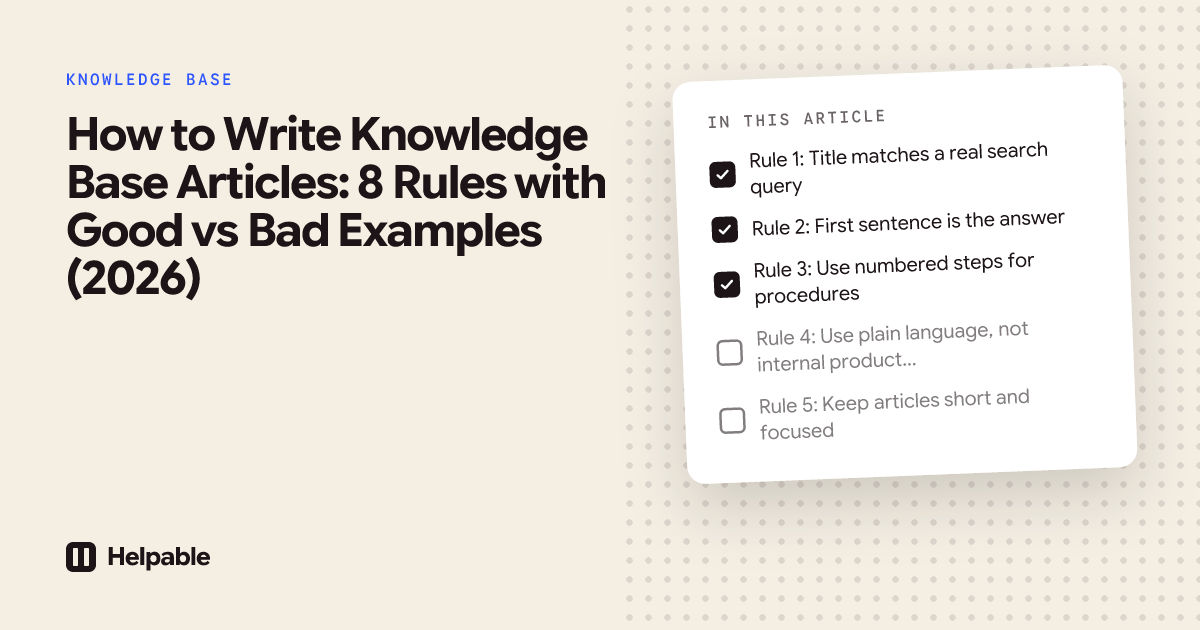
- The 8 rules below cover title, opening, structure, voice, length, screenshots, SEO, and maintenance. Each has a paired good and bad example.
- Aim for 200 to 400 words per article. Anything longer is probably two articles.
- The biggest single improvement: open with the answer in the first sentence, not the setup.
Most knowledge base articles fail not at the spelling but at the structure. This guide gives eight concrete rules, each with a before-and-after pair, so the difference between mediocre and useful is visible. The rules apply to how-to, troubleshooting, FAQ, and reference articles equally.
Rule 1: Title matches a real search query
The title should look like something a customer would type into Google or your help center search bar. Internal jargon kills discoverability.
Bad: "Subscription Cancellation Workflow Documentation" Good: "How to cancel your subscription"
Test: would your least-technical customer type the title verbatim into Google? If not, rewrite.
Rule 2: First sentence is the answer
Customers skim. The first sentence should resolve the question, not introduce the topic.
Bad: "Subscription cancellation is an important part of the customer experience. In this article we will walk through the various options available to users who wish to cancel."
Good: "Cancel from the billing dashboard at any time. Your subscription stays active until the end of the current billing period."
Test: if a reader stopped after the first sentence, would they have an answer to the title's question?
Rule 3: Use numbered steps for procedures
How-to and troubleshooting articles use numbered steps. Free-flowing paragraphs hide the action.
Bad: "To invite a team member, go to settings, then find the team section, where you will click invite member, and then enter the email address before clicking send."
Good:
- Open Settings → Team.
- Click Invite member.
- Enter the email address and click Send.
Bold the UI element names so the eye finds them at a glance.
Rule 4: Use plain language, not internal product names
Refer to features the way customers refer to them, not the way your engineering team named them in JIRA.
Bad: "Use the Vortex pipeline to ingest segments into your Studio workspace."
Good: "Import customer lists into your workspace from the Imports tab."
If a customer would not recognize the term, swap it. Internal nicknames belong in internal docs, not customer-facing ones.
Rule 5: Keep articles short and focused
200 to 400 words per article. One topic per article. If you find yourself using "and" in the title, split it.
Bad: "How to invite team members and remove them and change their roles" (one 800-word article)
Good: Three articles, each 200 to 300 words:
- "How to invite team members"
- "How to remove a team member"
- "How to change a team member's role"
Customers typically need only one of the three. Bundling them forces everyone to scroll past the irrelevant 60%.
Rule 6: Use screenshots for non-obvious steps
Screenshots help when the UI does not match the description, when location is hard to describe in words, or when the action involves a hover state. They do not help on every single step.
Bad: A screenshot for every step, including "click Save" (everyone knows what Save looks like).
Good: Two or three screenshots for the steps where the right button or section is non-obvious.
Maintain screenshots like you maintain code: when the UI changes, the article needs updating. Most teams forget this and ship articles with 18-month-old screenshots that confuse more than help.
Rule 7: Optimize for SEO and AI search
Knowledge base articles can rank in Google and get cited by ChatGPT, Perplexity, and Google AI Overviews if they have the right structure.
Three concrete actions:
- Title becomes the H1. Most KB tools handle this automatically; verify.
- Use H2 sub-headings so search engines and AI can extract structured content.
- Ship structured data automatically. Helpable generates Article, FAQPage, HowTo, and BreadcrumbList schema on every article. Without schema, AI search struggles to surface your content. See our SEO features.
Generic blog SEO advice (keyword density, internal linking) applies but matters less than the structural pieces above.
Rule 8: Set a maintenance cadence
Articles rot. The product changes, screenshots go stale, sometimes whole features get removed, and yet the article keeps ranking and confusing customers.
Practical maintenance loop:
- Quarterly: review the top 10 most-viewed articles. Update screenshots and verify accuracy.
- Semi-annually: review zero-result searches. Each search that returned no result is an article you should write.
- Annually: archive articles with under 10 views in 90 days. Dead weight crowds search results.
Helpable's analytics surface stale articles automatically. Most modern KB tools do; Notion does not.
Copy-paste template
# [Action verb + object that matches a search query]

[1-2 sentence direct answer to the title's question.]

**Before you start:** (optional, only for procedures with prerequisites)
- [Prerequisite 1]
- [Prerequisite 2]

**Steps:** (or "How to:" or "What to do:")

1. [Action with **bold UI element**]
2. [Action with **bold UI element**]
3. [Action with **bold UI element**]

**[Optional context heading]**

[Additional information, edge cases, or what success looks like.]

**Related:**
- [Link to related article 1]
- [Link to related article 2]
For full sample articles using this template, see sample knowledge base articles.
Frequently asked questions
How long should a knowledge base article be?
200 to 400 words for most articles. Reference articles can stretch to 500 to 600 words. If your draft is over 700 words, it is probably two articles.
Should I write in second person ("you") or third person ("the user")?
Second person. "You can cancel your subscription" reads as direct help. "The user can cancel the subscription" reads as a manual. Customers prefer being addressed as themselves.
How do I make boring articles (like billing) less dry?
Skip the polish; aim for clarity instead. Customers read billing articles when they have a problem, not for entertainment. Plain, accurate, scannable beats clever. Save the voice for marketing pages.
Should I use AI to write articles?
Use AI to draft from your existing support replies, then have a human edit for accuracy and your product's specific terminology. Pure AI generation produces hallucinations. AI plus a 5-minute human review pass is the productive middle ground.
How often do I need to update articles?
Quarterly review of top 10 articles, semi-annual review of zero-result searches, annual cleanup of low-traffic content. Set calendar reminders. Most teams skip this and end up with help centers that confuse more than help within 18 months.
Stop writing these manually
Writing 15 articles from scratch takes 10 to 15 hours. AI Writer Plus inside Helpable drafts each article from your existing support reply: paste the question and your saved answer, and the AI returns a structured article with intro, steps, and screenshot placeholders. Most teams cut writing time per article from 60 to 90 minutes down to 20 to 25.
Start a free 7-day Helpable trial. EU-hosted, $49 per month flat for Starter. See our knowledge base feature page for AI Writer Plus details.
Related articles
- Sample Knowledge Base Articles + Templates
- How to Build a Knowledge Base
- How to Organize a Knowledge Base
- What Is a Knowledge Base?
- Best Knowledge Base Software for SaaS
Last updated: May 2026
See also: knowledge base software and help center software.