Short answer: Track five numbers: completion rate, quiz scores, time until a new person works alone, the questions people keep asking, and the questions your knowledge base cannot answer. The first two come from your LMS reports and show whether people learned. The last three come from the work itself and show whether training changed anything. Look at them once a month and fix one thing each time.
Large companies measure training with surveys, return-on-investment models and learning analytics. A team of 12 or 30 people needs something simpler: a few numbers you can check in half an hour, each linked to an action. This guide gives you those five numbers, where to find them and what to do when one is off. If you are setting up training for the first time, start with our guide to employee training software for small teams.
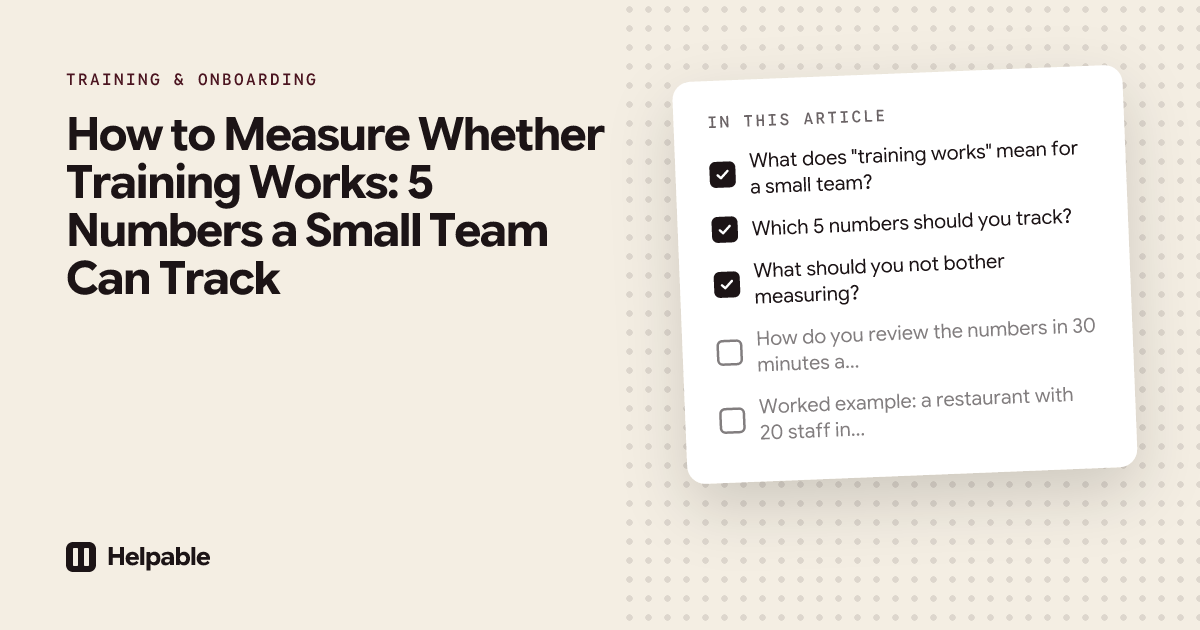
What does "training works" mean for a small team?
Training works when people do the job right, sooner, with fewer questions and fewer mistakes. That is the outcome you care about as an owner or manager.
You can't measure that outcome directly every week. You can measure signals that point to it. Some signals tell you whether people took the training. Others tell you whether they understood it. The most useful ones tell you whether the work changed.
| Level | Question | Example signal |
|---|---|---|
| Took it | Did people finish the training on time? | Completion rate, overdue count |
| Understood it | Did they get the content? | Quiz scores, pass rate |
| Changed the work | Do they work better or more on their own? | Time to work alone, repeat questions, unanswered questions |
Most small teams stop at the first level. The five numbers below cover all three.
Which 5 numbers should you track?
| # | Number | What it tells you | Where you find it | What to do when it's off |
|---|---|---|---|---|
| 1 | Completion rate and overdue count | Did people do the training on time? | LMS progress report | Shorten lessons, set due dates, plan time in the roster |
| 2 | Quiz score and pass rate | Did people understand it? | LMS quiz results | Rewrite the unclear lesson or procedure, then the question |
| 3 | Time to work alone | How fast does a new person become independent? | Your own notes: start date and sign-off date | Look at which tasks hold people back, add a procedure or practice |
| 4 | Repeat questions | Which questions keep reaching you? | A tally for two weeks, or your AI search history | Write the answer down once, add it to training |
| 5 | Unanswered questions | What is missing from your knowledge base? | Searches or AI questions that found nothing | Write the missing article or procedure |
1. Completion rate and overdue count
What it is: the share of assigned people who finished a training, and how many are past their due date.
Why it matters: if people don't finish, nothing else counts. A low rate usually has a simple cause: the training is too long, there is no time in the roster, or nobody set a due date.
What to do: cut lessons into pieces of 5 to 10 minutes, give every training a due date, and make sure reminders go out before and after it. Look at completion per team as well. If one shift or one shop lags behind, the cause is often local: no quiet moment in that shift, or a team lead who doesn't mention it.
2. Quiz score and pass rate
What it is: the average score on the quiz at the end of a training, and the share of people who passed.
Why it matters: finishing a training says little about what people remember. A quiz shows whether the key steps came across.
What to do: when the average is low, look at which questions people get wrong. A question that most of the team gets wrong usually points to an unclear lesson or an unclear procedure. Fix the text first. Only change the question if it was confusing itself. Our guide on writing quiz questions that test real work helps with that part.
Keep quizzes short, 5 to 10 questions, and tied to one topic. Then a low score points straight to one lesson.
3. Time to work alone
What it is: the number of days or shifts from someone's first day until they handle their core tasks on their own.
Why it matters: this is the number that costs you money. Every extra week of shadowing ties up an experienced person.
How to measure it: most LMS tools don't track this for you, because "works alone" is a judgment. Keep it simple: write down the start date, and the date the team lead says "you can do this alone now". The date someone finishes their onboarding training is a useful marker next to it.
What to do: ask the team lead which tasks held the person back. Those tasks need a clearer procedure, a short video or a practice moment.
4. Repeat questions
What it is: how often the same question reaches you or your senior people.
Why it matters: every repeat question is knowledge that lives only in someone's head. It also shows whether training sticks: if people still ask how to close the till after the till lesson, the lesson didn't land.
How to measure it: for two weeks, keep a tally on paper or in a note. One line per question, a mark each time it comes back. If your team uses AI search on your own knowledge base, the questions people ask are already collected for you.
What to do: write the top three answers down as an article or procedure, and add them to the training for new people.
5. Questions your knowledge base can't answer
What it is: the searches or questions that found no answer in your handbook, help center or knowledge base.
Why it matters: these show you exactly what to write next. They also show whether people try to look things up before asking a colleague, which is a good sign in itself.
Where to find it: for a public help center, help center analytics show the searches that found nothing. For your own team, an AI knowledge base can collect the questions it could not answer and group them, so you see which gap comes up most.
What to do: close the biggest gap each month. Then check whether the same question still comes in.
What should you not bother measuring?
Some numbers look good in a report and tell you little.
- Time spent in training. Longer is not better. A clear 6-minute lesson beats a 30-minute one.
- Number of logins. People log in because they have to, or because they are lost.
- Number of trainings in the system. Ten trainings nobody finishes are worth less than two that everyone does.
- Satisfaction scores alone. "I liked it" is nice to hear, and says nothing about the work.
How do you review the numbers in 30 minutes a month?
Use the same short routine each month.
- Open the progress report. Note completion rate and overdue count per training and per team.
- Look at the training with the lowest quiz average. Find the question most people miss.
- Check the start and sign-off dates of anyone who started in the last three months.
- Look at your tally or the list of repeat and unanswered questions. Pick the top one.
- Choose one fix: rewrite a lesson, add a procedure, write a missing article.
- Write down what you changed, so next month you can see if the number moved.
One fix a month sounds small. Over a year, that is twelve gaps closed.
Worked example: a restaurant with 20 staff in shifts
Say a restaurant has 20 people across lunch, dinner and weekend shifts. The owner introduces a new allergen procedure and wants to know whether it works.
Before the training, the owner keeps a tally for two weeks. Allergen questions to the kitchen come up often, mostly from newer floor staff: "Is the dressing nut-free?", "Can we leave the cheese off the burger?"
The training has four short lessons (the allergen card, how to take an allergy order, telling the kitchen, cross-contact) and a quiz of eight questions. It is assigned to everyone with a due date of two weeks.
After two weeks, the report shows:
| Number | Result | What the owner does |
|---|---|---|
| Completion | 17 of 20 done, 3 overdue, all weekend staff | Plans 15 minutes at the start of the Saturday shift |
| Quiz | Average 78%, most people miss the question about the shared fryer | Rewrites the cross-contact lesson, adds a photo of the fryer label |
| Time to work alone | Next new hire takes the allergen training in week one | The team lead notes the date she takes allergy orders alone |
| Repeat questions | The tally for the next two weeks shows fewer allergen questions | Adds the two that still come up to the allergen card |
| Unanswered questions | Staff ask about the new dessert menu; nothing is written down | Writes a one-page article on the new desserts |
None of these numbers needs a dashboard specialist. Together they tell the owner whether the new procedure reached the floor, and what to fix next. For training you need to repeat and prove, like hygiene, see compliance and refresher training.
How Helpable helps you track these numbers
Helpable is training software and an LMS for teams of 5 to 50 people, with your knowledge base and procedures in the same tool. Plans start at $29 a month for up to 3 team members, with a 14-day free trial and no credit card needed.
Here is where each number lives in Helpable:
- Completion and overdue: progress reports per training, team and person, with reminders before and after the due date and a notice to managers when someone is overdue. Managers can also get a weekly summary by email.
- Quiz score and pass rate: quizzes with six question types and a pass mark. Reports show the average score and pass rate per training, and the score per person. You can export everything to CSV.
- Repeat and unanswered questions: with Answers, your team asks questions in their own words and gets a short answer from your own knowledge, with a link to the source. When something isn't written down yet, Answers says so, and managers see the unanswered questions grouped, with how often they were asked. Answers uses AI credits, which are included in every plan.
- Searches in your public help center: Insights show what customers search for and which searches found nothing.
Be aware of two limits. The reports do not break quiz results down per question today, so to find the question most people miss, start with the training with the lowest average and ask a few people which question tripped them up. And Helpable does not track "time to work alone"; that date is yours to note.
Features last checked on October 16, 2026.
When Helpable is not the right fit
- You need xAPI or a learning record store to feed learning data into other systems. Helpable has no SCORM or xAPI support.
- You want training data linked to HR or performance systems. There are no HR integrations; CSV export to Excel or Google Sheets is the way to combine data.
- You need advanced custom dashboards. Helpable keeps reports simple on purpose: completion, overdue, scores, pass rate and certificates.
FAQ
How do I know if employee training is working?
Check whether people finish it, whether they pass the quiz, and whether the work changes: new people working alone sooner, fewer repeat questions, and fewer questions your handbook can't answer.
What is a good training completion rate?
There is no universal target. Watch the trend per training and per team. If one team stays behind, look for a local cause, like no quiet moment in a shift.
What should I do when many people fail the same quiz question?
Check the lesson and the procedure behind it first. A question most people miss usually points to unclear content. Fix that, then check whether the question itself was confusing.
How do I measure time to productivity for new hires?
Note the start date and the date the team lead confirms someone can do their core tasks alone. Compare that number across new hires after you change the onboarding training.
Do I need a survey after every training?
A short survey can help. It tells you whether people liked the training. Quiz results and the work itself show whether they learned.
How often should I review training numbers?
Once a month is enough for most small teams. Pick one fix each time and note what you changed.
See your first numbers this week
Assign one short training with a quiz to your team and look at the report a week later. See how progress reports work or start your 14-day free trial.