Short answer: To onboard office and remote staff when nobody sits next to them, give new people one place to look things up first, a training plan per role with clear goals for each week, and a named buddy for the questions the documents can't answer. Write down how the work is done before the people who know it leave, and check progress every week.
In an office, much of onboarding happens by itself. A new colleague overhears how someone handles a client, asks a quick question across the desk, and sees how others plan their week. In a hybrid or remote team, most of that disappears. This guide is for agencies, startups, accountancy firms and other office teams of 5 to 50 people who want new people to get up to speed with less guesswork. You can find setups for other ways of working on our use cases page.
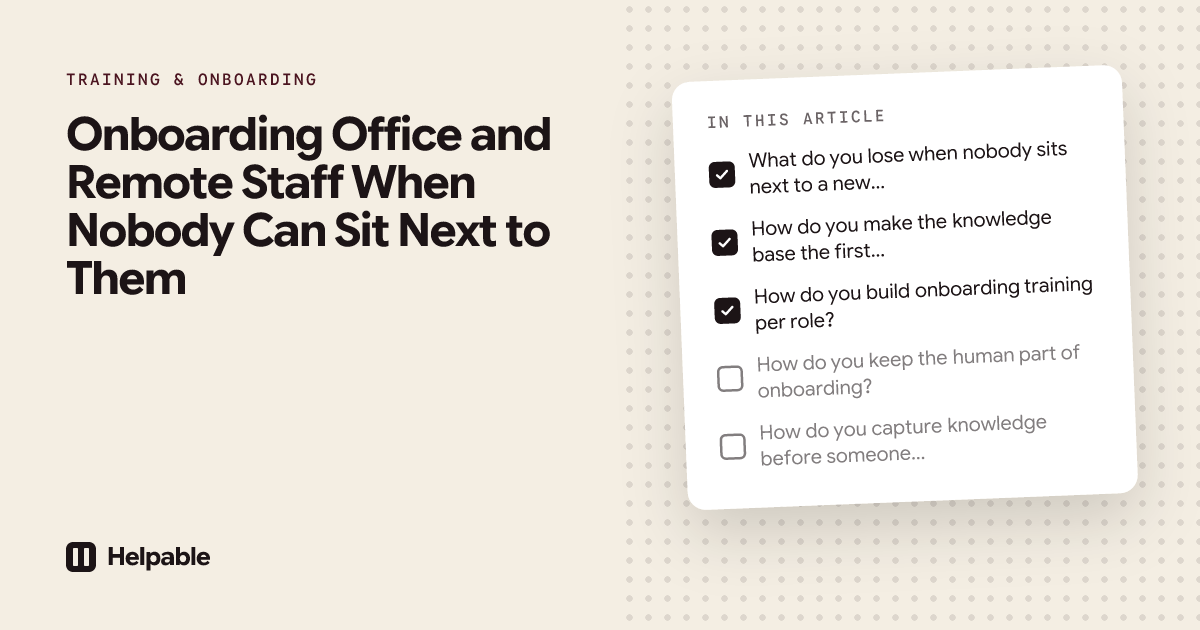
What do you lose when nobody sits next to a new hire?
Most of what you lose was never planned. It just happened because people shared a room.
| What happened by itself in the office | What to put in its place |
|---|---|
| Overhearing how colleagues handle clients and problems | Written procedures for the main tasks, plus recordings of real examples |
| Quick questions across the desk | A knowledge base people check first, and a buddy for the rest |
| Seeing how others plan and prioritize | A clear weekly plan for the first month |
| Learning who does what | A short "who to ask for what" page |
| Picking up unwritten rules | Write the unwritten rules down: response times, tone with clients, how decisions are made |
| A manager who notices someone is stuck | A short weekly check-in and a look at training progress |
New remote colleagues often hesitate to ask. They don't want to interrupt someone on a video call for something small. So the small questions stay unasked, and the person moves slower than they could.
How do you make the knowledge base the first place to ask?
A knowledge base only works as the first stop if people trust it. Three things build that trust.
- It answers the real questions. Start with the questions new people asked in the last year. "How do I log time?", "Which template do we use for a proposal?", "Who approves expenses?"
- It is easy to search. Clear titles and search that understands the words people use. AI search helps here: people ask in their own words and get a short answer from your own articles, with a link to the source.
- It stays current. Each article has an owner and a review date. Old articles that nobody checked are worse than none.
When the knowledge base can't answer something, that is useful information. Collect those questions and write the missing answer once. Over a few months, the number of questions that reach a person goes down.
Read more about setting this up in internal knowledge sharing or a company wiki for small teams.
How do you build onboarding training per role?
Everybody gets the company basics. After that, the plan depends on the role. A path of short trainings in a set order keeps it clear.
Week 1: company and tools
- How we work: values in practice, working hours, availability, response times
- Tools: where files live, how to log time, how meetings work
- Who to ask for what
- Security and privacy basics, with a short quiz
Week 2: the work
- The main procedures for the role, one per task
- Two or three recorded examples of good work: a client call, a proposal, a project kickoff
- Practical tasks: "join a client kickoff", "write your first status update and ask your buddy for feedback"
Weeks 3 and 4: doing it with support
- First real tasks with a buddy reviewing
- A quiz on the procedures that cause the most mistakes
- A check-in with the manager at the end of week 4: what is clear, what isn't
Day 30 to 90
- Less training, more work. Check in every two weeks. Add a short training whenever the same mistake shows up twice.
For a full 30-60-90 day plan, read our guide on employee onboarding with an LMS.
How do you keep the human part of onboarding?
Written knowledge handles the "how". People handle the "why" and the "how are you doing". Keep these in place:
- A named buddy who is not the manager. The buddy answers the questions the knowledge base can't and checks in daily during week 1.
- A short daily check-in in the first week, then weekly.
- Meeting people on purpose. Plan short video calls with a few colleagues from other teams in the first two weeks.
- A day in the office, if you have one, in the first or second week. Hybrid teams often plan the first day on site.
How do you capture knowledge before someone leaves?
In a remote team, knowledge leaves with people even faster, because fewer colleagues saw how they worked. Do this well before the last week.
- List the tasks only this person does, or does best
- Ask them to write or record each task as a procedure, with screenshots
- Collect their documents, templates and checklists in one place
- Turn existing documents into articles: uploading a handbook or a policy and letting AI draft articles saves time, as long as someone checks them
- Assign an owner to each new article
- Ask the successor or a colleague to follow each procedure once while the person is still there
Worked example: an agency with 15 people
Say a marketing agency has 15 people. Most work from home three days a week. Two new project managers start next month. Until now, onboarding meant "sit with Lisa for two weeks", and Lisa is the only senior project manager.
Before
Lisa spends hours each week on questions from newer colleagues: how to set up a project, how to write a status update, which client prefers which format. With two new people at once, her own work will stall.
Setup
- A knowledge base with articles on tools, time logging, invoicing and "who to ask for what". The team writes the first 20 articles from the questions they remember being asked most.
- Procedures for the main project manager tasks: starting a project, the weekly status update, handling a change request, closing a project.
- An onboarding path for project managers: company basics in week 1, project procedures in week 2, client-specific rules in week 3, each with a short quiz.
- A buddy, who is not Lisa, for each new person.
- Lisa's knowledge: she records two client calls (with permission) and writes down her rules of thumb for difficult clients.
After the first month
The new project managers look things up first and ask Lisa about the hard cases. The list of questions the knowledge base couldn't answer shows that nobody had written down how to handle a client who asks for extra work outside the scope. Lisa writes that article. The next new hire finds it on day 3.
For more on this kind of team, see how agencies use SOP software for agencies and how startups set up a knowledge base for startups.
How Helpable helps you onboard remote and hybrid staff
Helpable is training software and an LMS for teams of 5 to 50 people, with your knowledge base and procedures in the same tool. Plans start at $29 a month for up to 3 team members, with a 14-day free trial and no credit card needed.
For office and remote teams, this is what you use:
- An internal knowledge base with an editor, version history and read confirmations per version.
- Answers: your team asks in their own words and gets a short answer from your own knowledge, with a link to the exact source. When something isn't written down yet, Answers says so. Managers see the unanswered questions grouped, so they know what to write next. Answers uses AI credits, which are included in every plan.
- Procedures for the main tasks per role, with numbered steps and screenshots.
- Onboarding training, including a ready template for remote onboarding, learning paths that open the next training once the previous one is done, quizzes and practical tasks.
- AI drafts: upload handbooks and policies (PDF, Word, text, Markdown, CSV) and get article drafts that a manager reviews, or create a training with AI from your own articles and procedures.
- Automatic assignment of onboarding training to new members, on Business Plus and Business Max.
- Data stored in the EU.
Be clear about one thing: Helpable does not connect to Slack, Microsoft Teams or Google Drive today. Slack is in development; Teams and Drive are planned. Pages from Notion can already be imported, and Helpable checks them daily for changes. Today you share links to articles and trainings in your chat tool yourself, and reminders go out by email.
Features and plans last checked on October 16, 2026.
When Helpable is not the right fit
- You need your onboarding inside Slack or Microsoft Teams today. Those integrations are not available yet.
- You need an HR system for contracts, payroll or leave. Helpable has no HR or payroll integrations.
- You need SCORM to run courses from an outside provider. Helpable cannot import or export SCORM or xAPI.
- You want to sell courses to people outside your company. Helpable is built for training your own team.
FAQ
How do you onboard remote employees?
Give them one place to look things up, a training plan per role with weekly goals, a named buddy and regular check-ins. Write down the unwritten rules that people in an office would pick up by themselves.
What should remote employee training include?
Company basics, tools, security and privacy, the main procedures for the role, recorded examples of good work, and short quizzes on the steps that cause the most mistakes.
How long should onboarding take for remote staff?
Plan the first month in detail and keep light check-ins until day 90. The exact time depends on the role and on how much is written down.
How do I stop new remote hires from asking the same questions?
Collect the questions, write each answer down once in your knowledge base, and point people there first. AI search on your own knowledge helps people find answers in their own words.
How do I keep knowledge when an employee leaves?
Start well before their last week. List the tasks only they do, have them write or record each one as a procedure, give every article an owner, and have a colleague try each procedure while they are still there.
Is a hybrid onboarding plan different from a remote one?
Mostly the same. In a hybrid team, plan the first day and a few key moments in the office, like meeting the team and a first client meeting.
Give new colleagues a place to start
Write down the ten questions new people ask most, and put the answers in one place before your next hire starts. Start your 14-day free trial and use the remote onboarding template as your first step.