Free onboarding template

Employee onboarding checklist template

New hires know what to do each day and managers see what is done. One checklist from before day one to day 90.

  • Free to copy
  • Print or save as PDF
  • No email needed
Helpable dashboard with onboarding progress for new team members

Copy it into Word, Google Docs or your knowledge base, or print it.

Employee onboarding checklist: [name], [role]

Fill in the names and dates, delete what does not apply to your team and keep one copy per new hire. The manager owns the checklist. The buddy is an experienced colleague who works alongside the new hire in the first weeks.

The basics

ItemFill in
New hire
Role and team
Start date
Manager (owner of this plan)
Buddy
First work location or client site
Working hours and first shifts
Goal for the first 30 daysExample: does the core tasks of the role on their own

Before day one (manager)

  • Send a welcome message: start time, address, parking or public transport, what to wear and who to ask for
  • Arrange the contract, payroll and tax details as your local rules require
  • Order the uniform, keys, badge, tools, phone or laptop
  • Create accounts: email, schedule or roster, booking or till system, Helpable
  • Plan the first week with the buddy on the same shifts
  • Pick the five to ten work instructions the new hire needs first
  • Tell the team who is starting, in which role and when

Day one

WhenWhatWho
StartWelcome and a tour: entrances, break room, toilets, emergency exits, first aid kitManager
MorningSafety basics: what to do in an emergency, protective gear, products to handle with care, how to report an incidentManager
MorningHand over keys, uniform, tools and log-ins, and check that every log-in worksManager
MiddayLunch with the buddy and the teamBuddy
AfternoonWalk along on real work: the buddy shows, the new hire watches and asksBuddy
End of dayShort check-in: what went well, what is unclear, the plan for tomorrowManager

Week one

  • Read and confirm the must-know work instructions and house rules
  • Do each core task once while the buddy watches
  • Know who to call for what: schedule, sick leave, customer complaints, broken equipment
  • Ten-minute check-in with the buddy at the end of each day
  • End of the week: check-in with the manager and agree goals for the month

The first 30 days

  • Does the core tasks alone, the buddy checks now and then
  • Finishes the training for the role and passes the quiz
  • Spends half a day with another team or role to see how the work connects
  • 30-day conversation: what goes well, where help is needed, open questions

Days 31 to 90

  • Takes on the full range of tasks for the role
  • Looks up answers in the knowledge base before asking
  • Gives feedback on the onboarding: what was missing or unclear?
  • 90-day review: end of the probation period where it applies, goals for the next quarter

Check-in questions

  • What surprised you this week?
  • Which task do you feel least sure about?
  • Did you have to search for information? Where did you look?
  • What would help you work more on your own?
  • Is there anything you would explain differently to the next new colleague?

Sign-off

MomentDateManagerNew hire
Week one done
30 days done
90 days done

Tip: keep the plan short enough to check off. If a step keeps getting skipped, move it or delete it.
How to use this template

Three steps, about half an hour of work per role.

  1. Make it fit the role

    Copy the checklist, delete what does not apply and add the tasks that are special to the role, such as the till, a client site or a cleaning schedule.

  2. Fill in names and dates

    Add the start date, manager and buddy, and plan the check-ins in the calendar right away so they really happen.

  3. Check off and review

    Go through the list at each check-in. After day 90, ask the new hire what was missing and improve the template for the next person.

Run it in Helpable

A checklist on paper tells you what should happen. Helpable shows you what did happen, for every new hire.

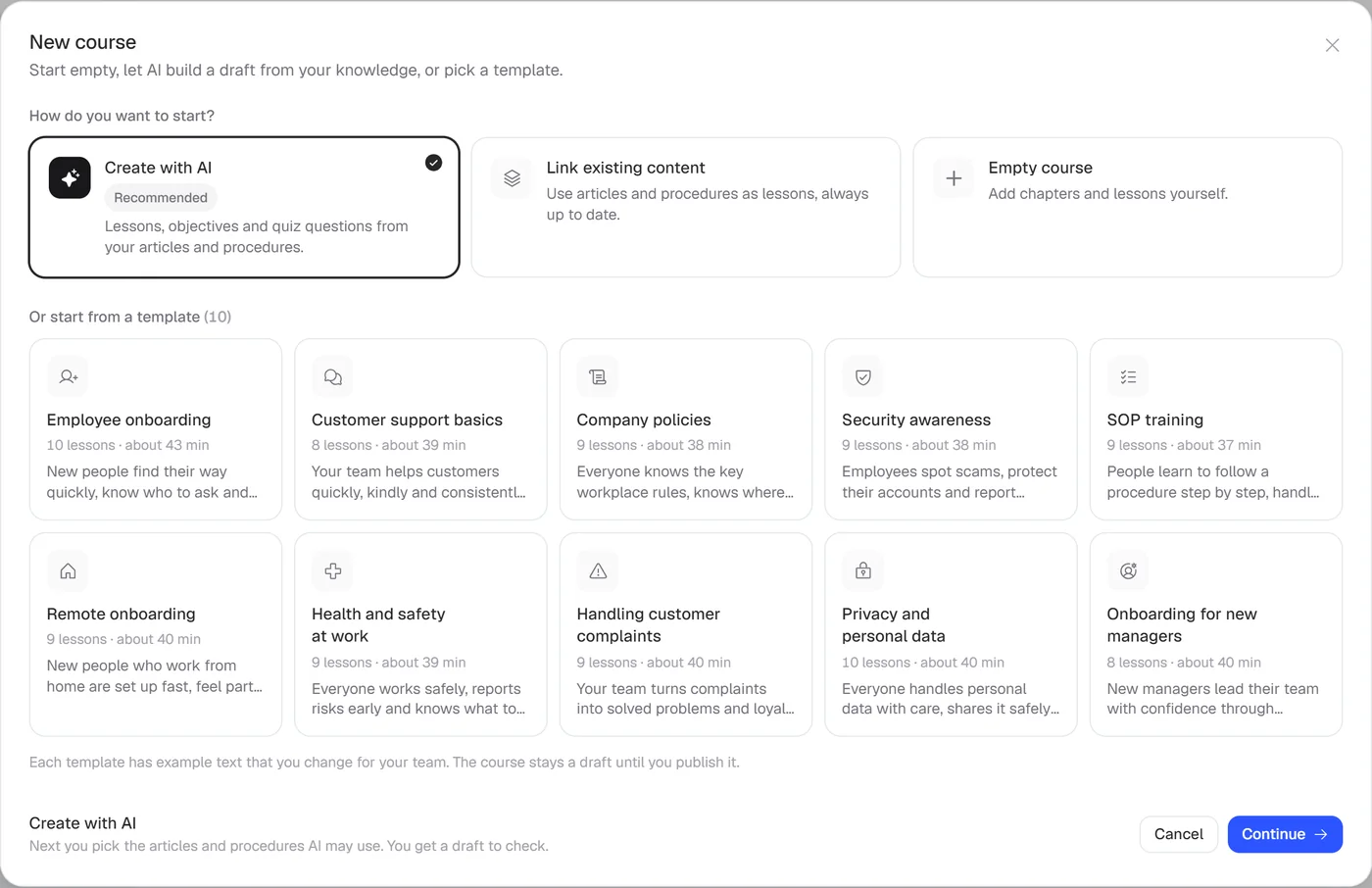
  1. Start from an onboarding template

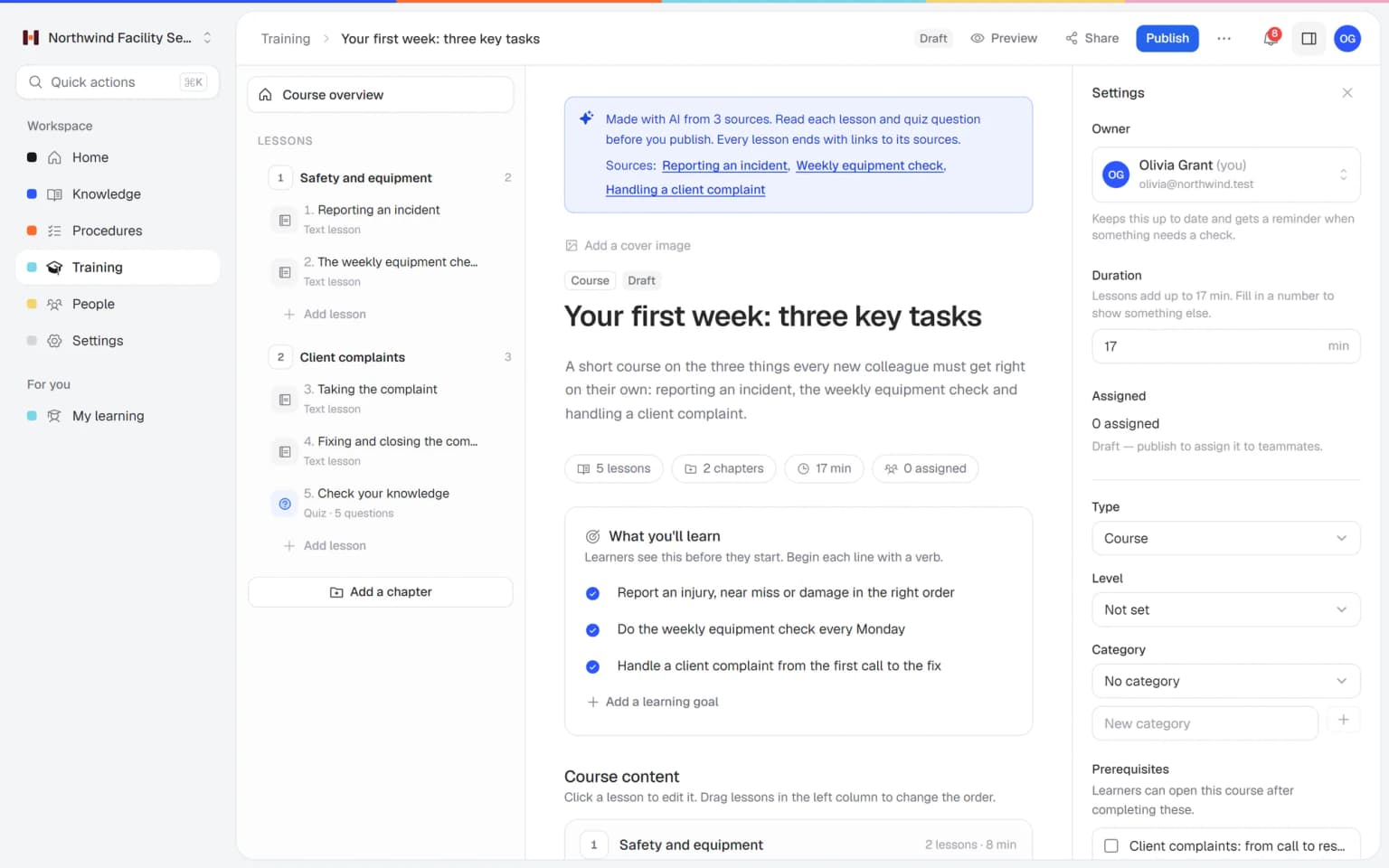
    Helpable comes with onboarding templates. Add your own work instructions, house rules and videos to the steps of this checklist.

    Start from an onboarding template: how it looks in Helpable
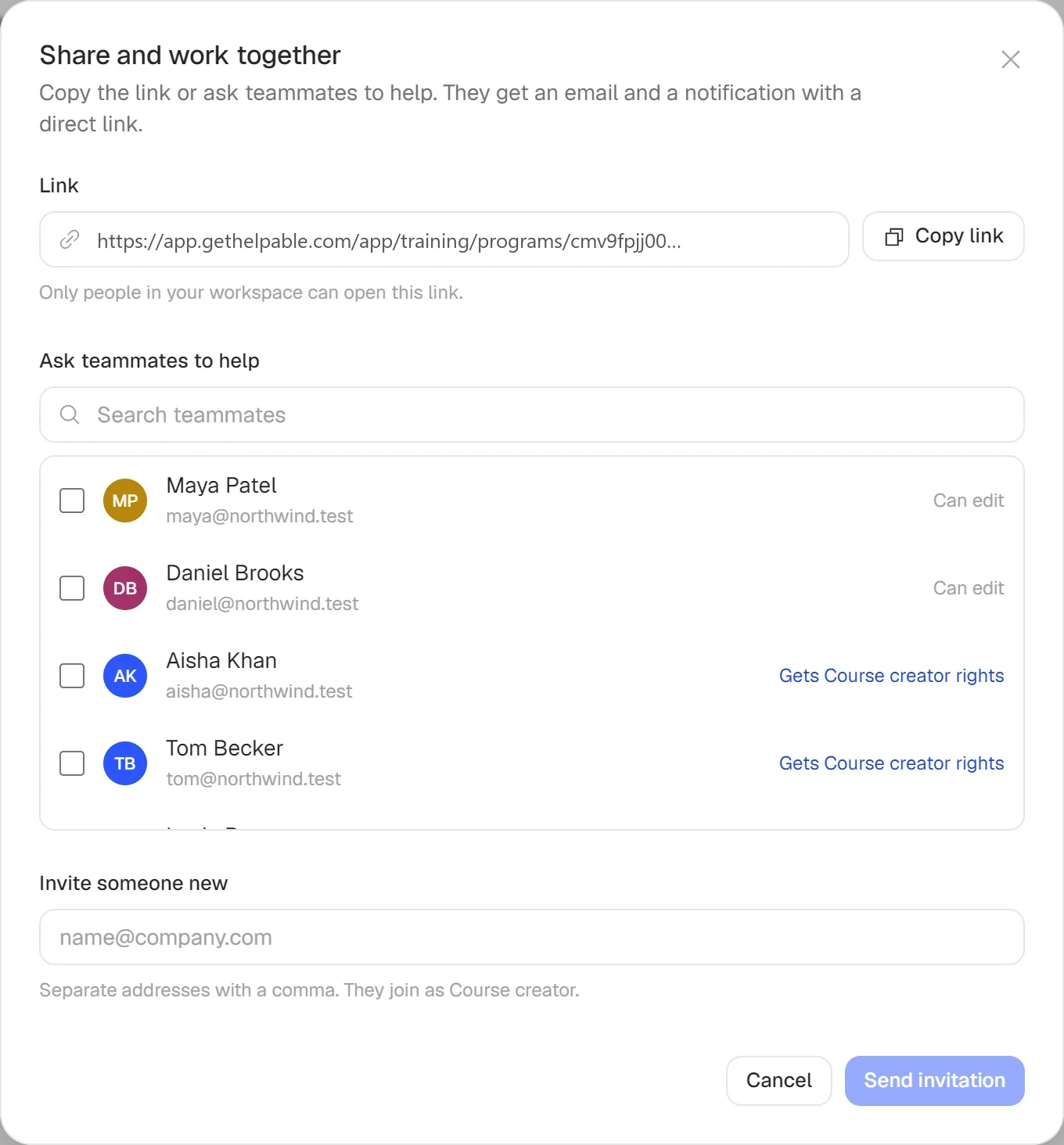
  2. Assign it with a deadline

    Assign the onboarding to a new hire or set a rule so every new member gets it. Helpable sends email reminders when a deadline gets close.

    Assign it with a deadline: how it looks in Helpable
  3. Check what they learned

    Add a short quiz to the training for the role. A learning path puts the courses in a set order, so people start with what matters first.

    Check what they learned: how it looks in Helpable
  4. See who is ready

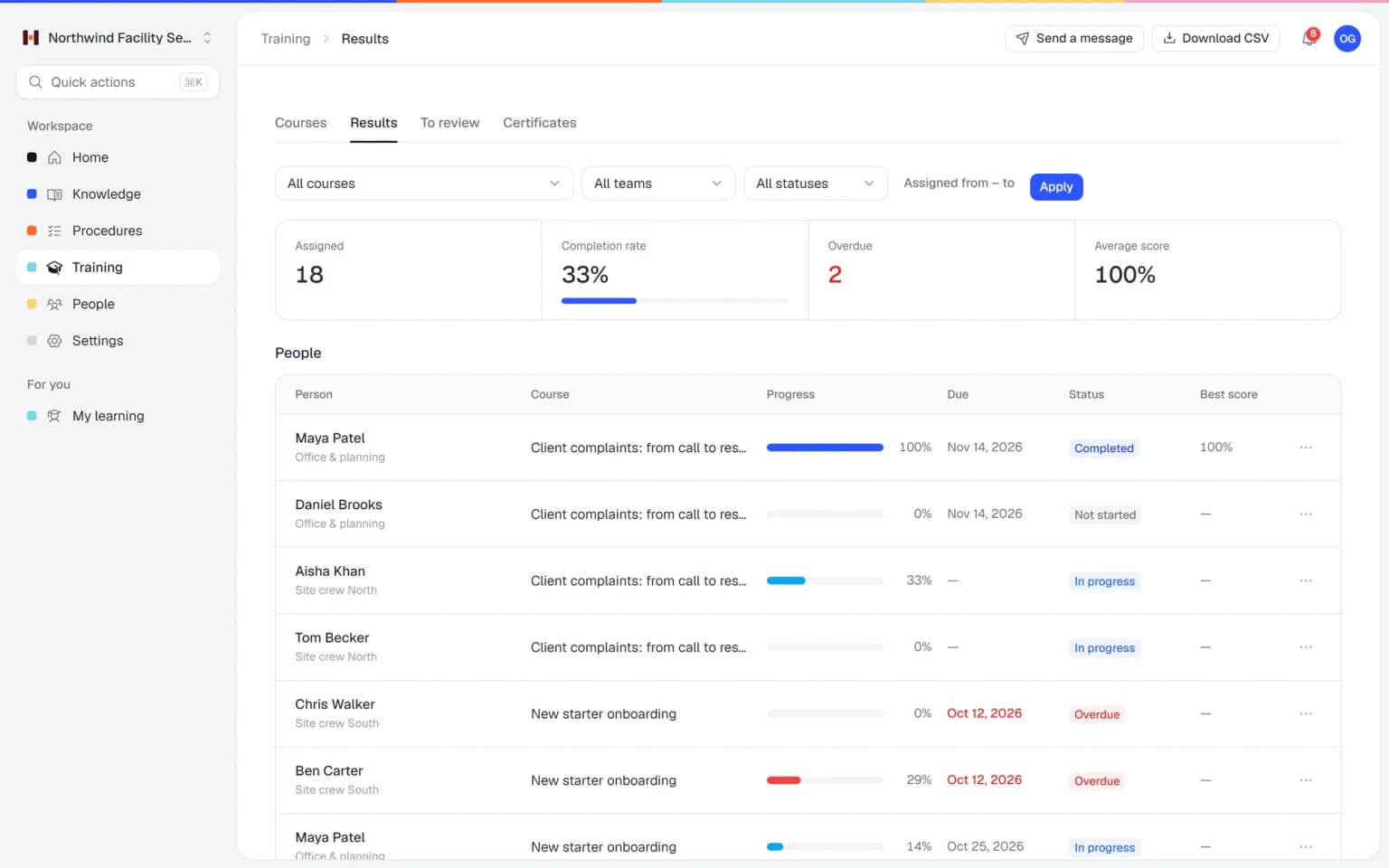
    Track progress per person and team, and see who confirmed which version of a work instruction. Read confirmations are part of every plan; assignments and progress start at Business Plus.

    See who is ready: how it looks in Helpable
Pricing

A plan that grows with your team

Try Helpable free for 14 days, no credit card needed. Then pick the plan that fits your team.

Grow when you need to

Add these to Business and up, any time. You only pay for what you use.

  • More people

    Add people one by one as your team grows, for a fixed price per person on every plan.

    $9/month

  • A second help center

    A help center and handbook for another brand, location or client.

    $10/month

  • Only your brand

    Remove “Powered by Helpable” from your help center. Included in Business Max.

    $19/month

  • Cancel any time
  • Data stored in the EU

Questions about this onboarding checklist

Can't find your answer? We're happy to help.

Is this onboarding template free?

Yes. Helpable gives this employee onboarding checklist template away for free, with no email or sign-up needed. Copy it, print it, change it and use it as often as you like.

What should an employee onboarding checklist include?

In Helpable's template you get the basics (who, when, where), tasks before day one, a day one schedule, week one, the first 30 days and days 31 to 90. Each phase has a clear owner and ends with a check-in, so nothing depends on memory.

How long should onboarding take?

Helpable's template covers 90 days because most people need that long to do the full job with confidence. Simple roles can move faster; the first week and the 30-day check-in matter most either way.

Can I use this template for temporary and seasonal staff?

Yes, and Helpable's checklist works well for them if you shorten it. Keep the safety basics, the must-know work instructions and the day one schedule, and drop the 90-day review.

Can I use the checklist in Excel or Google Sheets?

Yes. Click Copy template above the Helpable template and paste the text into Google Docs, Word or a spreadsheet; the tables keep their columns. In Helpable you can paste it into an article or onboarding training and track it per person.

How does Helpable help with onboarding?

Helpable turns this checklist into an onboarding you can assign: training with lessons and a quiz, work instructions with read confirmation, deadlines and email reminders. You see who is done and who needs help; read confirmations are part of every plan and assignments start at Business Plus.

Do new hires need an app?

No. Helpable works in the browser on phone, tablet and laptop, so new hires on the shop floor or at a client site open their onboarding on the phone they already have. The interface is in English and Dutch.

Onboard your next hire in Helpable

Put this checklist in Helpable, assign it and see who is ready for the job.

  • 14 days free
  • No credit card needed
  • Cancel any time