Free SOP template

SOP template for any task

Every task done the same way, by every colleague. Fill in one page per task and people follow it from the first day.

  • Free to copy
  • Print or save as PDF
  • No email needed
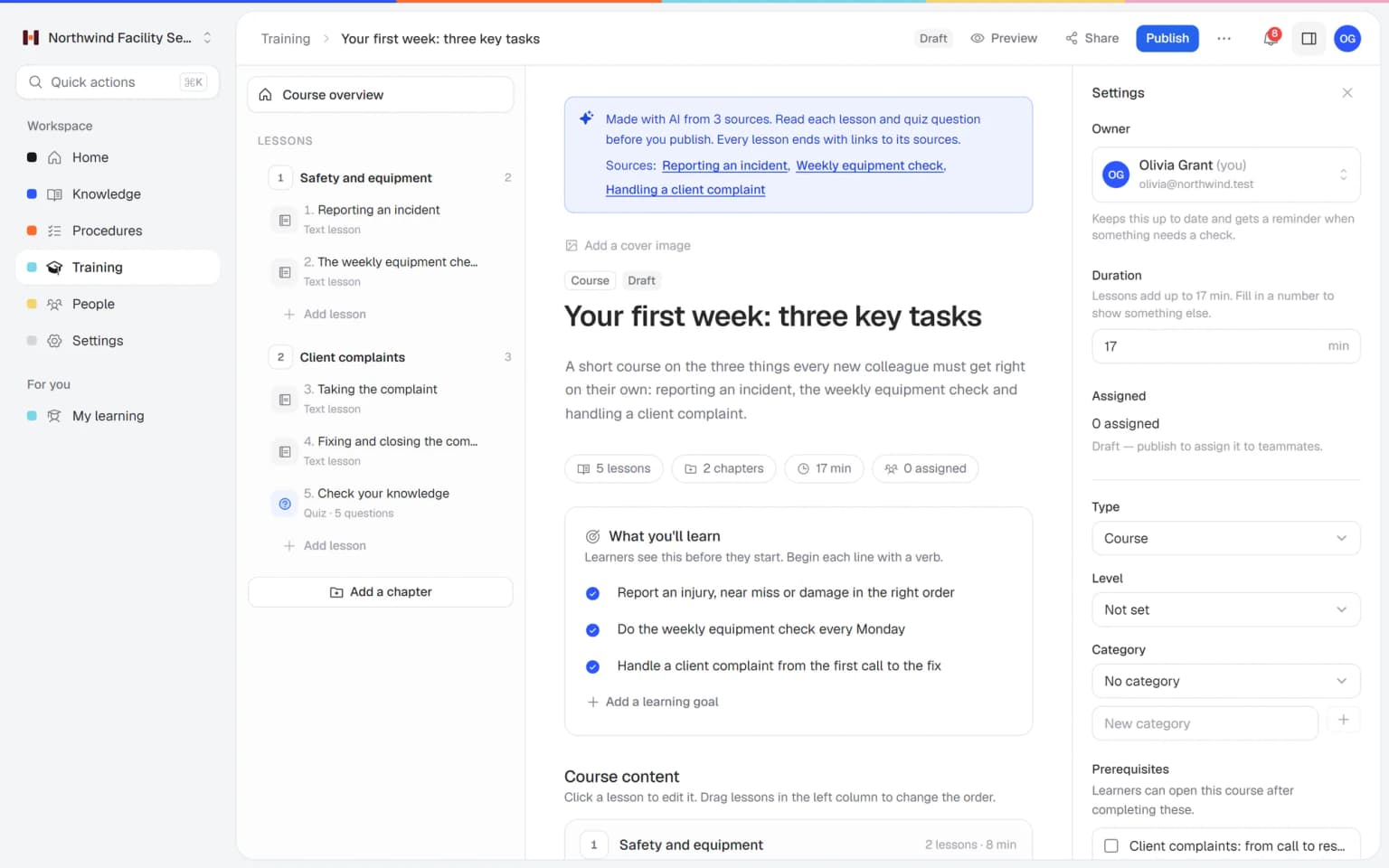
A work instruction in Helpable with numbered steps and a checklist

Copy it into Word, Google Docs or your knowledge base, or print it.

SOP: [name of the task, starts with a verb]

One SOP per task. Write it for the least experienced person who will do the task, and keep it to one screen or one page. Longer than that? Split it into two tasks.

Details

ItemFill in
PurposeWhat is the result when the task is done right?
Who does itWhich role or team carries out this task?
WhenWhen or how often is the task done?
What you needMaterials, tools, systems, access
SafetyRisks and protective gear (or: none)
OwnerName of the person who keeps this SOP up to date
Version1.0
Last changed[date] and a one-line summary of the change
Next review[date of the next check]

Steps

No.Action (start with a verb)Check: how do you know it is right?Photo or note
1
2
3
4
5
6

If something goes wrong

  • What do you do when [common problem]?
  • Who do you call or report it to, and how?
  • When do you stop the task?

Related

  • [Link to a related SOP or policy]
  • [Link to the training for this task]

Change log

VersionDateWhat changedBy
1.0First version

Example: clean the restrooms in an office building

Purpose: clean, stocked restrooms that pass the client's check. Who: cleaning staff on the evening shift. When: every working day. What you need: gloves, color-coded cloths, toilet cleaner, all-purpose cleaner, mop, refills.

No.ActionCheckNote
1Put the cleaning sign at the entranceThe sign is visible from the hallway
2Put on gloves and take the red cloths for toilets and the blue cloths for sinksRight color for each areaNever mix colors
3Clean from clean to dirty: sinks, mirrors, taps, then toiletsNo streaks on mirrors and taps
4Refill soap, paper and hygiene bagsEvery dispenser is fullReport low stock to the team lead
5Mop the floor from the back to the doorFloor is dry before the sign goes away
6Fill in the cleaning log on the doorDate, time and initials are filled in

Writing tips

  • One action per step. "Switch off the machine and unplug it" is two steps.
  • Start each step with a verb: "Close the valve", "Scan the receipt".
  • Be specific: "Wait 10 minutes" works better than "let it soak for a while".
  • Add a check where mistakes happen: "Check: the light is green."
  • Test it: let someone who does not know the task follow the SOP while you watch, and fix every spot where they hesitate.

How to use this template

Three steps per task. Start with the task that causes the most questions.

  1. Walk along and write it down

    Watch someone who does the task well and note every action, including the things that feel obvious to them. Take photos of tricky details.

  2. Fill in the template

    Turn your notes into numbered steps with a check where it counts. Add the owner, version and review date at the top.

  3. Test, publish and review

    Let a colleague who does not know the task follow it. Fix what was unclear, share it in one place and check it again on the review date.

Run it in Helpable

A Word file shows the steps. Helpable also shows who read the latest version and reminds you when a review is due.

  1. Paste it into a work instruction

    Each step gets its own text, images and a checklist. Set an owner, a category and a review interval, and Helpable plans the next review date.

    Paste it into a work instruction: how it looks in Helpable
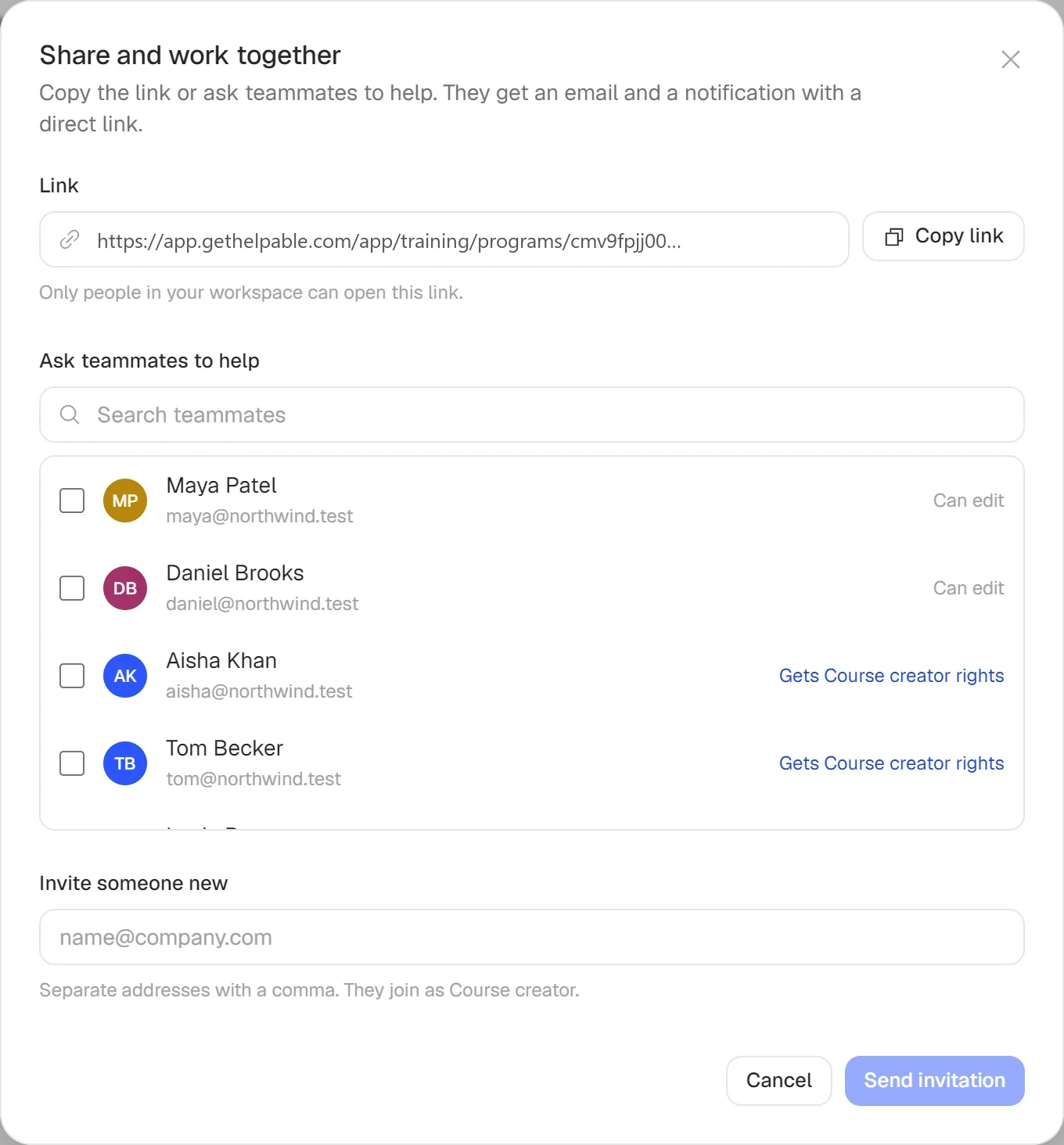
  2. Assign it to the people who do the task

    Share the work instruction with a team or a person, with a deadline. Helpable sends email reminders to everyone who has not finished yet.

    Assign it to the people who do the task: how it looks in Helpable
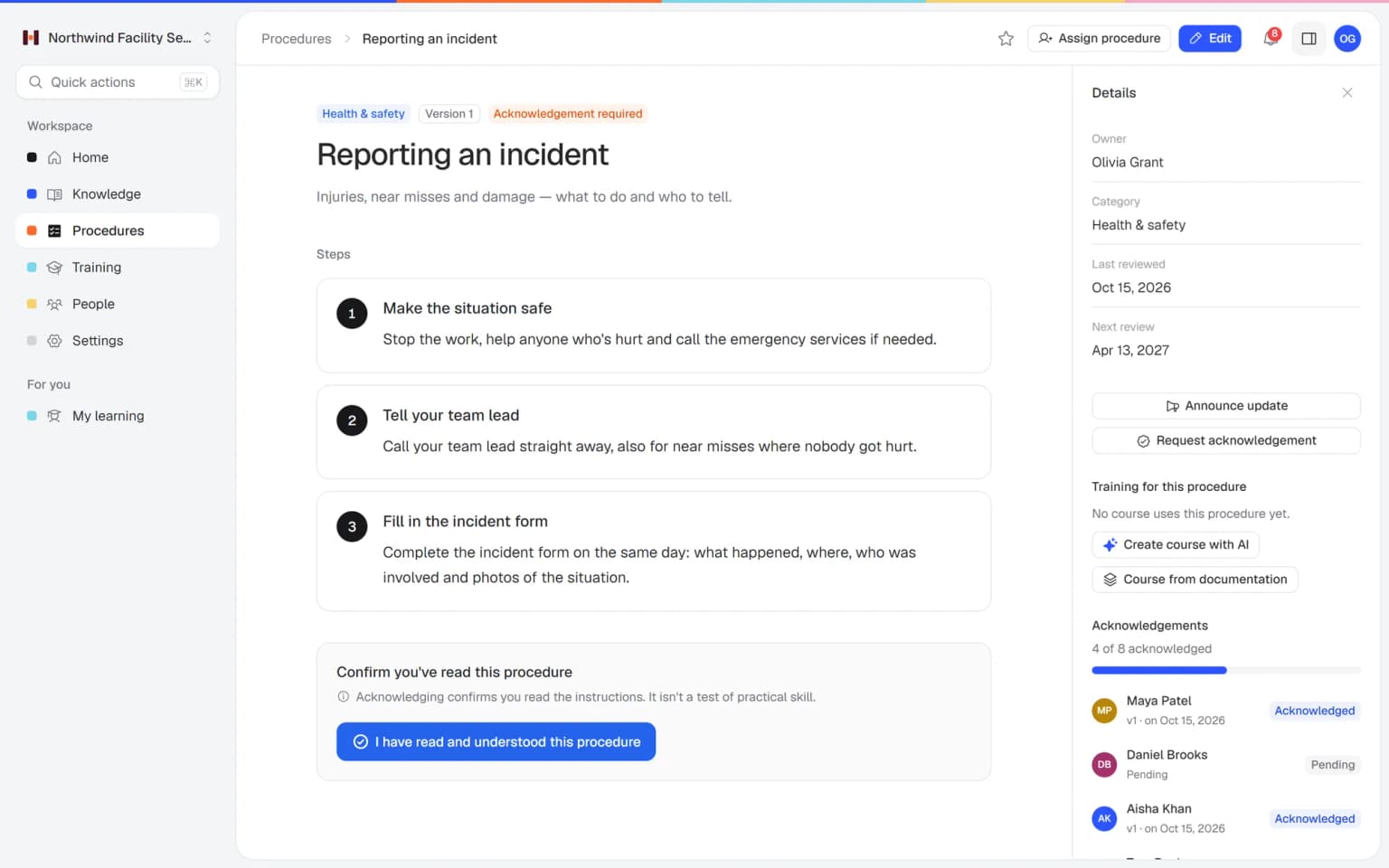
  3. Ask for a read confirmation per version

    People confirm they read and understood the instruction. After a change you publish a new version, announce the update and ask again. Read confirmations are part of every plan.

    Ask for a read confirmation per version: how it looks in Helpable
  4. Train it with a quiz

    Add the work instruction to a training with a short quiz, or let AI draft a training from your published work instructions. You check it before you publish.

    Train it with a quiz: how it looks in Helpable
Pricing

A plan that grows with your team

Try Helpable free for 14 days, no credit card needed. Then pick the plan that fits your team.

Grow when you need to

Add these to Business and up, any time. You only pay for what you use.

  • More people

    Add people one by one as your team grows, for a fixed price per person on every plan.

    $9/month

  • A second help center

    A help center and handbook for another brand, location or client.

    $10/month

  • Only your brand

    Remove “Powered by Helpable” from your help center. Included in Business Max.

    $19/month

  • Cancel any time
  • Data stored in the EU

Questions about this SOP template

Can't find your answer? We're happy to help.

Is this SOP template free?

Yes. Helpable gives this SOP template away for free, with no email or sign-up needed. Copy it into Word, Google Docs or your knowledge base and use it for as many tasks as you like.

What is the difference between an SOP and a work instruction?

In Helpable both are called procedures, and many teams use the words for the same thing. An SOP often describes a whole process with several roles, a work instruction zooms in on one task for one person; this template works for both.

What should an SOP include?

Helpable's template covers the minimum: a title that starts with a verb, purpose, who does it, what you need, safety, numbered steps with checks, what to do when something goes wrong, owner, version and review date. Leave out what does not apply. Always keep the owner and review date.

How long should an SOP be?

Helpable recommends one screen or one page per SOP, with five to fifteen steps. If it gets longer, the task is probably two tasks and deserves two SOPs.

How often should I review an SOP?

In Helpable you set a review interval per work instruction, for example every six or twelve months, and the next review date shows on the instruction. Also review it whenever the work changes, and publish the change as a new version with a short summary.

How do I know everyone read the new version?

Helpable asks for a read confirmation per published version and shows per person who confirmed which version and who is still open. After a change you ask again; read confirmations are part of every plan.

Can I write an SOP with AI?

Helpable's AI writer helps you get a first draft of an article fast. Always let someone who does the task check the steps, because only they know how the work goes on your floor.

Put your SOPs in Helpable

One place for every work instruction, with versions, reviews and read confirmation.

  • 14 days free
  • No credit card needed
  • Cancel any time