Short answer: LMS companies fall into six types: school LMSs, large company suites, LMSs inside HR suites, platforms to sell courses, business LMSs for small and mid-sized companies, and small-team tools that combine training with procedures and knowledge. Each type is built for a different size and goal. Pick the type that matches your team first, then compare vendors within it.
How is the LMS market split?
There are hundreds of LMS vendors. Lists of "top 10 LMS companies" mix tools that have little in common: a university platform next to a tool for selling online courses next to an HR suite. That makes comparing hard.
It helps to sort the market by what each tool is built for. Once you know your type, the shortlist gets short quickly. For a team of 5 to 50 people that trains its own staff, the type to start with is an LMS for small business.
The table below shows the six types. The names are plain examples of each type, in no particular order. This is not a ranking.
| Type | Built for | Typical team size | Typical pricing model | Examples |
|---|---|---|---|---|
| 1. School and university LMS | Classes, terms, teachers and grades | Schools of any size | Institution license, or free open source plus hosting | Canvas, Moodle, Blackboard, D2L Brightspace |
| 2. Large company suite | Complex training across many departments and countries | Hundreds to many thousands | Yearly contract on a quote | Cornerstone, Docebo, SAP SuccessFactors Learning |
| 3. LMS inside an HR suite | Companies that want HR, payroll and training in one system | Mid-sized to large | Per employee, as part of an HR bundle | Workday Learning, Rippling |
| 4. Platform to sell courses | Creators and trainers selling to the public | One person to small teams | Monthly plans, sometimes with transaction fees | Thinkific, Teachable, Kajabi |
| 5. Business LMS for small and mid-sized companies | Companies that want a ready LMS for staff training | Dozens to thousands | Per user or per active user, in tiers | TalentLMS, Absorb LMS, LearnUpon, iSpring Learn |
| 6. Small-team tool with training and knowledge | Teams that want training next to procedures and a knowledge base | Roughly 5 to 50 | Flat monthly price per team-size tier | Trainual, Helpable |
Last checked: October 16, 2026. Vendors change their focus and pricing; check each website for current details.
What does each type of LMS company do well?
1. School and university LMS
Built for: education. Everything is organized around classes, terms, assignments and gradebooks. Good fit when: you are a school, college or training institute with students. Watch for: if you are a business, you will translate teams into "classes" and staff into "students". Open-source options have no license fee, but hosting, updates and plugins take time.
2. Large company suite
Built for: organizations with many departments, countries and languages, often with a dedicated learning team. Good fit when: you have hundreds or thousands of employees, complex compliance rules and an IT team to connect systems. Watch for: setup projects that take weeks or months, yearly contracts and minimum user numbers. For a small team, most of the features go unused.
3. LMS inside an HR suite
Built for: companies that already run HR, payroll and time tracking in one suite and want training there as well. Good fit when: you use that HR suite already and your training needs are fairly simple. Watch for: the learning part is one module among many, so check how deep it goes. It is usually only sold together with the HR suite.
4. Platform to sell courses
Built for: creators, coaches and trainers who sell courses to people they don't employ. Good fit when: your goal is revenue from courses: sales pages, payments, coupons, student communities. Watch for: these tools are built for selling. Assigning training to staff by role, due dates and refreshers are usually not their focus.
5. Business LMS for small and mid-sized companies
Built for: companies that train employees, partners or customers and want a full LMS ready to use. Good fit when: you want a classic LMS with a broad feature set, and may need standards like SCORM or a large catalog of ready-made content. Watch for: how the price grows with each hire, which features sit in which tier, and which are add-ons, such as branding or AI. Check what your plan includes at 10, 25 and 50 people.
6. Small-team tool with training and knowledge
Built for: teams of roughly 5 to 50 people where the owner or a manager runs training part-time. Training sits next to procedures and a knowledge base, so people learn the work and can look it up later. Good fit when: your training is mostly about how your own business works: onboarding, procedures, safety, customer service. Watch for: these tools focus on your own content. If you need SCORM, a big library of ready-made courses or deep HR integrations, check that carefully.
Who are the top LMS vendors?
There is no neutral top 10. Lists differ a lot depending on who writes them, and most mix the six types above. The names that come up most depend on the segment: education platforms in schools, big suites in large companies, business LMSs and small-team tools in smaller firms.
A more useful question is: who are the main vendors of the type that fits you? The table above gives a starting point per type. From there, compare three or four tools within that one type.
Which tools get compared with an LMS but are something else?
Some tools show up in LMS comparisons while doing a different job:
- Authoring tools build training content, often to export into an LMS. Easygenerator and Articulate 360 are examples. If you are weighing this kind of tool, see how Helpable compares with Easygenerator.
- Content libraries sell ready-made courses on general topics. LinkedIn Learning and Coursera for Business are examples.
- Knowledge base and SOP tools store how work is done. They help people look things up, though most don't assign training or track who learned what.
Which type of LMS company fits your team?
| Your situation | Type to look at |
|---|---|
| You are a school, college or training institute | 1. School and university LMS |
| 500+ employees, a learning team, complex rules | 2. Large company suite |
| You already run an HR suite and want training there | 3. LMS inside an HR suite |
| You want to sell courses to the public | 4. Platform to sell courses |
| You need SCORM, a content library or training for partners and customers | 5. Business LMS |
| 5 to 50 people, training on your own way of working, procedures and knowledge in one place | 6. Small-team tool |
Example: an accountancy office with 18 people
Say you run an accountancy office with 18 people: partners, accountants, assistants and two people at the front desk. You hire three or four people a year. Training today means a thick onboarding document and a lot of "just ask Peter".
You search "LMS companies" and get a list of fifteen names. Sorting them by type helps:
- School LMSs: out. You don't have classes or students.
- Large company suites: out. Too big, and you have no IT team.
- HR suite LMS: you use a separate payroll provider and don't plan to switch. Out.
- Course-selling platforms: out. You are training your own staff.
- Business LMS: possible. You check if you need SCORM or ready-made courses. You don't: your training is about your own procedures, software and client rules.
- Small-team tool: fits. You want onboarding per role, your procedures for year-end work in one place, and proof that everyone read the new privacy policy.
Your shortlist now has three tools from types 5 and 6. You run a free trial of each with the same task: build onboarding for a new assistant and ask everyone to confirm the privacy policy. Within two weeks you know which one your team actually uses.
For the next step, our guide on how to choose learning management software for a small business gives you a 30-minute test plan for each trial.
10 questions to ask any LMS vendor
Ask these before you sign anything. Write down the answers so you can compare.
- Contract: is it monthly or yearly? Is there a minimum term?
- Pricing model: do I pay per user, per active user or a flat price? What happens to my price when I add five people?
- Price increases: how often have prices gone up, and how much notice do you give?
- What's included: which features are in my plan and which are add-ons, for example AI, branding, certificates or reports?
- Data storage: where is our data stored? In the EU or elsewhere? Who can access it?
- Export: can I export my content, users and training records if I leave? In what format?
- Cancellation: how much notice do I need to give, and what happens to my data after I cancel?
- Setup: can I set it up myself, or do I need an onboarding project? How long until the first training is live?
- Support: how do I reach support, in which language, and how fast do they answer?
- Employees: how do staff sign in? Do they need an app, an email address or a company account?
If you are budgeting at the same time, see how much an LMS costs, where we compare per-user and flat pricing for teams of 10, 25 and 50.
Where Helpable fits
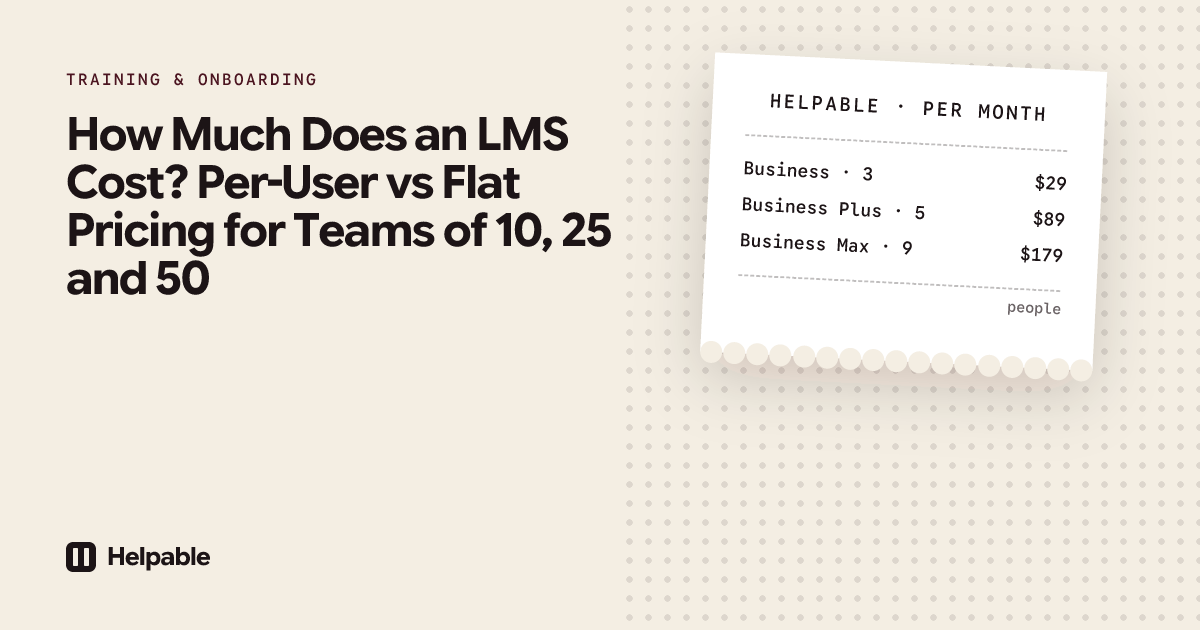
Helpable belongs to type 6. Helpable is training software and an LMS for teams of 5 to 50 people, with your knowledge base and procedures in the same tool. Plans start at $29 a month for up to 3 team members, with a 14-day free trial and no credit card needed.
How it answers the vendor questions above:
- Pricing: a flat monthly price per plan, by team size, with AI credits included. Prices are on the website.
- Data: stored in the EU. Helpable is built in Europe.
- Setup: you set it up yourself, starting from one of six templates or an AI draft from your own documents.
- Employees: you invite people by email and they open Helpable in the browser on any phone, tablet or laptop.
- Proof: progress, scores, certificates and read confirmations per person, exported to CSV.
If you are already comparing specific tools, see how Helpable compares with TalentLMS or how Helpable compares with Trainual.
When Helpable is not the right fit
- You need SCORM or xAPI import or export.
- You need a library of ready-made courses on general topics.
- You want to sell courses to the public, or you are a school.
- You need a direct link with your HR or payroll system, or a native mobile app.
- You have hundreds of employees and complex rules across countries.
FAQ
What are LMS companies?
LMS companies are vendors that sell learning management systems: software to create training, assign it and track who completed it. They range from school platforms to large company suites to small-team tools.
What are the main types of LMS vendors?
School and university LMSs, large company suites, LMSs inside HR suites, platforms to sell courses, business LMSs for small and mid-sized companies, and small-team tools that combine training with procedures and knowledge.
What are the most famous LMS platforms?
In education, Canvas, Moodle and Blackboard are widely known. In companies, the names depend on size: large suites for big organizations, business LMSs and small-team tools for smaller firms. Fame says little about fit for your team.
How do LMS vendors charge?
The common models are per user, per active user, flat tiers by team size, yearly contracts on a quote, and free open source with hosting costs. Ask how your price changes as your team grows.
What should I ask an LMS vendor before buying?
Ask about contract length, pricing model, price increases, what's included, where data is stored, data export, cancellation, setup time, support and how employees sign in.
Is an LMS provider the same as a course provider?
No. An LMS provider sells the software. A course provider sells training content. Some vendors do both, and some LMSs include a content library.
Which type of LMS is best for a small business?
For a business that trains its own staff on its own way of working, a business LMS or a small-team tool usually fits. If you also want procedures and a knowledge base in one place, look at small-team tools.
See how a small-team LMS works
If type 6 sounds like your team, see how Helpable works as an LMS for small business, or start a free trial and run the ten vendor questions against it yourself.